



OwenAlexander99
Members
-
Joined
-
Last visited
Everything posted by OwenAlexander99
-
Hello, I have been trying for the past several hours to get into GTA 5 to play LSPDFR. Ever since the last update of GTA 5 I have had nothing but problems and issues. I have tried everything including starting a brand new GTA 5 directory. Regardless, I still can not get into the game and I am at my wits end, to say the least. Please help me! PS: RAGE, Scripthookv etc. are on the latest versions
-
I have had the exact same issue..... I have gone so far as to starting a brand new GTA 5 directory and it is still not working, help please
-
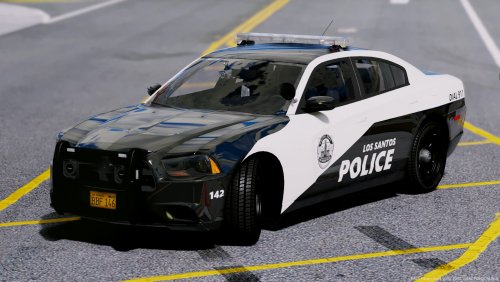
Just wondering if any one had any info on why The Los Santos County Sheriff Mega pack is no longer available. The Link: http://www.lcpdfr.com/files/file/15979-los-santos-county-sheriffs-department-mega-pack/ What the pack looks like: (this is just a thumbnail from Google, but you get the idea) If anyone could tell me any info I would really appreciate it as this is my favorite pack and I would like to re-download it, Thanks!
-
 Great cars!!! The pros of this pack are the exteriors (skins, lights and antennas) of these vehicles. The cons are the lack of interior detail, and the prisoner's head clipping through the roof. I have to say, both the pros and the cons can be applied to almost all the packs done by thegreathah. I would love to see the listed issues fixed because they really are great vehicles:)
- 101 comments
- 49 reviews
-
-

- 1
-
-
 Hands down, this is one of the best packs I have ever used! The amount of work put into these cars is obvious, but now they are in need of some updates and fixes such as: interiors, ram bars and other small glitches here and there.
- 208 comments
- 59 reviews
-
Hello, I was just wondering what to do myself since I have the same problem. On every RAGE patch I have done, I have never had to do anything like updating my update.rpf before. So I was wondering if that was the only solution to the problem, and if so, how do I do the updating process??
-
-
 Hey, I was just wondering if these skins would be compatible with this pack.... You had it in the "list" when you first uploaded this skin pack
- 46 comments
- 16 reviews
-
-
- 1
-
-
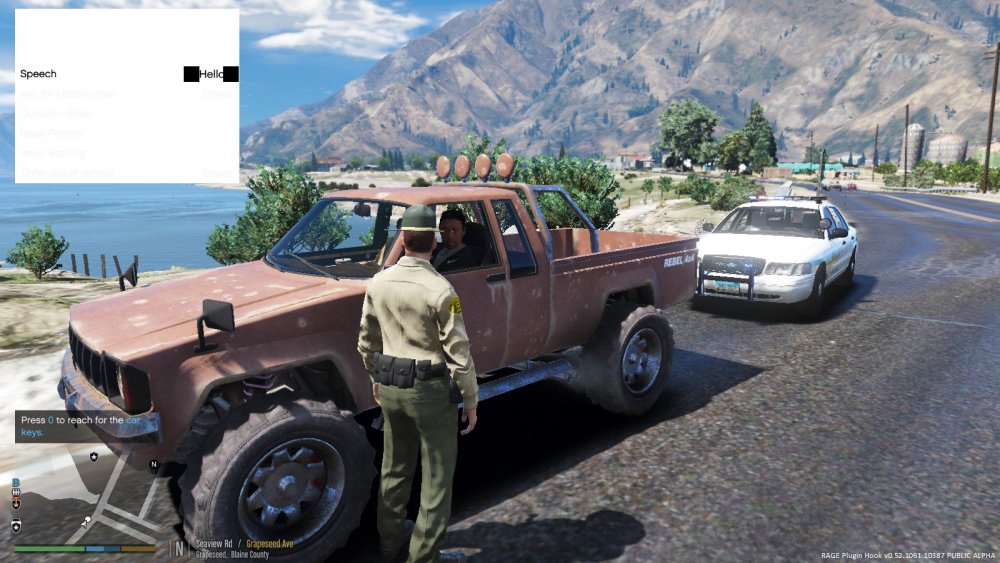
Hello, If anyone can answer this question I would be truly in your debt. I have been using traffic policer for quite a while now and I have ran into the same problem every single time I play LSPDFR, that is not an exaggeration either. After two or three traffic stops, the interaction menu for Traffic Policer will turn "white." I have tried re-installing it many, many times but it never works. I will have a screenshot of this below, if you have a suggestion or even better, a solution please let me know, Thanks
-
 Hey Albo, I love this mod sooooooo much and I would definitely have to say this is a "must have" for all LSPDFR players (along with every other mod you create). I am having just one problem though and that is, the interaction menu for when you are on a traffic stop turns white. the words are black but everything else is white so you can't see anything but the words and as a result it can be very hard to navigate through menu in general. (I have a screenshot to show you what I am talking about). To be very honest this gets rather frustrating and I am kind of fed up with this problem, if you have a solution please let me know. Thanks!
- 3,646 comments
- 306 reviews
-
Not sure if this is the right place for the question, but it does have to do with EUP. Can someone PLEASE tell me what some of the different uniforms mean like DOA or PIA? I know what LSPD, BCSO, NOOSE and LSSD mean but the other ones I do not. The reason I am asking is because I want to use the right uniforms for the right "jobs." Your feed back would be greatly appreciated, Thanks


