Skip to content
View in the app

A better way to browse. Learn more.

LCPDFR.com

A full-screen app on your home screen with push notifications, badges and more.

To install this app on iOS and iPadOS
  1. Tap the Share icon in Safari
  2. Scroll the menu and tap Add to Home Screen.
  3. Tap Add in the top-right corner.
To install this app on Android
  1. Tap the 3-dot menu (⋮) in the top-right corner of the browser.
  2. Tap Add to Home screen or Install app.
  3. Confirm by tapping Install.

SgtMckinson

Members
  • Joined

  • Last visited

Files posted by SgtMckinson

    • 337 Downloads
    Updated
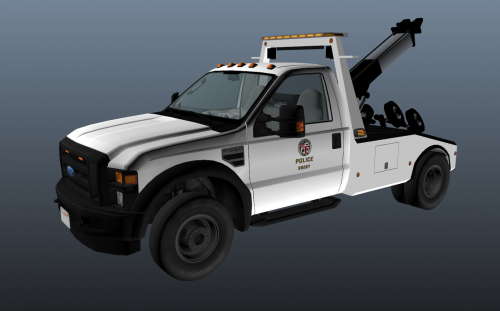
  1. Just a small LAPD livery to match your Los Santos environment!
    • 355 Downloads
    Submitted
  2. NYPD plain clothes cop , with 5 different t-shirts for black and white cop , a vest with 3 different textures and a bullet proof vest .
    • 10,194 Downloads
    • 15 Comments
    Updated
  3. I used ped meshes to add a shirt to the paramedic model , and changed the textures to FDNY EMT
    • 2,977 Downloads
    • 11 Comments
    Submitted
  4. For the model with the vest :
    • 1,755 Downloads
    • 4 Comments
    Submitted
  5. I've changed the default skin that 0taku create and i replaced it by a self made NYPD skin .
    • 572 Downloads
    • 9 Comments
    Updated
  6. changed one model to make the firefighter more slim . And tell me what you think about it , it's my first work .
    • 1,222 Downloads
    • 6 Comments
    Updated

Account

Navigation

Search

Search

Configure browser push notifications

Chrome (Android)
  1. Tap the lock icon next to the address bar.
  2. Tap Permissions → Notifications.
  3. Adjust your preference.
Chrome (Desktop)
  1. Click the padlock icon in the address bar.
  2. Select Site settings.
  3. Find Notifications and adjust your preference.