


lazyfortress
Members
-
Joined
-
Last visited
Everything posted by lazyfortress
-
So I was trying to create a Phoenix Police texture for the Caprice in Dbankers Car Pack. When I tested it out in game, it showed up as black. I have attached the 2 photos of the Caprice and my texture (still working on my texture; currently paused until the black tint problem is solved). How can I fix the black tint problem? And also in game, the Caprice's windows don't seem to show up, either. How can I fix this?
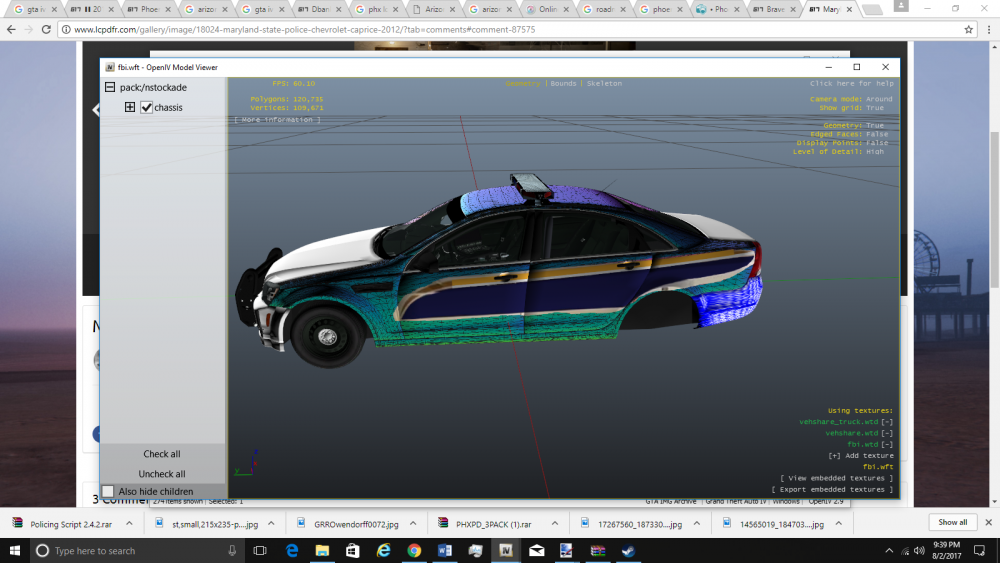
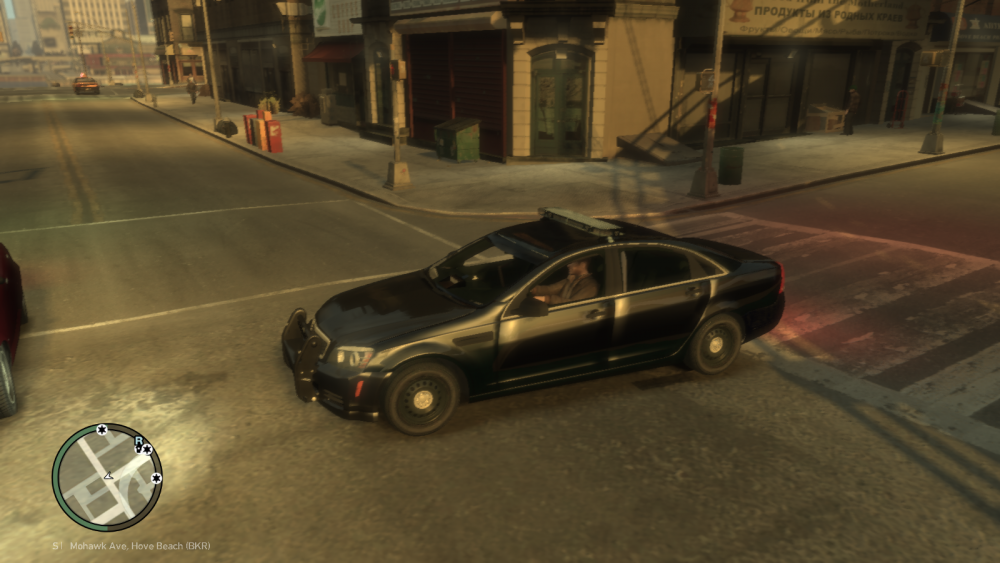
-
It's for GTA V though. I checked the files. They're not wtd or wft, they're ytd and yft.
-
Hello, I'm looking for any 2011-2014 Caprice with hubcaps. I heard that EVI made one with hubcaps, but he took it down for some reason. I heard that you needed a valid reason in order to get the link to the Caprice. I'm trying to make a Maryland State Police Caprice (that rhymed) with the hubcaps. I need a template for a Caprice with the hubcaps. So far, no luck. I really like EVI's Caprice, but I can't get it. Any ideas? I really want to make that texture! Below is EVI's Caprice/
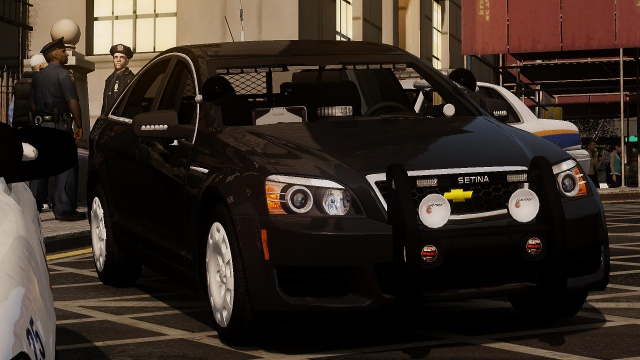
-
 Where can I download the textures and model?
 -
Hello, I'm trying to install this F150 skin: I have found a link to EVI's F150: https://www.lcpdfr.com/files/file/290-2012-ford-f-150-las-vegas-metro-police-department/ But the link doesn't work. How can I get EVI's F-150? I really want to have that Arizona DPS F-150.
-
I can't spawn polpatriot now
-
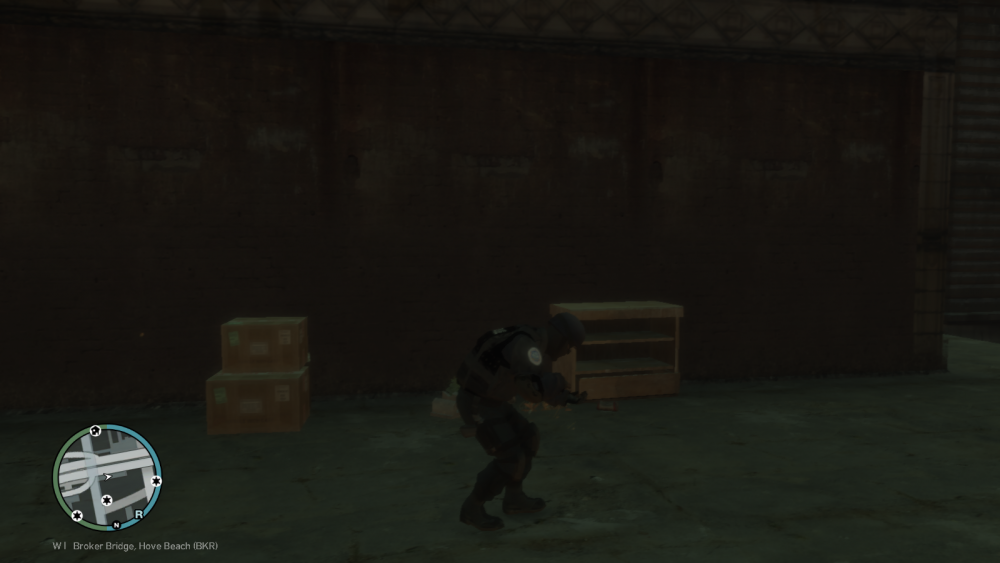
When I downloaded this FBI Suburban for the polpatriot slot, I've been having trouble spawning it at the police station. When I first start LCPDFR, go and drive to the station, change uniforms, and then go to the car spawn, when I select the polpatriot vehicle, the vehicle doesn't spawn. I can't press enter or go back. My character is just there. I've tried downloading different vehicles and putting them in the polpatriot slot. Same thing happens. What do I do now? I don't want to have to reinstall GTA IV again. I also included a screenshot.
-
I'm using OpenIV. I have edit mode turned on, and I still can't delete and replace the line.
-
So I'm trying to replace this fatcop audio thing with this: M_M_FatCop_01, null, COP, move_f@bness_a, GESTURES@FEMALE, GESTURES@M_PHONE, FACIALS@M_LO, visemes@m_lo, 0, move_f@bness_a, null, -1,-1, PED_TYPE_PLAYER, VOICE_PLY_CR, VOICE_PLY_CR But when I try to delete the original fatcop thing, it won't let me. It's like I can't edit peds.ide. Any suggestions?
-
I found the right car. It's now working correctly. I watched this youtube video and it had the links in the description.
-
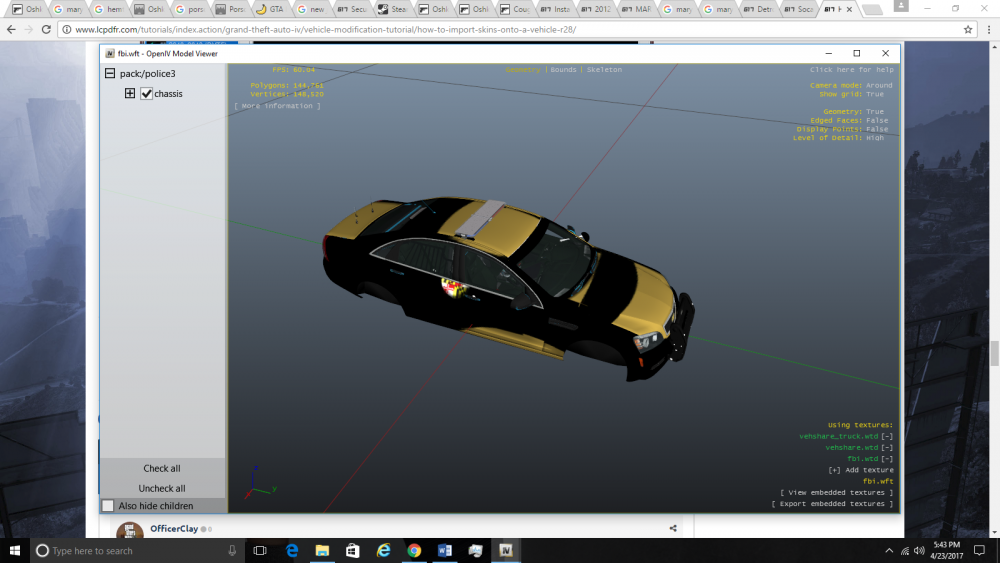
Ok so, I tried to install the texture, but it isn't working. What do I install the texture as? There's something in the file called ppv_sign_1, ppv_sign2, ppv_sign_3 and ppv_sign_4. I'm using Open IV Wait hold on So the skin did show up, but you can hardly see it. It's all black and everything, and the only thing I can see is a faint Maryland badge. I don't know what went wrong. How can I fix this?
-
Coolio! I'll let you know how it goes when I'm done with my doggone HW.
-
How can you tell? I hope the texture fits. I'm gonna test it out when I'm done with HW. Thanks for helping by the way! I'll reply when I get to test out the texture.
-
Hello, I was looking for some Caprice skins, and I came upon this Maryland State Trooper texture pack. I saw this skin for the Caprice, and I downloaded it. But the problem is, I have no idea what model the texture belongs to. There's no readme file or anything. Any ideas? I really want a Maryland State Police Caprice for GTA IV.Ok, I did that. I installed the Arizona DPS Ford Explorer, and the size in 3.333 MB. Is that too much?So in order to install a vehicle, what I did before was use OpenIV and paste the downloaded vehicle; replacement. Is that correct?The game still crashes! I replaced all the vehicles. Should I reinstall? Edit: I just uninstalled GTA IV. I'm currently reinstalling it. I'll tell you when I install another car pack to it, and if there are any problems. What went wrong with the Maryland pack?I'm using Windows 10, and ever since I tried to install this Maryland State Trooper pack, I've been having a whole lot of problems. I tried replacing all of the cars in the Maryland State Trooper pack with some Tennessee State Trooper vehicles and this one Arizona DPS Ford Utility vehicle. That's all I have tried to add. I've added these vehicles using Open IV, and I have tried previously to reinstall the Maryland State Trooper vehicles using this one GTA IV car mod installer. Before I added the Tennessee and Arizona vehicles, and only had the Maryland State trooper vehicles, when at the police station and selecting vehicles to choose, when I came upon one of the Maryland vehicles, the whole car was glitching out and caused my game to lag severely. Even when I ran away from the vehicle and looked in the vehicle's direction, I could still see the glitch on my screen. After running away from the car and driving a taxi, the game ran fine. But now, my game won't even start without crashing after pressing "Start". Here's the diagnostics report (it's very long): Should I reinstall GTA IV?I use paint.net and create my own textures.



