Skip to content
View in the app

A better way to browse. Learn more.

LCPDFR.com

A full-screen app on your home screen with push notifications, badges and more.

To install this app on iOS and iPadOS
  1. Tap the Share icon in Safari
  2. Scroll the menu and tap Add to Home Screen.
  3. Tap Add in the top-right corner.
To install this app on Android
  1. Tap the 3-dot menu (⋮) in the top-right corner of the browser.
  2. Tap Add to Home screen or Install app.
  3. Confirm by tapping Install.

ElementDevelopment

Members
  • Joined

  • Last visited

Files posted by ElementDevelopment

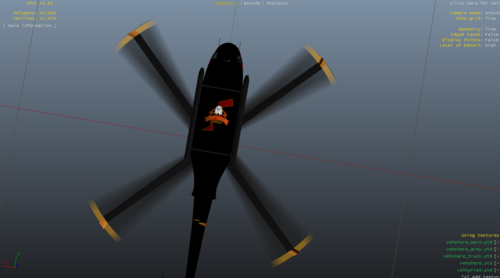
  1. I only made the textures, there are eight variants to the textures:

    Variant 1: Black and Red
    Variant 2: Black, white, blue and red
    Variant 3: Golden Yellow and red
    Variant 4: Gray and red
    Variant 5: Red, Black and Golden Yellow
    Variant 6: Tricolor-bold
    Variant 7: White, Purple and Pink
    Variant 8: White and red

    To enable liveries for the vehicle downloaded from it's source, enable it via carvariations.meta and vehicles.meta

    vehicles.meta flag: FLAG_HAS_LIVERY
    carvariations.meta set all liveries under the model name to true.
    • 41 Downloads
    Updated

Account

Navigation

Search

Search

Configure browser push notifications

Chrome (Android)
  1. Tap the lock icon next to the address bar.
  2. Tap Permissions → Notifications.
  3. Adjust your preference.
Chrome (Desktop)
  1. Click the padlock icon in the address bar.
  2. Select Site settings.
  3. Find Notifications and adjust your preference.