Skip to content
View in the app

A better way to browse. Learn more.

LCPDFR.com

A full-screen app on your home screen with push notifications, badges and more.

To install this app on iOS and iPadOS
  1. Tap the Share icon in Safari
  2. Scroll the menu and tap Add to Home Screen.
  3. Tap Add in the top-right corner.
To install this app on Android
  1. Tap the 3-dot menu (⋮) in the top-right corner of the browser.
  2. Tap Add to Home screen or Install app.
  3. Confirm by tapping Install.

OfficerZero17

Members
  • Joined

  • Last visited

Files posted by OfficerZero17

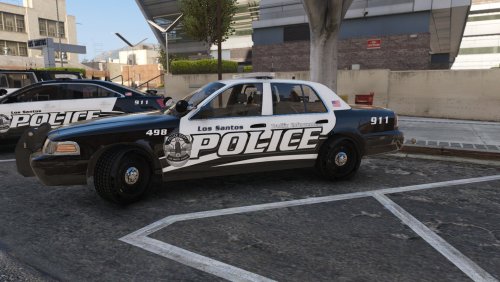
  1. Los Santos Police Department based on Hemet Police Department 
     
    Current Vehicles 
    Ford Police Interceptor Utility 2016 
    Ford Crown Vic 2011
     
    Will be added soon
    Ford Taurus
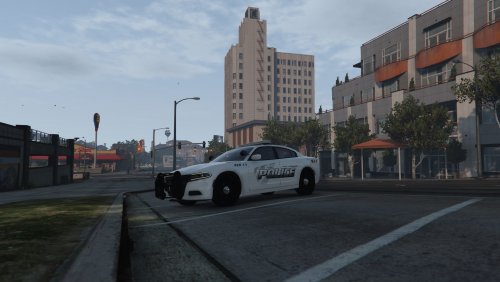
    Dodge charger 14 
    Dodge charger 18 
    Tahoe 18 
    Ford Police interceptor Utility 2020 
    --------------------------------------------------------
     
     
    Here are the vehicles used! 
     
     
    • 209 Downloads
    • 3 Comments
    Updated
  2. Made a HUGE CHANGE to the placement to the super/Traffic ENF text and replaced them! 
     
    All vehicles in this pack! 
    All texture versions Supervisor/Traffic Enforcement/ K-9 every texture with 3 diffrent types of number!


    • 1,217 Downloads
    • 21 Comments
    Updated
  3. 3 of 8 cars are currently out! 
    Stay tuned and Follow this pack to see when it realese!! 
     
    Thanks! 
    OfficerZero17 
     
     
    Vehicles currently completed! 


    • 207 Downloads
    • 6 Comments
    Updated
  4. Just made this for fun and to try something! Download if you think it looks interesting and nice! 
     
    Want me to make a pack of this let me know!
    • 34 Downloads
    Submitted

Account

Navigation

Search

Search

Configure browser push notifications

Chrome (Android)
  1. Tap the lock icon next to the address bar.
  2. Tap Permissions → Notifications.
  3. Adjust your preference.
Chrome (Desktop)
  1. Click the padlock icon in the address bar.
  2. Select Site settings.
  3. Find Notifications and adjust your preference.