



FrameBGrad.png.58e24256855b46c96be9aeac80800515.png)
Jacobmaate
-
Joined
-
Last visited
Everything posted by Jacobmaate
-
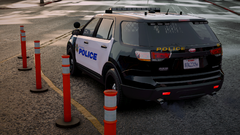
From the album: Jacobmaate's WIP Screenshots
WIP University Services Pack (v2) -
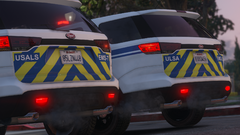
From the album: Jacobmaate's WIP Screenshots
A brief side-by-side comparison of the University EMS Scout updates. (Left is WIP v2, Right is v1) -
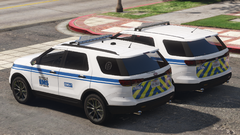
From the album: Jacobmaate's WIP Screenshots
A brief side-by-side comparison of the University EMS Scout updates. (Left is WIP v2, Right is v1) -
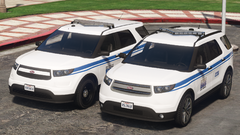
From the album: Jacobmaate's WIP Screenshots
A brief side-by-side comparison of the University EMS Scout updates. (Left is v1, Right is WIP v2) -
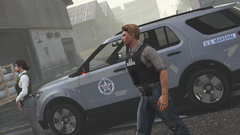
From the album: Jacobmaate's WIP Screenshots
-
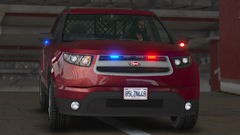
From the album: Jacobmaate's WIP Screenshots
Been playing around with alternate lighting setups, this one is partly based off of an unmarked LAPD unit donated by the U.S. Marshals Service. -
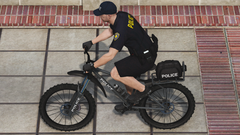
From the album: Jacobmaate's WIP Screenshots
WIP Police Bicyle for my upcoming update for the University Services Pack. -
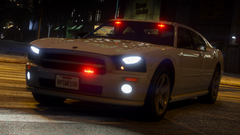
From the album: Jacobmaate's WIP Screenshots
Unmarked version of my Bravado Buffalo '08 for my upcoming FAT (fanon lore-style ATF) pack. -
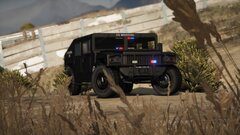 Sorry for the extremely late response, I've not been active on this site for a number of months, anyhow if you're both still interested you can download this from my lore-friendly U.S. Marhsals pack here: https://www.gta5-mods.com/vehicles/us-marshals (It'll later be updated/reuploaded on lcpdfr sometimes in the new year).
 -
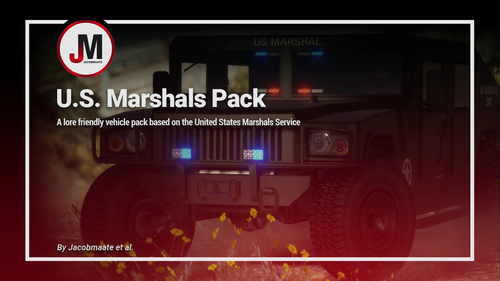 U.S. Marshals Pack v1.1 by Jacobmaate et al. This pack is dedicated Alfa1561. Happy Birthday! This mod aims to introduce a new federal law-enforcement agency to GTA V: The United States Marshals Service. ---- Features ---- • LODs • Dirt mapping • Breakable glass and glass shards • Custom sirensettings/flashpatterns • Custom soundbanks • Custom handling • Custom lore-style lighting & misc. equipment ---- Change Log ---- v1.1 (July 09, 2021): - Swapped Buffalo A/C for Buffalo '08 (JMB) - Updated various assets - Implemented various bug fixes - Removed STANIER, SCOUT - Added Granger (SRT/SOG) - Switched to partial mapping for improved visual quality - Added LSPDFR Integration (thanks to J. SWEDSSON) v1.01 (June 22, 2020): - Reassigned SirenIDs (SSLA compatibility) - Added FiveM-Ready package v1.0 (April 17, 2020): Initial release ---- Installation ---- Please see the included readme.txt file inside the archive for installation instructions. ---- Requirements ---- OpenIV - Required to install these files to your game SirenSetting Limit Adjuster - Required to stop sirenSetting conflicts with other packs Custom Gameconfig - Required to support multiple addon vehicles, otherwise your game may crash ---- Recommended ---- If you use DLS, then I'd recommend downloading Neversober81's DLS config files for this vehicle pack! ---- Credits ---- Full comprehensive credits list With thanks to all the contributors of this modification! ---- Permissions ---- • You're allowed to use this modification for your FiveM server, so long as appropriate credits are given. • You're allowed to use my assets from this modification for your own mods, so long as appropriate credits are given. • You're required to seek permission to use assets from other developers found in this mod from those respective developers - not myself. Please see the comprehensive credits listed above to see which assets are mine, and which are made by others. • If you make a reskinned version of this pack, please only upload the liveries, and provide a direct link to this mod page. • This modification is exclusive for download at GTA5-Mods.com, lcpdfr.com and gtapolicemods.com. Downloads from other sites will be regarded as stolen. ---- Social Media ---- My Youtube Channel My Twitter My Instagram My Patreon
- 1 review
-
-

- 3
-
-
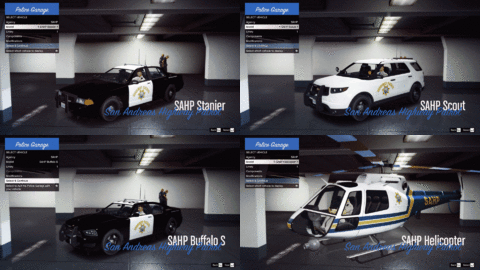 Still lots to do, I won't deny. Got most of the bulk sorted, but need to overhaul a few assets. Still some additional stuff I want to include that hasn't been showcased just yet 🙂
 -
Yeah it's still in the works. Took a bit of a break from it during the final stages of getting my FIBPv3 mod released, now the next pack I'm due to release is my U.S. Marshals pack, which should be making it's public release within the week. Once that's out, SAHP will again be my primary focus - Can't say exactly when it'll be released just yet, but will certainly keep the WIP stuff flowing through so you can see how development is coming along.
-
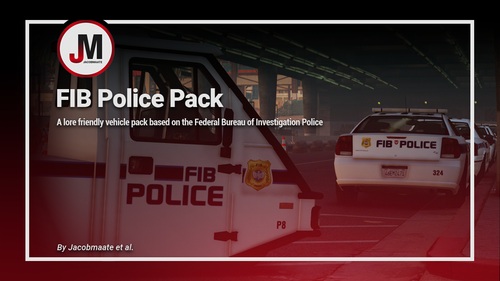 Great to hear you're loving the pack! And thanks for sharing the photos, love to see others enjoying my content in their games 🙂
- 44 comments
- 4 reviews
-
-
- 1
-
-
-
Happy to help, glad to hear the sirensetting change fix worked. Sorry to hear about FIBP4/42 not working, I'll be sure to give it another look over, and ask around, but I'm quite clueless as to why thats not working at this time. Hopefully can find out the issue and let you know, or upload a fix if its something on my end.
- 44 comments
- 4 reviews
-
No problem, as for your other issue, I can't say I've experienced this myself so I'm a little stumped, might I suggest installing this if you haven't already: https://www.gta5-mods.com/tools/heap-limit-adjuster-600-mb-of-heap May solve the problem if the crash is a memory issue.
- 44 comments
- 4 reviews
-
-
- 1
-
-
Pretty much any random number (Id suggest not going into the 4 digit region as that seems to cause problems). So for instance if you change my carcols sirensetting 240 to lets say 417, then you'll need to change all the '240' sirenIDs in carcols to your new 417, etc. Of course if you're still having issues then thats probably because your new number is also being used in some other dlcpacks, which is possible as you said you have a lot of dlcpacks for addon police vehicles. Can be quite annoying, since its hard for everyone to sort of coordinate which sirensettings are being used for what without causing multiple conflicts 😛
- 44 comments
- 4 reviews
-
-
- 1
-
-
Hey, glad to hear you're enjoying the mod 🙂 As for the issue you seem to be having, it would appear you're having some sort of sirensetting conflict. This happens when you have two or more dlcpacks with custom carcols files with the same sirenIDs. Firstly I'd suggest making sure you don't have an older version of FIBP installed (the v2.0 version of the pack was included in other mods such as Dispatchworks - so if you have that installed, that will probably be the issue). Either remove the FIBP data from dispatchworks (if you have it), or reassign the sirensetting IDs in my carcols file and then change those numbers again found in carvariations file. (Edit: Just thought - If you do have dispatchworks installed, I think they have different sirenIDs and I know they cause problems, same issue some people have been experiencing with my NOOSE pack, so if worse comes to worst, you might have to remove dispatchworks) Hope this helps.
- 44 comments
- 4 reviews
-
-
- 1
-
-
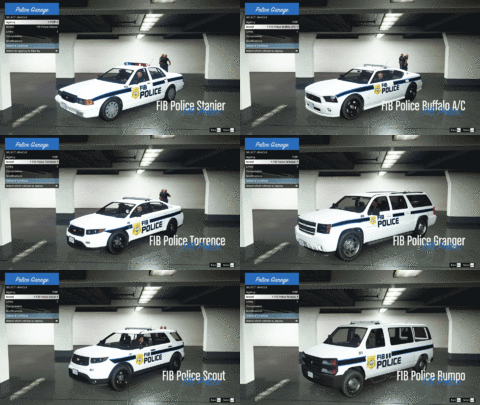
From the album: Jacobmaate's WIP Screenshots
A preview of some of the vehicles available - I've been testing adding my new FIBP vehicles to LSPDFR 0.4's new vehicle selection and response system. -
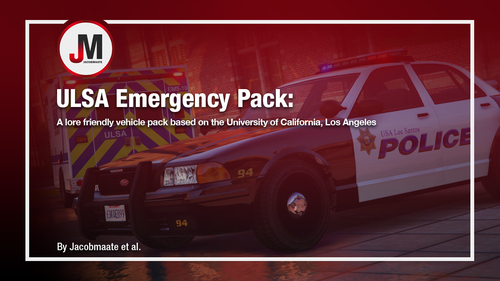 Simply put: no. This is a lore friendly mod, I'm a lore friendly modder, and as far as I'm concerned, I don't intend on deviating from that any time soon, sorry.
- 10 comments
- 1 review
-
-
- 2
-
-
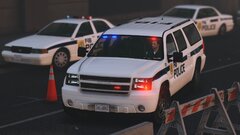
From the album: Jacobmaate's WIP Screenshots
-
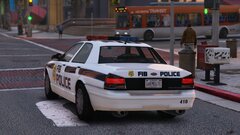
From the album: Jacobmaate's WIP Screenshots
FIBPv3 WIP -
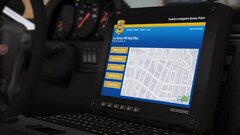
From the album: Jacobmaate's WIP Screenshots
FIBPv3 WIP - Now sporting my newly designed laptopscreen texture; something a little more interesting and eye-catching than my simple login screens from v2. -
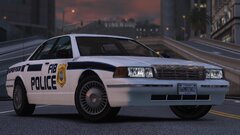
From the album: Jacobmaate's WIP Screenshots
FIBPv3 WIP -
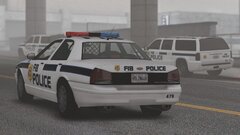
From the album: Jacobmaate's WIP Screenshots
FIBPv3 WIP
FrameBGrad.thumb.png.203c596c923420820bcf0c0c7717dcf4.png)

