



toitoine66
Members
-
Joined
-
Last visited
Everything posted by toitoine66
-
-
 20170321170824_1.jpg
-
 Renault Alpine A110
-
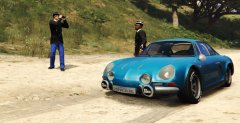 Renault Alpine A110
-
 Renault Alpine A110
-
 ses.png
-
 gf.png
-
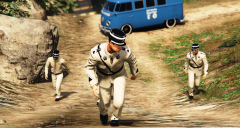
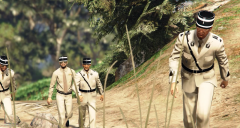 Gendarme 60's
-
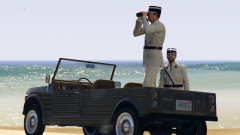
 Mehari Citroen Gendarmerie
-
 P38 Weapon of the 60's gendarme
-
 Gendarme 60's
-
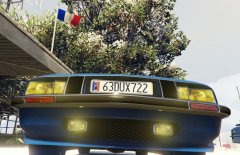 Citroën SM Plate
-
 Citroën SM Gendarmerie poursuit
-
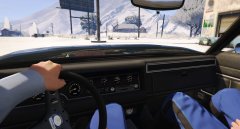 Citroën SM Inside
-
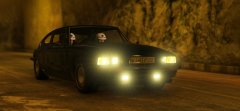 Citroën SM Gendarmerie poursuit 2
-
 Citroen SM Gendarmerie alert
-
 Citroen SM Gendarmerie crash
-
 BRI Alert
-
 BRI Gendarme Radar control
-
 .
.
-
 Accident 2
From the album: France 1970
From the album: France 1970
From the album: France 1970
From the album: France 1970
 Tha kinds of things ? ;)
So this is the 1970's gendarmes suits with there black uniforme and blue pants into the video I give an hommage to all the Gendarmes and police man down in France Crédit: -Uniforme: toitoine66 -Hat: Baud0412 Installation: -Clothes:Grand Theft Auto V\update\x64\dlcpacks\patchday9ng -Hat: x64e/models/cdimages/pedprops
Tha kinds of things ? ;)
So this is the 1970's gendarmes suits with there black uniforme and blue pants into the video I give an hommage to all the Gendarmes and police man down in France Crédit: -Uniforme: toitoine66 -Hat: Baud0412 Installation: -Clothes:Grand Theft Auto V\update\x64\dlcpacks\patchday9ng -Hat: x64e/models/cdimages/pedprops
From the album: France 1970
https://www.youtube.com/watch?v=iq7pnfxeF5oIf you want them they are already done :) https://fr.gta5-mods.com/player/gendarme-of-saint-tropez-1964
From the album: France 1970
From the album: France 1970
Come there to speak about France during the 70's with all your mods suggestions.
From the album: France 1970
From the album: France 1970
From the album: France 1970
From the album: France 1970


Account
Navigation
Search
Configure browser push notifications
Chrome (Android)
- Tap the lock icon next to the address bar.
- Tap Permissions → Notifications.
- Adjust your preference.
Chrome (Desktop)
- Click the padlock icon in the address bar.
- Select Site settings.
- Find Notifications and adjust your preference.
Safari (iOS 16.4+)
- Ensure the site is installed via Add to Home Screen.
- Open Settings App → Notifications.
- Find your app name and adjust your preference.
Safari (macOS)
- Go to Safari → Preferences.
- Click the Websites tab.
- Select Notifications in the sidebar.
- Find this website and adjust your preference.
Edge (Android)
- Tap the lock icon next to the address bar.
- Tap Permissions.
- Find Notifications and adjust your preference.
Edge (Desktop)
- Click the padlock icon in the address bar.
- Click Permissions for this site.
- Find Notifications and adjust your preference.
Firefox (Android)
- Go to Settings → Site permissions.
- Tap Notifications.
- Find this site in the list and adjust your preference.
Firefox (Desktop)
- Open Firefox Settings.
- Search for Notifications.
- Find this site in the list and adjust your preference.