


Daddeln
Members
-
Joined
-
Last visited
Everything posted by Daddeln
-
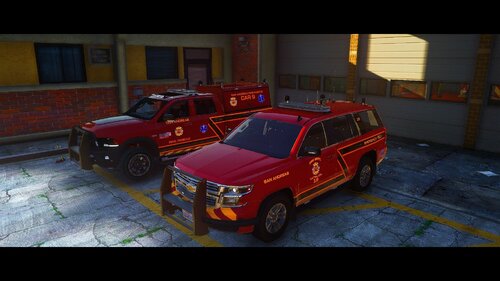 its a led rotador lightbar if you installed everything how it is discribed its how it should be it wont work because of els with the spotlights i have to to 2 separate models then
- 28 comments
- 2 reviews
-
i like it with the spotlights since it dosent have the scene lights and what do you mean with the expeditions lightbar is wonky ?
- 28 comments
- 2 reviews
-
-
-
-
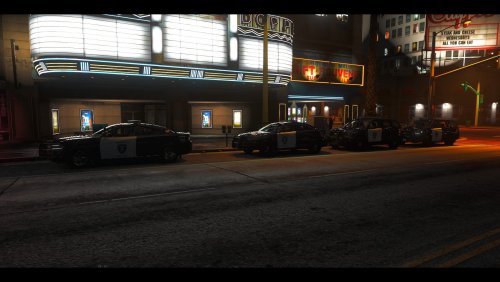 This is the first part from my State wide pack im working on multible Departments like police/sheriff/Highway and Ranger over the time i will release the Parts step by step when one Department gets finished or i thnik its done. all of the cars will be addet by the dlc pack no metas to add just drag and drop the car files in and the els.xmls and you are done and can paly first you need to install my pre setup modding dlc from albo to get the cars working then you can just drag and drop the car pack in that will follow in time --------------------------------------------------------------------------------SPECIAL FEATURES-------------------------------------------------------------------------------- this pack includes hybrid models that means that the cars have non els controlled lights. I used that to have the option to remove the pushbar on the models so you can choose to have a pushbar or not and still have lights on the pusbar or in the grill of the car also the stadyburns get controlled from none els but i includet a carcols with and without stadyburn lights in the lightbar. - removeble pushbar/ wrapround - statdyburn and no stadyburn version
 -
-
-
-
-
-
-
-
-
-
-
-
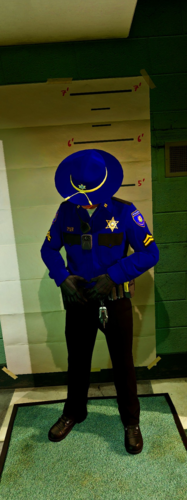 since some of you asked and i had it also planed i release my LVSP Uniforms matching to my car pack ACCESSORIES I USE
- 10 comments
- 2 reviews
-
-

- 1
-
-
-
-
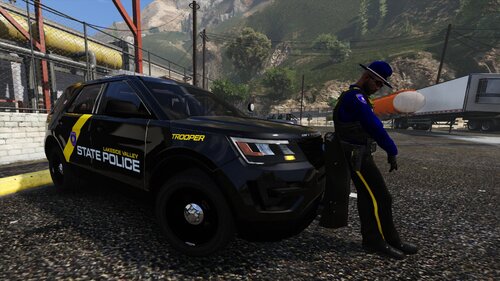 working on that 😄 the boat to the trailer i add it with the trainer and the trailer should attach to the car when you pul up in front and back up to the hitch
- 33 comments
- 2 reviews
-
This is my first pack i did hope you all like it 😄 if there are any bugs please let me know i try my best to fix them also it helps me to get better and learn how to do stuff huge thanks to Maurice97 he helped ma alot on how do do stuff and haw always there and supported me also big thanks do Dan for that sweet ram hope you like what i made out of it and what will come and thanks to all others that helped me and keeped me motivated along with my first projekt
- 33 comments
- 2 reviews
-
-
-

- 8
-
-
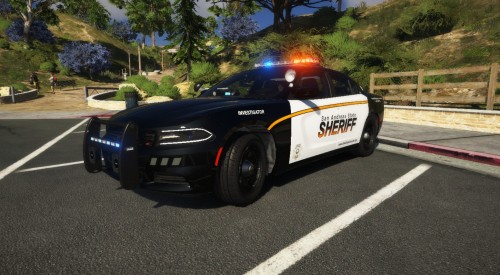 yes i kow that but i came up with that and it is like i sad detective livery and they operate state wide from the sheriff department
- 8 comments
- 1 review
-
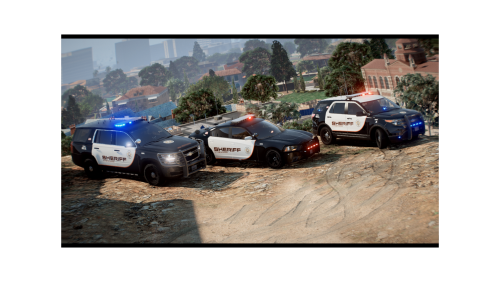 Hey there this is a little skin pack hope you all enjoy it 🙂 also thanks to @Dave Skin Works for those amazing pictures and @Maurice97 for these sweet models link to the cars used is in the readme
- 1 review
-
-
- 1
-
-
Yes it says Investigator on the car so it is basecly a detective unit but called "State Sheriff" i know it is weird but thats how i roll with different stuff what no one would come up with
- 8 comments
- 1 review


