
AlexF1
Members
-
Joined
Everything posted by AlexF1
-
del1. install - https://www.gta5-mods.com/tools/asi-support-for-rage-plugin-hook 2. delete - ScriptHookV.dll 3. play1. install - https://www.gta5-mods.com/tools/asi-support-for-rage-plugin-hook 2. delete - ScriptHookV.dll 3. playI solved the problem of falling RPH! Just picked up and wrote a LSPDFR.BAT file Here is an example of it: start "GrandTheftAutoV" "D:\Steam\steamapps\common\Grand Theft Auto V\GrandTheftAutoV.url" timeout /t 40 start "RAGEPluginHook" "D:\Steam\steamapps\common\Grand Theft Auto V\RAGEPluginHook.exe" exit "Grand Theft Auto.url" - a shortcut to launch the game taken in Steam and placed in the root of the game. "LSPDFR.BAT" - the file should be at the root of the game. Now everything works great!Done. Yes, I said that the antivirus is turned off completely through the registry. the plugin has loaded, but now I can’t access the RPH console (F4), I can’t go on duty even while in the police station (police station icons are shown on the map), the LSPDFR section is not available to me in the game menu (it is present in the line, but open I can’t do it). RagePluginHook.lognoHello! When the RPH starts, the game itself and this plugin crashes. Antivirus (default from Windows) and the firewall are disabled. The game folder is listed as an antivirus exception. The Mods folder is not used, ELS is also disabled. Advise how to solve this problem. 1_RagePluginHook.log 2_RagePluginHook.loghttps://vk.com/club183782303Hello! Sorry for my English. Guys tell me if you know! When I play 1-1.5 hours in the LSPDFR, the textures begin to disappear (they are loaded on the go). I even tried to run a clean lsdpfr without plugins, without mods, without mod machines, and still the textures disappear. When I just play a game without LSPDFR turned on, and I have all the settings for ultra, everything is in 2K, a bunch of cars, textures, weather mods (straight, mvga, reductions) - everything is fine, play at least a week! My system: I7 7700K, GTX1070 8GB, 16 GB RAM, SSD. I’ll write right away that everything is ok with iron. Setting the value Main.PreloadAllModels to false in the lspdfr.ini file does not help.
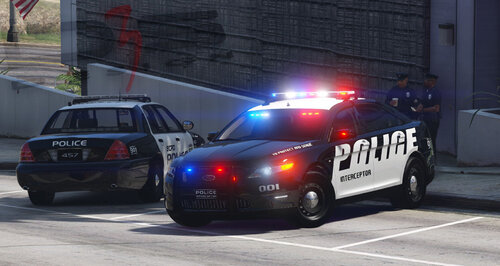 Ну хоть кто-то сделал по настоящему качественную модель Форд Таурус. Спасибо! Конечно хотелось бы видеть в исполнении ELS... но и так сойдет)
- 23 comments
- 5 reviews
-
-

- 1
-
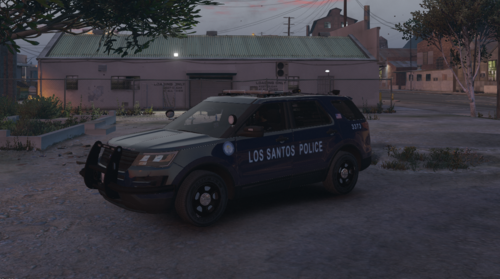 Hello! good pack! Is it possible to do this as an addon pack? I think it would be more convenient.
- 57 comments
- 5 reviews
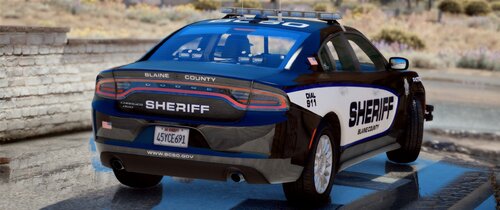 when you add files to the .RPF archive, it is "bloated" so that it is not necessary to defragment it. I can give an example. Your "chtahoe" add-on has a size of 220 MB, I defragmented it and now it has a size of 39 MB.
- 54 comments
- 5 reviews
дефрагментируй архивы, вес уменьшится в 5 раз. Defragment archives, the weight will decrease by 5 times.- 54 comments
- 5 reviews
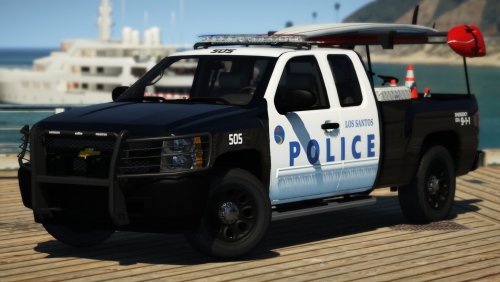 Hello! I really like your work, you are a professional, but there is a mistake here. here is a photo of life with Lightbar Arjent: Here is a photo from the game with Lightbar Arjent: properly: not properly:
- 29 comments
- 11 reviews
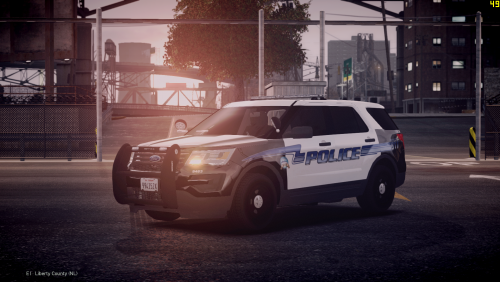 I do not speak English what other cars will be in the pack? I like very much " Whelen Legacy" Do you understand me? :)
- 12 comments
- 1 review