


Lieutenant Dan
Members
-
Joined
-
Last visited
Everything posted by Lieutenant Dan
-
 The standardThrottle setting is set to .1 by default, so that very small throttle can be applied unless CTRL is pressed. Try increasing standardThrottle to something like .4 in the NMF3Settings.xml, or pressing left CTRL.
- 330 comments
- 24 reviews
-
The idea was that you would use just W, but when you wanted to accelerate to a higher speed quickly, you would hold CTRL temporarily. Since you asked for it, I guess I'll have to add that. It'll just be a simple update.
- 330 comments
- 24 reviews
-
-
Try increasing the standardThrottle setting in the NMF3Settings.xml file (in the scripts folder) to something higher than the default 0.1 and lower than 1. It's by default set to .1 so that the speed can be increased with CTRL, but also, the choice is given to drive very slow.
- 330 comments
- 24 reviews
-
Thank you for this comment! Though you can set a maximum throttle, in the NMF3Settings.xml file. There is an entry called standardThrottle, which is the max throttle when the full speed modifier isn't pressed.
- 330 comments
- 24 reviews
-
Alright, I was just curious. Thanks for the response!
-
Hi, I just have a small question, is it necessary to manually approve a Scripts & Plugins mod when only a new screenshot is uploaded?
-
-
Do any notifications show that say anything other than it loading successfully?
- 330 comments
- 24 reviews
-
I might have a solution, I compiled the program using .NET framework 4.6.2, and I told people to install the 4.5.2 framework, in my infinite wisdom. Try installing the following: https://www.microsoft.com/en-us/download/details.aspx?id=53344
- 330 comments
- 24 reviews
-
Can you send me the NFM3Settings.xml file you have in your scripts folder? Wow, this is really strange. When I tested the plugin myself everything worked fine. Do you mean that the vehicle just isn't turning, or that the vehicle turns slowly?
- 330 comments
- 24 reviews
-
Actually, that's a great idea. Since it's broken with the RPH SDK, maybe I can just make it a non-RPH version. I'll start looking in to perhaps making this a ScriptHookV plugin, or maybe a ScriptHookV.NET plugin. Thanks for the suggestion!
- 330 comments
- 24 reviews
-
-

- 2
-
-
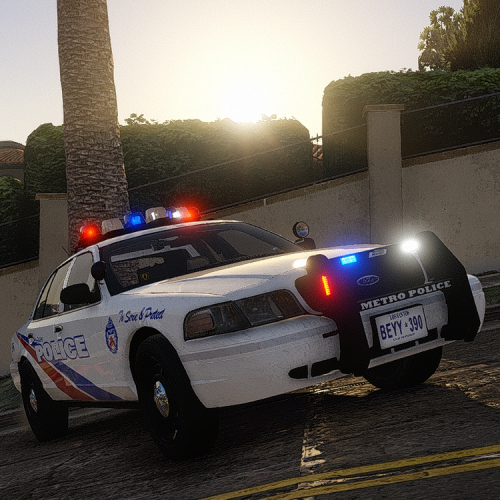 Do you have any other sound mods installed in vehicles.awc? The reason for all vehicle sounds disappearing is that the vehicles.awc becomes too large and the game gives up on it. Also, the door sounds are not in an awc file so that people running different sound mods (sirens and such) can use this mod alongside it. If it was just an awc file, my modified awc would replace all other sounds with the default sounds. Another reason for not including an awc file is because new versions of the game could alter it in some way, causing the one I supply to no longer work.
- 40 comments
- 7 reviews
-
Listen to the trees, they will guide you. Kifflom. Anyway, yes you can use an older version of RPH. Also, this does not use sh.net. It is solely a RPH plugin. Sorry for the inconvenience, I will continue checking the RPH discord and inquiring about my our driveforce related issue. - Lieutenant Dan
- 330 comments
- 24 reviews
-
-
- 1
-
-
I am very sorry. I have no idea how long the process of fixing this plugin will take. I have changed nothing about the plugin, and the driveforce, upon debugging, always returns zero in the new RPH version. Thus, it can be deduced that the RPH SDK is at fault here. I have created a bug report on the RPH discord, and I have been waiting for a reply for a while now. But a solution for the time being could be to use the Manual Transmission & Steering Wheel Support mod and use any axis you have (e.g. a controller, joystick).
- 330 comments
- 24 reviews
-
Yes sir, it isn't working. It seems to be a problem with RagePluginHook itself as the new version broke it. Debugging showed that the driveForce of vehicles always returns zero which triggers a safeguard in my script to disable it, otherwise the car would simply not drive. I have reported the bug and will attempt to fix this. Sorry for the inconvenience.
- 330 comments
- 24 reviews
-
@beh443 Thanks for the log file. It appears that the plugin is loading fine, so I will go ahead and add debug messages to my plugin and send you the new version. With that, I can see up to what point the code is executing.
- 330 comments
- 24 reviews
-
-
- 1
-
-
@beh443 @cameronhendry5 And Rohan will answer! Is the mod simply not working, as in, the cars drive without any change? Also, I would need a log file to see what's going on in detail. Send me the ragepluginhook.log file found in your main GTA V directory.
- 330 comments
- 24 reviews
-
Hmm... it appears as if your vehicles.awc file is too large. Basically, if the game detects that the vehicles.awc file is even a little too big, it will mute all sounds in that directory. Vehicles.awc is the file that houses all the door sounds, tire screeches and sirens. Did you install anything in that directory? Regardless, in OpenIV, navigate to x64/audio/sfx/RESIDENT.rpf (NOT IN THE MODS FOLDER). Copy the vehicles.awc somewhere. Then, navigate to mods/x64/audio/sfx/RESIDENT.rpf and backup the vehicles.awc file elsewhere (make sure to not mix up the two vehicles.awc files you copy). Once done, put the copied vehicles.awc file in there from the first step and see (or should I say hear) if the sounds of interest play within the game.
- 40 comments
- 7 reviews
-
Unfortunately, I don't believe it can be (if it can, I don't know how). This plugin uses a C# script to smooth the throttle depending on the set smoothness. I don't think the handling.meta can implement such a feature, as it only holds variables that control a car's handling.
- 330 comments
- 24 reviews
-
It's a possibility, I'm working on it. For now just hold left mouse button and move the mouse left and right.
- 330 comments
- 24 reviews
-
Also, you have to press and release the W key continuously because instead of limiting drive force, I smooth it out. So when throttle is 100%, it takes a while for the car to go full throttle.
- 330 comments
- 24 reviews
-
You can increase the throttle smoothness in the settings file. The tooltip part is something I'm figuring out. I need to find a method to make it as lightweight as possible.
- 330 comments
- 24 reviews
-
That is the main skid sound, and it does in fact remove brake skidding, but also makes normal skidding sound like occasional farts. I was thinking of a fix I could do through code.
- 330 comments
- 24 reviews
-
Did you get any new modifications that might have something to do with cars? Also, can you please send me the .ini file? There might simply be a problem with the settings.
- 330 comments
- 24 reviews

