


Lieutenant Dan
Members
-
Joined
-
Last visited
Everything posted by Lieutenant Dan
-
 Hi, I am working on the mod and will release a massive update hopefully soon.
- 330 comments
- 24 reviews
-
 Glad to see you're using and enjoying my mod, the crashing issue you mentioned is very strange as the speed of spotlight creation does not matter (at least in theory), because it's handled every frame anyway. Did you perhaps update something, have another program running, or use a mod that affects driving?
 -
-
-
ELS vehicles made to also work with this mod will be able to have more detailed environmental reflections that can be customized, and even come with shadows. This means no more takedowns shining in the wrong place/direction, no more lights that don't reflect at all and no more of those triple sideways pointing lights that come on with forward facing visor lights. In general, the lights cast by vehicles will be far more realistic. ATTENTION: Only vehicles that are made to support this plugin will be affected! Using lights with shadows can cause mild performance drops! Demo: Developers: This mod allows the insertion of custom environmental lights into the ELS VCFs of vehicles. You can create as many as you want for each extra part, change the positions and rotations, change light attributes such as brightness, roundness and falloff, and optionally include shadows. To develop a car for CEL, all you need to do is add the template included in the Development Instructions.xml file into the ELS VCF, and modify/duplicate the premade lights.
-
-
If the log file looks the same after installing NativeUI, that means you didn't install it, or didn't install it correctly. This is because the log file states that it could not find NativeUI.dll. Make sure you have the latest version of NativeUI, and that you put NativeUI.dll into your scripts folder.
- 330 comments
- 24 reviews
-
-
Thanks for your comment! I will be sure to add that with the new update. For the time being, you could press left mouse button to use mouse steering.
- 330 comments
- 24 reviews
-
The steering changes are always enabled, regardless of full throttle. Sorry, but this mod is now running on ScriptHookV .NET, which only uses the Scripts folder. I made the switch from RagePluginHook because the mod was broken by its update. The only one that works with RPH is the old version, but that requires an old version of RPH, since the newer ones don't work with my mod anymore (the driveForce of any vehicle always returns 0, which means my mod cannot do anything to modify the throttle of a car). If your installation doesn't work, try sending me screenshots of your main game folder and the Scripts folder. Also, send me the ScriptHookVDotNet2.log file located in your main game folder.
- 330 comments
- 24 reviews
-
-
As 3A17 said, feathering is not an issue when it comes to controllers, but you could still use the auto braking, indicators, cruise control and speedometer (auto braking might not work, I don't have a controller to actually test it). I should probably just rename this mod to driving overhaul.
- 330 comments
- 24 reviews
-
My mod loads an xml file that is called NMF4Settings, it does not look for a file called NMF3Settings. If it's not showing you an error right now, then there's something wrong, because after I renamed my config to NMF3Settings, it doesn't work and shows me an error message. Try setting enableSpeedometer to false and fullThrottleTooltip to true, and set the fullThrottleTooltipText to something other than FULL THROTTLE ON. Then, in game, try enabling fast mode. If the settings actually work, then there's some Illuminati stuff going on here.
- 330 comments
- 24 reviews
-
You have to replace it with NMF4Settings.xml, otherwise it won't work. Is it not giving you any errors on startup?
- 330 comments
- 24 reviews
-
Why are you using NMF3Settings.xml with NoMoreFeatheringV4? It should be NMF4Settings, your config isn't even loading. Is it not giving you an error message?
- 330 comments
- 24 reviews
-
You could try the different presets (in the .xml file). If you're used to the regular steering, it may seem weird at first. You just have to get used to it, like any new control method.
- 330 comments
- 24 reviews
-
-
You must ensure that you have NativeUI installed, as MickL said, because my plugin uses that library for UI elements. Thanks! You can change the max speed with ; and '.
- 330 comments
- 24 reviews
-
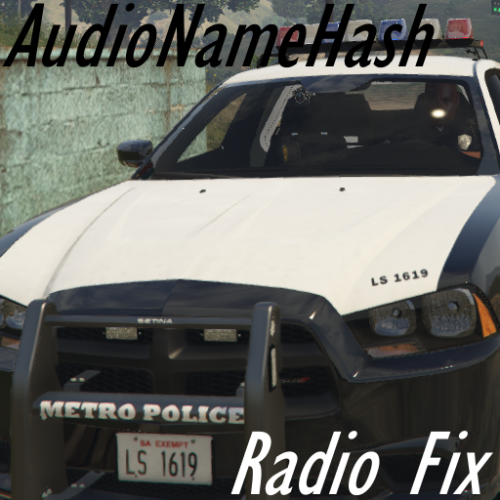 It disables the radio on all vehicles as soon as you enter it, but you can still turn the radio on if you're driving a civillian car.
 -
Have you ever changed the audioNameHash of a police vehicle, only for El Sonidito by Hechizeros Band to blast beep in your ear as you try to listen to the new engine sounds? Furthermore, this radio cannot be turned off, because the vehicle you've entered in a police vehicle. This mod is a very simple fix for this issue, and with it, you can set the audioNameHashes of your vehicles. It simply turns the radio off when entering a vehicle, so that you don't have to turn it off with a trainer in police vehicles. You can still enable the radio if you're driving a civillian car, as this script only disables it upon entry.
-
GTA V is horrible when it comes to realistic driving, because the engine always revs to redline, even when driving with reduced throttle (such as with a steering wheel, or my No More Feathering mod), unless the player manually shifts the gears with the help of such mods as Manual Transmission. You will always get an engine that sounds like pedal to the metal, because GTA V is designed for players to drive fast. Furthermore, the sounds aren't good old fashioned loops at different RPMs that fade and change pitch depending on the car's RPM. The sounds are granular, which means that there is a sound clip that records the acceleration from idle to redline, and hundreds of tiny, smaller sound clips are sampled along that acceleration and looped randomly. The higher the RPM, the further the samples are from the beginning of the clip. Thus, if a car maintains a constant RPM, it sounds terrible. Again, GTA V's driving is designed for players to constantly accelerate, which sounds good then. From my experience, the Crown Vic engine produces a sort of growling "RRRRR" sound around 2000-3000 RPM, but with the granular acceleration clip, that sound is completely gone. However, I had the idea of creating a script that replaces the vanilla sounds with a loop system by using another audio library. I'll give it a go, because I too am dissatisfied with how the Crown Vic's glorious engine is represented in-game. Hope this helps, - Lieutenant Dan
-
I can try, but ScriptHookVDotNet has no function that I can find to set the brake force, and native functions aren't working for me. I would very happily replace auto braking with reduced braking, and I am constantly trying to implement reduced braking.
- 330 comments
- 24 reviews
-
-
Hmmm... since the car's driving is affected, my plugin clearly runs. Can you send me your NMF3Settings.xml file? Also, when I get home, I can send you a version of the plugin that displays the throttle as a subtitle - maybe that will give me more insight as to what's happening.
- 330 comments
- 24 reviews
-


