
Burnsie
Members
-
Joined
-
Last visited
Files posted by Burnsie
-
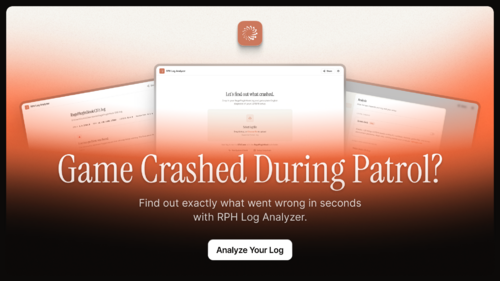
Stop squinting at your log
RPH Log Analyzer is a free Windows tool that reads your RagePluginHook.log and explains, in plain English, what may be causing your GTA V / LSPDFR crashes and errors—and what to try next.
Select your log file, or drag it onto RPHLogAnalyzer.exe, to receive:
A clear verdict at the top
A prioritised What to fix list
Expandable technical details for deeper investigation
Crash forensics, including fiber attribution and exception information
No more guessing or pasting walls of log text into forum threads.
Join our Discord for support, beta testing and updates: http://discord.gg/burnsieshideout
View our privacy-safe community stats: https://www.rphlogs.com/stats
9000+ logs analyzed and counting
Requirements
Windows 10 or later, 64-bit
Microsoft WebView2 Runtime
Already installed on most Windows 10 and 11 computers
If it is missing, the app offers to open Microsoft’s download page
No separate .NET installation required
The application is fully self-contained
Shareable reports
Create an encrypted link that you can send to a friend, support team or developer.
Choose whether to include:
The analysis only
The analysis and your full RagePluginHook.log
Shared reports expire after seven days. Anyone with the complete link can view the report.
Sharing is optional and must be enabled in Settings.
System check
The optional System check performs a read-only inspection of your PC and GTA V installation. It never changes or repairs files.
It checks around 20 common problem areas, including:
.NET Framework
Visual C++ runtimes
Windows media components
Memory and pagefile configuration
Available storage
Core RAGE Plugin Hook and LSPDFR files
Cloud-synchronised installation paths
GTA V compatibility and security settings
Any relevant problems are added to your report and prioritised alongside the log analysis.
Mods & plugins scan
The Mods & plugins scan is included with System check when your GTA V folder is available.
It can detect problems such as:
LSPDFR plugins installed in the wrong folder
Missing plugin dependencies
Broken or unreadable DLL files
Duplicate plugin installations
Configuration problems
DLC and dlclist.xml mismatches
Damaged or outdated mod archives
Excessively long file paths
For example, it can identify an LSPDFR plugin installed in Plugins instead of Plugins\LSPDFR.
Your GTA V folder can be detected from a log or selected manually in Settings.
Crash forensics
Technical details are available when you want to investigate further, including:
Fiber attribution
Exception information
Relevant log evidence
Expandable diagnostic rows
Full technical findings
Run a check without a log
You can run System check directly from the start screen without opening a RagePluginHook.log.
Enable System check and select your GTA V folder in Settings to include the Mods & plugins scan.
Setup snapshots
Create local snapshots of your GTA V installation and compare them later to see what changed.
This can help identify files that were:
Added
Removed
Updated
Moved
Snapshots remain on your computer and are optional.
Language support
RPH Log Analyzer supports 20 languages:
English, German, French, Spanish and Portuguese
Italian, Polish, Dutch, Russian and Ukrainian
Turkish, Czech, Swedish, Danish and Finnish
Romanian, Hungarian, Japanese, Korean and Chinese
Help improve translations join our Discord: http://discord.gg/burnsieshideout
Privacy and online features
You remain in control of the app’s optional features.
Enabled by default:
Online plugin checkup
Anonymous usage statistics
These can be disabled in Settings.
Disabled until you enable them:
System check
Mods & plugins scan
Sharing
Setup snapshots
System check and setup snapshots run locally. Sharing only occurs when you choose to create a link.
AI help chat
Get live, one-on-one help with your crash from an AI assistant that has already read your report.
Click AI help on any analysis to receive a one-time code, then redeem it in our Discord server. The bot opens a private thread where an AI assistant — trained on LSPDFR and RAGE Plugin Hook troubleshooting - already knows your log excerpt, detected versions, plugin checkup results and System check findings before you type a word.
In your private thread you can:
Ask follow-up questions about your crash in plain English
Drop in a fresh RagePluginHook.log after trying a fix, and the assistant re-reads it
Rate each answer as helpful or not, so the assistant keeps improving
Get step-by-step fixes without waiting for a human to come online
Good to know:
Your log excerpt is sanitized on your PC before it leaves - usernames, emails and credentials are stripped out - then sanitized again by the server
You'll be asked to accept the Terms of Service before your first chat; conversations are logged, stored and used to improve the assistant
All messages pass through automated content moderation
Chat transcripts are automatically deleted after 30 days
The AI provides automated guidance - review its advice and back up files before making changes
AI help is available directly from the report toolbar whenever the feature is live. Nothing is ever sent unless you click the button.
Try it in our Discord: http://discord.gg/burnsieshideout
Support note:
Please note: Due to increased usage of this application, support is now provided exclusively through Discord. To request assistance, join our server and open a support ticket: http://discord.gg/burnsieshideout -
Press the panic button. Dispatch calls it in over the scanner with your real location and the cavalry comes in waves: patrol first, SWAT if things stay bad, air support if they get worse. Go down, and the system calls it in for you. When the threat clears: "we are Code 4, no further units required," blips fade, and the city goes back to work.
Join our Discord for more information, beta testing, and updates: https://discord.gg/9xETbK6227
Features
One chord: (default Ctrl+B, controller supported, optional hold-to-confirm with a "disregard last" chirp for accidental taps) triggers the full choreography: radio squelch, radio animation, panic tone, zone-aware scanner broadcast at your actual position.
Staged escalation: patrol immediately; SWAT/NOOSE and helicopters only join while you're still in danger. Threat stays clear → automatic Code 4. Prefer the classic everything-at-once blast? One config switch.
Honest unit tracking: every unit that actually spawns is blipped, tracked and arrival-detected — the status bar shows units genuinely on scene (helicopters count while overhead), not wishful requests.
OFFICER DOWN: drop below critical health (or get dropped) and the distress call goes out automatically — officer-down audio, EMS forced into the response, screen effects, visible wounds. You don't press anything; that's the point.
Second Chance (experimental, on by default): instead of instant respawn, bleed out on a timer — if EMS reaches you in time, you're stabilized and keep playing.
Situation-aware dispatch: in a pursuit, backup joins the chase; on a rooftop or in the water, an air unit leads; on Cayo Perico / North Yankton the response adapts to what can actually spawn there.
Plays nice with your setup: agency left to your backup.xml/region packs (or force one), callouts held during panic and restored after, and a clear warning if another panic-capable plugin is installed instead of double dispatch.
Optional Extras
AI officers who go down near you get called in by name; smart shots-fired auto-panic (only when hostiles actually engage, less-lethal excluded); incident report files after every panic.
For developers: a public API (PanicButton.API.PanicProvider) to trigger, cancel, or listen to panic events.
Controls (all configurable): Ctrl+B panic · End cancel/Code 4 · console: PanicButtonTrigger, PanicButtonCancel, PanicButtonReloadConfig
Join our Discord for more information, beta testing, and updates: https://discord.gg/9xETbK6227- 1,836 Downloads
- 3 Comments
Updated -
Burnsie.Common is the shared framework library used by Burnsie's LSPDFR plugins — starting with PanicButton V1, with more on the way.
It does nothing on its own. Install it when one of those plugins lists it as a requirement. One copy serves every Burnsie plugin, so you never download the same machinery twice.
What's inside (for the curious): two assemblies that handle the unglamorous parts of a well-behaved plugin - correct on/off-duty lifecycle, crash-proof police scanner audio (validated against the audio files actually on your install), backup dispatching with real unit tracking and arrival detection, config files that document themselves, keybinds that stay quiet while you're typing or paused, and audio/visual helpers that fail gracefully instead of taking the plugin down.
Installation: extract — the plugins folder merges into your Grand Theft Auto V root directory (the folder with GTA5.exe). No configuration, no keybind. Upgrading from the old BurnsCommon (v1): delete BurnsCommon.dll.
Requirements: RAGE Plugin Hook 1.124+, LSPDFR 0.4.9+.
For plugin developers: documented public API, IntelliSense XML included, full developer guide in the repository. Semantic versioning — plugins built against 2.x keep working across 2.x updates. You can access fully documentation via https://www.burnsieshideout.com/docs/burnsie-common/developer-guide
Join our Discord for more information, beta testing, and updates: https://discord.gg/9xETbK6227- 45 Downloads
Updated