txdeputy254
Members
-
Joined
-
Last visited
Files posted by txdeputy254
-
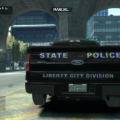
Skin I created that closely resembles the graphics of a local city near where I live. I've changed up the color sceme a little. I did not create the model, and I do not take any credit for doing so. I simply create the texture. Credit for the F150 goes to EVI, rednek5, Yakadafi, and AEMT.
- NAME: 2012 Ford F-150 "Alderney State Police - Liberty City Division"
- VERSION: Alderney State Police F-150
- LIGHT BAR: Whelen Liberty
- OTHER EQUIPMENT: Various
- EXTRA PARTS: None
- MULTIPLE LIVERIES: Yes
- OPTIMIZED FOR: Polpatriot
- CREDITS: EVI(see readme)
- MOD STATUS: open
ADDITIONAL NOTES
- Model from Driver: San Francisco converted to GTA SA by Don Anvem, edited and converted to GTA IV by EVI.
- Head lights, tail lights by EVI
- Light bar by RGXLegends, Modified by EVI
- Winch by rednek5
- Equipment, lights, ect created by Yakadafi.
- Texture txdeputy254
- Siren Speaker by AEMT
- Car is best displayed using light enhancing mods.
File Includes
- Pictures
- polpatriot.wtd
- polpatriot.wtf
- readme!!!
- 235 Downloads
- 5 Comments
Submitted -
I saw a Sheriff Office Tahoe the other day at a convention that looked similar to this. Except it had the state of Texas on the doors. I really liked the way it looked and wanted to duplicate the look for the game. Instead of Texas I went with the Liberty City Islands. I think it turned out pretty good and want to share it with you. I did not design the Tahoe used. This is the Philly Tahoe created by Kevin DV, Bxbugs123, Lt. Caine, and Cj24. I hope you like and enjoy the skin.
Credits:
Tahoe model from GTA SA by Alex & converted to GTA IV by KevinDV, modified by Cj24
Whelen Liberty lightbar modeled by RGXLegends, modified by Bxbugs123, Lt.Caine & KevinDV
Liveries by txdeputy254
Template by KevinDV
Rims by Lt.Caine
Interior police laptop and seperator by Lt.Caine
Searchlight by Cj24
Whelen Avangers by Cj24
Files included:
-polpatriot.wft
-polpatriot.wtd
-TEMPLATE.png
-Read Me.txt
-Pictures
- 167 Downloads
- 3 Comments
Submitted -
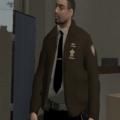
This is a simple re-texturing I did on an ped model from the original game files. I kept looking for a sheriff uniform online without a lot of success. The only ones I could find I generally didn't like. This is my first uniform/ped retexturnig I've done. Doesn't look too bad, can be better though but I hope yall like either way. Still learning about mapping and that good stuff, still confused on how to do it.
Install Using SparkIV. Go To models->cdimages->componentpeds and open up the file. Scroll down to m_y_cop files. There will be three files total. A .wtd , .wdd , and .wft file. Select those three files and then import the new files. Press rebuild, and then save. Remember to back-up the original files
FILES INCLUDED
- README!!.txt
- m_y_cop.wtd
- m_y_cop.wdd
- m_y_cop_wft
- Pictures
- 749 Downloads
- 5 Comments
Updated -
- NAME: 2008 Undercover Crown ViC
- VERSION: CVPI-V8.0U
- LIGHT BAR: None
- INTERIOR LIGHTING: Signal Mini Phantom, Whelen FlatLighter, Whelen Talon
- PUSHBAR: None
- OTHER EQUIPMENT: inside police equipment, Whelen CenCom Gold, Whelen SA314 Series
- EXTRA PARTS: N/A
- MULTIPLE LIVERIES: Yes skin + Extra Licences Plates to match your skin/texture
- OPTIMIZED FOR: Police Cruiser
- CREDITS: Bxbugs123 (see Additional Notes)
- MOD STATUS: Open
ADDITIONAL NOTES
- MAKE SURE TO READ INFO FILE FOR INSTRUCTIONS BEFORE USE.
- This model possesses 4 skins which will appear randomly + 4 Licences Plates to match the skin/texture
- Is ELSv6 enabled.
- Custom dirt visuals
- Model is original Crown Victoria by Schaefft, modified for and converted to GTAIV by chasez.
- This version of the CVPI model has been modified by Bxbugs123 & Lt.Caine with permission by Schaefft and chasez.
- Rims, antennas, front Plate, inside police lighting, Whelen SA314 Series,by Bxbugs123
- inside police equipment, by Lt.Caine. & Bxbugs123
- Signal Mini Phantom, Whelen FlatLighter, Whelen Talon Made & converted by Bxbugs123
- SKINS by txdeputy254
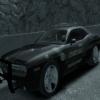
This car is best if replaces the police files or the noose file. This vehicle has a total of 4 skins (2 grey/2black-4 different plates). This is what some departments call a "ghost car". It is considered a marked unit, although the graphics can be difficult to see from a distance. Many departments like tho use this type of car for special traffic enforcement, gang task force, and drug interdiction due to it's low profile. As always I hope you enjoy playing with this car.
FILES INCLUDED
- README!!.txt
- TEMPLATE.png
- noose.wtd
- noose.wft
- Pictures
- 406 Downloads
- 6 Comments
Submitted -
173 members lost their lives in the line-of-duty in 2011. This is just a small tribute to honor their ultimate sacrifice. 173 was adopted as the unit number. I hope you enjoy this vehicle and remember to keep all first responders in your thoughts and prayers.
Thank you and enjoy,
txdeputy254
- Model is original "Chevrolet Tahoe" by 4x4 Full Driver - Hummer H2, modified for and converted to GTAIV by Stiopa.
- Model improvements & Modified By Bxbugs123
- HG2 Lighting by Bxbugs123
- Rims By Schaefft, Converted by Bxbugs123
- inside police equipment, by Lt.Caine. & Bxbugs123
- skin by txdeputy254
Officer Down Tribute Tahoe v1.0
- CopCar Files: noose.wtf, noose.wtd
- Extras: pictures, template
- Readme!
- 106 Downloads
- 6 Comments
Submitted -
This is an updated version of the truck. I've corrected some spelling errors I made on the previous version.
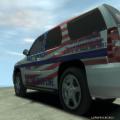
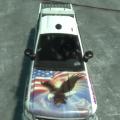
Got the inspiration from Modking to create a skin/texture for a truck to honor our troops. I did not create the vehicle model nor do I take create for it. This is just my little way of showing support for our troops and veterans. I hope you enjoy it and remember to thank a veteran.
- 246 Downloads
- 6 Comments
Updated -
I did not create the vehicle models used and do not take credit for them. This I a vehicle pack that includes two Liberty City Police units (Crown Vic/Death.Ray and Charger/Lex91), one Liberty City Port Authority unit (Crown Vic/Death.Ray), one Liberty County Sheriff unit (Ford F150/EVI), and one Liberty State Police unit (Tahoe/EVI). All The vehicle textures were designed by me in my downtime. They work great if you play LAN/Online with friends and you want a uniform look among everyone.
- LCPD Crown Vic
- police.wtf, police.wtd
- pictures x2
- template
- LCPD Charger
- police.wtf, police.wtd
- pictures x2
- template
- readme
- LC Port Authority
- noose.wtf, noose.wtd
- pictures x2
- template
- LC Sheriff
- polpatriot.wtf, polpatriot.wtd
- pictures x2
- template
- readme
- LC State Police
- fbi.wtf, fbi.wtd
- pictures x2
- template
- 885 Downloads
- 2 Comments
Submitted -
I did not do the vehicle model nor do I take credit for it. I simply applied the texture to the vehicle. This closely resembles the Tahoe seem on the National Geographic channel's television show Navajo Cops. I enjoy watching the show and thought it would be cool to have one of their vehicles playable in GTA IV.
- 191 Downloads
- 3 Comments
Submitted