Sekkei
Members
-
Joined
-
Last visited
Files posted by Sekkei
-
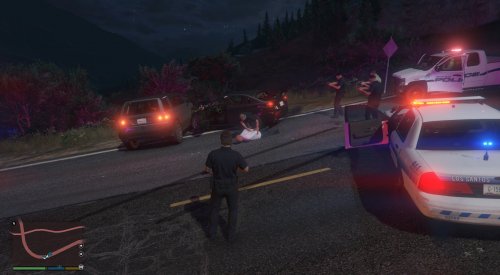
Heya, this is one of my first releases here on LSPDFR, definitely my first on the coding side of things. Well, this release here is a modified version of the base LSPDFR 0.4 data files. In which you are able to go active as the following departments from any listed station.
- Los Santos Police Department
- Los Santos County Sheriff's Department
- Vespucci Beach Police Department
- Blaine County Sheriff's Office
- San Andreas Highway Patrol
- Paleto Bay Police Department
I have also modified the outfits.xml file of the LSCSD & Highway Patrol. (I am not finished working on this currently) These departments will use the official EUP uniforms from Law & Order. (Vespucci Beach & Paleto Bay will use their parent departments uniforms)
P.S I also recommend modifying the vehicles listed in agency.xml on the lines that read the following otherwise LSPDFR will not work for you and will constantly crash before loading.
I will try my best to provide assistance to this release but I will definitely be keeping it updated once I have finished the rest of the uniforms
- 519 Downloads
- 13 Comments
Submitted -
Hey, this is my first upload to LSPDFR and well, my first release anywhere.
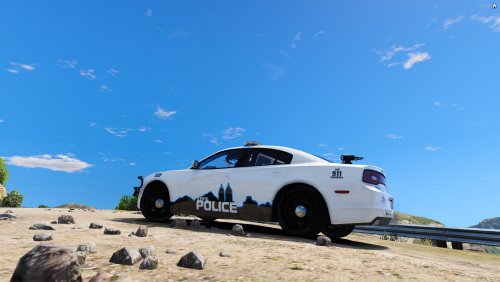
I spent probably around 2 days trying to make this livery as good as I could for a FiveM community at the time up until that community was disbanded so I decided to release it here for everyone to be able to use. This livery does include the PSD file so you can change most things from it.
This livery works best with the following model
- 55 Downloads
Submitted