Skip to content
View in the app

A better way to browse. Learn more.

LCPDFR.com

A full-screen app on your home screen with push notifications, badges and more.

To install this app on iOS and iPadOS
  1. Tap the Share icon in Safari
  2. Scroll the menu and tap Add to Home Screen.
  3. Tap Add in the top-right corner.
To install this app on Android
  1. Tap the 3-dot menu (⋮) in the top-right corner of the browser.
  2. Tap Add to Home screen or Install app.
  3. Confirm by tapping Install.

southhaven

Members
  • Joined

  • Last visited

Files posted by southhaven

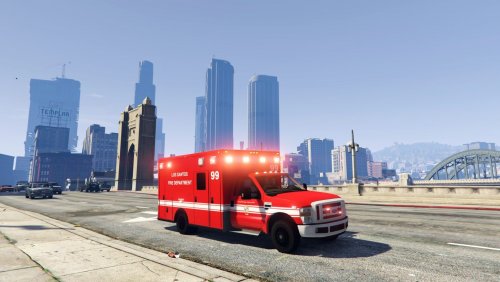
  1. Based on the style of the LAFD paramedic units.
     
    I hope you like it.


    • 981 Downloads
    Updated
  2. I've tried to make a complete package in style of the LAFD,
    which fits into the streets of Los Santos.
     
    Maybe I add in future some additional files.
     
    I hope you like it.


    • 748 Downloads
    Updated
  3. Four different skins for the ram 3500 in style of the LAFD.
     
     
    • 273 Downloads
    • 1 Comments
    Submitted
  4. The skin is based on the LAFD Rescue Ambulance units.


    • 321 Downloads
    • 1 Comments
    Submitted
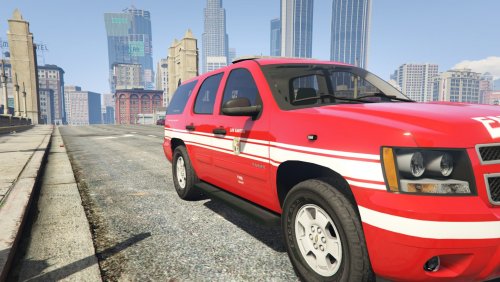
  5. That's a skin for the LSFD Battalion Chief Tahoe (made by ALLENjr12).
     
    The design is based on the LAFD Chevrolet Suburban EMS Unit, but lore friendly.


    • 256 Downloads
    • 3 Comments
    Submitted
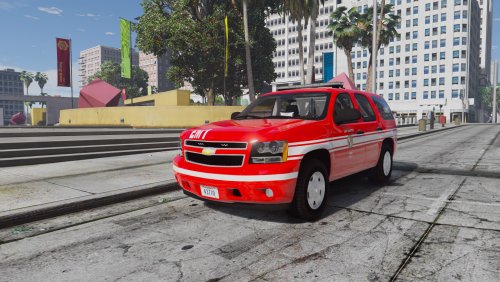
  6. That's a skin for the Chevrolet Tahoe from Blackjesus LS Metro Transit Police Pack.
    I created the design in style of the LAFD Chevrolet Suburban Devision Command / EMS Unit.
    It isn't 100% accurate, so please don't be fussy! :-)
     
    Included is also a instruction for the replacement as lifeguard granger. I hope it's working. Backup your Game!
    I also changed the lightcolour to red.
     
    I do not demand any rights of these files. Original files belong to the autors. If you want to change my skins: do it!
     
     
    • 519 Downloads
    • 2 Comments
    Updated

Account

Navigation

Search

Search

Configure browser push notifications

Chrome (Android)
  1. Tap the lock icon next to the address bar.
  2. Tap Permissions → Notifications.
  3. Adjust your preference.
Chrome (Desktop)
  1. Click the padlock icon in the address bar.
  2. Select Site settings.
  3. Find Notifications and adjust your preference.