donself
Members
-
Joined
-
Last visited
Files posted by donself
-
Here I have some modified models from these Original Authors:
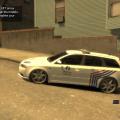
- Audi RS4 by:
*** Original model by: BritishPoliceMods
- Saab 9-3 by:
*** Original model by: Forza Motorsport 3 by Turn 10 Studios
- NOTES:
1.2: Added a new handling line.
1.1: Fixed problem with shaking/bouncing model.
Bug: Windows won't break.
- HANDLING.dat
1450.0 4.5 80 0.0 0.0 -0.37 0.5 6 0.21 1.0 165.0 0.34 0.66 0.7 35.0 1.45 1.23 14.5 0.15 0.49 2.0 1.2 1.2 0.14 -0.14 0.0 0.5 1.1 1.0 0.9 1.4 0.0 40000 440010 0 0
- VEHICLES.ide
police, police, car, POLICE, POLICE, VEH@LOW, VEH@LOW_HI2_HI2, 100, 999, 0.2700, 0.2700, 0.5, 1, 1.0, 1, ext_gang+ext_strong+ext_all+livery
- CARCOLS.dat
13,132,132,132, 0,132,132,132, 72,132,132,132, 54,132,132,132, 55,132,132,132, 58,132,132,132, 65,132,132,132, 72,132,132,132, 75,132,132,132, 84,132,132,132, 90,132,132,132, 119,132,132,132, 2,132,132,132, 21,132,132,132, 22,132,132,132, 13,132,132,132, 19,132,132,132,
*** Saab extra CREDITS:
Converted to GTA IV and improved by arvid11.
Hazard Slimline lightbar by KevinDV.
ELS mapping by corleone.
Wheels converted by corleone.
Mapping and template by corleone.
Paintjob was originaly by corleone, SA police textures provided by KevinDV and now edited by donSELF.
Handling line by Eagle.
- 154 Downloads
Submitted