(1)(1).png.e989199bea7ac60c357778906642b0cc.png)

Narobic
Members
-
Joined
-
Last visited
Files posted by Narobic
-
Just another small mod for a quality of life feature. I'm always forgetting the name of the subjects I'm out with so I decided to develop a little plugin that will help remind me
Just walk up to any ped and press "U" to show their name/birthday on screen for 10 seconds! A fun side effect is that it will work on police units too, so your partner and other units on scene have their own names!
When you first launch the game and go on duty it will create a .ini file that allows you to customize the values for:
-Key that displays the ID information
-Time the ID information is shown on screen
-Distance the plugin will scan for the nearest ped
This mod was made by myself with the assistance of ChatGPT for guidance and formatting. Please don't upload anywhere else, but feel free to use the code for your own plugins!
See a demonstration here:
- 340 Downloads
- 6 Comments
Updated -
Hey y'all! Here is a simple mod that randomizes the time when your game loads
In version 1.0.1 there is no console command; the mod will unload after it randomizes the time. If you want to manually randomize the time, simply load the plugin again. Leaving a mod like this always loaded screws with your game performance so this prevents that.
This mod was made by myself with the assistance of ChatGPT for guidance and formatting. Please don't upload anywhere else, but feel free to use the code for your own plugins!
- 459 Downloads
- 15 Comments
Updated -
This is made exclusively for StopThePed: Stop The Ped (v4.9.5.2)
I wanted the menus for StopThePed to sound more natural. I got the idea from @BlueLine Vibes but wasn't 100% satisfied with his version so I decided to make my own. Please check out his at the link below and feel free to pick whichever one fits your playstyle best!
https://www.patreon.com/posts/134588886?collection=128832
I may expand to include text files for other mods in the future, however BlueLineVibes has the best one I've seen for UltimateBackup so I highly suggest you check that out! (same link as above)
Most of the menus are demonstrated in this video:
- 193 Downloads
Updated -
QUICK NOTE BEFORE DOWNLOADING: At the moment, the textures are not working. They were previously. I cannot, for the life of me, figure out how to fix it. If anyone could provide some assistance, it would be much appreciated. Thank you in advance!
Hi all! This model was created by Rockstar Games, UV mapped by @cp702, and converted to ELS by myself
Thank you @Yan the Yam for finding a fix to the disappearing bike issue!
HELP WANTED: At this point I do not have the environmental lighting set up through the ELS vcf file as I still don't fully understand it. If someone is willing to create one for me I would be more than happy to give you credit
Instructions on how to download are in the provided README
Here is the original non-ELS model:
Videos:
Spoiler
Recommended files:
Important information:
Please rate the mod for what it is, and not what it should be. Thank you.
Do not reupload without express permission
If you make physical edits to the vehicle, you have permission to upload as long as credit is given to both @cp702 & myself
If you make texture edits, you may not upload anything more than the two .ytd files
- 7,878 Downloads
- 34 Comments
Updated -
The successor to Free My Controller
This mod is no longer supported on a regular basis. I may, from time to time, complete custom sets requested from the request board. I can't promise it will be done right away, if at all.
How to Install:
In OpenIV, travel to 'update > update.rpf > common > data > control'
Then copy/paste the files from the provided .rar
Specialty Addons:
These addons are files that can be added on to any set. Make sure to install these files after installing the desired set. Simply install into the same location as the set. The options include
Remove Cover [LB,RB,X,RT]
Remove Handbrake [A]
Remove Handbrake [RB]
Remove Handbrake & Duck [A+RB]
Remove Jump [X,A]
Remove Stealth Mode [LS&A]
Remove Vehicle Duck [A&RB]
Similar Mods: Here are some sets provided to you by other users with similar mods:
Spoiler
If you want any of the following sets, click here. These sets are provided to you by @Delco24
LSPDFR Version:
Phone
Horn
Change Weapon in Vehicle
Vehicle Aim
Radio Wheel
Headlights
Character Wheel
Cinema Cam
Duck
Change Camera
Phone/Horn Only:
Phone
Horn
Phone Only:
Phone
Phone/Radio Only:
Phone
Radio Wheel
If you want the following set, click here. This set is provided to you by @ProMotivated
No Assault from B:
Phone Up (in vehicle/on foot)
Light Melee (on foot)
2
Current Sets:
Spoiler
8
Spoiler
[Set#1] What it removes:
Phone Up (in vehicle/on foot)
Select Weapon (in vehicle)
Cinematic Mode (in vehicle)
[LB] Aim (in vehicle)
Headlights (in vehicle)
Interaction Menu (in vehicle/on foot)
[Set#2] What it removes:
Phone Up (in vehicle/on foot)
Select Weapon (in vehicle)
Cinematic Mode (in vehicle)
[LB] Aim (in vehicle)
Interaction Menu (in vehicle/on foot)
[Set#3] What it removes:
Phone Up (in vehicle/on foot)
Select Weapon (in vehicle)
Cinematic Mode (in vehicle)
[LB] Aim (in vehicle)
Interaction Menu (in vehicle/on foot)
Expanding Minimap (in vehicle/on foot)
[Set#4] What it removes:
Phone Up (in vehicle/on foot)
Select Weapon (in vehicle)
Cinematic Mode (in vehicle)
Interaction Menu (in vehicle/on foot)
Expanding Minimap (in vehicle/on foot)
[Set#5] What it removes:
Phone Up (in vehicle/on foot)
Cinematic Mode (in vehicle)
Expanding Minimap (in vehicle/on foot)
Character Wheel (in vehicle/on foot)
[Set#6] What it removes:
Phone Up (in vehicle/on foot)
Select Weapon (in vehicle/on foot)
Cinematic Mode (in vehicle)
[LB] Aim (in vehicle)
Interaction Menu (in vehicle/on foot)
Expanding Minimap (in vehicle/on foot)
Radio Wheel (in vehicle)
[Set#7] What it removes:
Phone Up (in vehicle/on foot)
Select Weapon (in vehicle)
Cinematic Mode (in vehicle)
[LB] Aim (in vehicle)
Interaction Menu (in vehicle/on foot)
Expanding Minimap (in vehicle/on foot)
Character Wheel (in vehicle/on foot)
Radio Wheel (in vehicle)
[Set#8] What it removes:
Phone Up (in vehicle/on foot)
Interaction Menu (in vehicle/on foot)
Radio Wheel (in vehicle)
[Set#9] What it removes:
Phone Up (in vehicle/on foot)
Select Weapon (in vehicle)
Cinematic Mode (in vehicle)
[LB] Aim (in vehicle)
Interaction Menu (in vehicle/on foot)
Expanding Minimap (in vehicle/on foot)
Character Wheel (in vehicle/on foot)
[Set#10] What it removes:
Phone Up (in vehicle/on foot)
Select Weapon (in vehicle)
[LB] Aim (in vehicle)
Interaction Menu (in vehicle/on foot)
Expanding Minimap (in vehicle/on foot)
Character Wheel (in vehicle/on foot)
Radio Wheel (in vehicle)
Talk/Call Taxi (on foot)
Horn (in vehicle)
[Set#11] What it removes:
Phone Up (in vehicle/on foot)
Select Weapon (in vehicle)
Cinematic Mode (in vehicle)
[LB] Aim (in vehicle)
Headlights (in vehicle)
Interaction Menu (in vehicle/on foot)
[LS] Horn (in vehicle)
[Set#12] What it removes:
Phone Up (in vehicle/on foot)
Select Weapon (in vehicle)
[LB] Aim (in vehicle)
Interaction Menu (in vehicle/on foot)
Expanding Minimap (in vehicle/on foot)
Character Wheel (in vehicle/on foot)
Radio Wheel (in vehicle)
Talk/Call Taxi (on foot)
[LS] Horn (in vehicle)
[RS] Accurate Aim (on foot)
[LS] Look Behind (in vehicle/on foot)
[Set#13] What it removes:
Phone Up (in vehicle/on foot)
Select Weapon (in vehicle)
[LB] Aim (in vehicle)
Interaction Menu (in vehicle/on foot)
Expanding Minimap (in vehicle/on foot)
Character Wheel (in vehicle/on foot)
Radio Wheel (in vehicle)
Talk/Call Taxi (on foot)
[RS] Accurate Aim (on foot)
[Set#14] What it removes:
Phone Up (in vehicle/on foot)
[Set#15] What it removes:
Phone Up (in vehicle/on foot)
Select Weapon (in vehicle)
Interaction Menu (in vehicle/on foot)
Expanding Minimap (in vehicle/on foot)
Character Wheel (in vehicle/on foot)
Radio Wheel (in vehicle)
Talk/Call Taxi (on foot)
[LS] Look Behind (in vehicle/on foot)
Cinematic Mode (in vehicle)
[Set#16] What it removes:
Phone Up (in vehicle/on foot)
[LB] Aim (in vehicle)
[Set#17] What it removes:
Phone Up (in vehicle/on foot)
Select Weapon (in vehicle)
[LB] Aim (in vehicle)
Interaction Menu (in vehicle/on foot)
Character Wheel (in vehicle/on foot)
Radio Wheel (in vehicle)
Talk/Call Taxi (on foot)
Cinematic Mode (in vehicle)
[Set#18] What it removes:
Phone Up (in vehicle/on foot)
Select Weapon (in vehicle)
Cinematic Mode (in vehicle)
[LB] Aim (in vehicle)
Headlights (in vehicle)
Interaction Menu (in vehicle/on foot)
Expanding Minimap (in vehicle/on foot)
Character Wheel (in vehicle/on foot)
Radio Wheel (in vehicle)
[Set#19] What it removes:
Phone Up (in vehicle/on foot)
Select Weapon (in vehicle)
Cinematic Mode (in vehicle)
[LB] Aim (in vehicle)
Headlights (in vehicle)
Interaction Menu (in vehicle/on foot)
Expanding Minimap (in vehicle/on foot)
Character Wheel (in vehicle/on foot)
Radio Wheel (in vehicle)
Change Camera View (in vehicle/on foot)
[Set#20] What it removes:
Phone Up (in vehicle/on foot)
Select Weapon (in vehicle)
Cinematic Mode (in vehicle)
[LB] Aim (in vehicle)
Headlights (in vehicle)
Interaction Menu (in vehicle/on foot)
Light Melee Attack (on foot)
Look Behind (in vehicle/on foot)
[Set#21] What it removes:
Phone up (in vehicle/on foot)
Select Weapon (in vehicle)
[LB] Aim (in vehicle)
Interaction Menu (in vehicle/on foot)
Expanding Minimap (in vehicle/on foot)
Character Wheel (in vehicle/on foot)
Radio Wheel (in vehicle)
[Set#22] What it removes:
Phone Up (in vehicle/on foot)
Select Weapon (in vehicle)
Cinematic Mode (in vehicle)
[LB] Aim (in vehicle)
Headlights (in vehicle)
Interaction Menu (in vehicle/on foot)
[LS] Horn (in vehicle)
Pause Menu (in vehicle/on foot)
Light Melee (on foot)
[Set#23] What it removes:
Phone Up (in vehicle/on foot)
Cinematic Mode (in vehicle) Light Melee (on foot)
[Set#24] What it removes:
Phone Up (in vehicle/on foot)
Select Weapon (in vehicle)
[LB] Aim (in vehicle)
Headlights (in vehicle)
Interaction Menu (in vehicle/on foot)
[Set#25] What it removes:
Pause Menu (in vehicle/on foot)
Interaction Menu (in vehicle/on foot)
[Set#26] What it removes:
[LB] Aim (in vehicle)
Pause Menu (in vehicle/on foot)
[Set#27]
Phone Up (in vehicle/on foot)
Phone Up (in vehicle/on foot)
Select Weapon (in vehicle)
Cinematic Mode (in vehicle)
[LB] Aim (in vehicle)
Headlights (in vehicle)
Interaction Menu (in vehicle/on foot)
Expanding Minimap (in vehicle/on foot)
Character Wheel (in vehicle/on foot)
Radio Wheel (in vehicle)
Change Camera View (in vehicle/on foot)
[LB] Aim (in vehicle)
Expanding Minimap (in vehicle/on foot)
Radio Wheel (in vehicle)
[Set#28]
Phone Up (in vehicle/on foot)
[LB] Aim (in vehicle)
Radio Wheel (in vehicle)
[Set#29]
Phone Up (in vehicle/on foot)
Cinematic Mode (in vehicle)
Expanding Minimap (in vehicle/on foot)
Character Wheel (in vehicle/on foot)
[Set#30]
Phone Up (in vehicle/on foot)
Select Weapon (in vehicle)
Cinematic Mode (in vehicle)
[LB] Aim (in vehicle)
Interaction Menu (in vehicle/on foot)
Character Wheel (in vehicle/on foot)
[Set#31]
Phone Up (in vehicle/on foot)
Select Weapon (in vehicle)
[LB] Aim (in vehicle)
Interaction Menu (in vehicle/on foot)
[Set#32]
Phone Up (in vehicle/on foot)
Select Weapon (in vehicle)
Cinematic Mode (in vehicle)
[LB] Aim (in vehicle)
Headlights (in vehicle)
Interaction Menu (in vehicle/on foot)
[LS] Horn (in vehicle)
Pause Menu (in vehicle/on foot)
Light Melee (on foot)
Enter Vehicle (on foot)
Exit Vehicle (in vehicle)
[Set#33]
Interaction Menu (in vehicle/on foot)
Pause Menu (in vehicle/on foot)
Change Camera View (in vehicle/on foot)
[Set#34]
Phone Up (on foot)
Select Weapon (in vehicle)
[LB] Aim (in vehicle)
Change Camera View (in vehicle/on foot)
Interaction Menu (in vehicle/on foot)
Pause Menu (in vehicle/on foot)
[Set#35]
Phone Up (on foot)
Interaction Menu (in vehicle/on foot)
Radio Wheel (in vehicle)
Pause Menu (in vehicle/on foot)
[Set#36]
Phone Up (in vehicle/on foot)
Select Weapon (in vehicle)
Cinematic Mode (in vehicle)
Interaction Menu (in vehicle/on foot)
Expanding Minimap (in vehicle/on foot)
Pause Menu (in vehicle/on foot)
[Set#37]
Select Weapon (in vehicle)
[LB] Aim (in vehicle)
[Set#38]
Phone Up (in vehicle/on foot)
Select Weapon (in vehicle/on foot)
[LB] Aim (in vehicle)
Interaction Menu (in vehicle/on foot)
Expanding Minimap (in vehicle/on foot)
Radio Wheel (in vehicle)
[Set#39]
Phone Up (in vehicle/on foot)
Cinematic Mode (in vehicle)
[LB] Aim (in vehicle)
Expanding Minimap (in vehicle/on foot)
Character Wheel (in vehicle/on foot)
Radio Wheel (in vehicle)
Change Camera View
[Set#40]
Added set #40 which removes:
Phone Up (in vehicle/on foot)
Cinematic Mode (in vehicle)
Radio Wheel (in vehicle)
Change Camera View (in vehicle/on foot)
[LS] Horn (in vehicle)
[Set#41]
Added set #41 which remove:
Phone Up (in vehicle/on foot)
Select Weapon (in vehicle)
Cinematic Mode (in vehicle)
Headlights (in vehicle)
Interaction Menu (in vehicle/on foot)
Expanding Minimap (in vehicle/on foot)
Character Wheel (in vehicle/on foot)
Radio Wheel (in vehicle)
Talk/Call Taxi (on foot)
[LS] Look Behind (in vehicle/on foot)
Pause Menu (in vehicle/on foot)
[Set#42]
Phone Up (in vehicle/on foot)
[LB] Aim (in vehicle)
Radio Wheel (in vehicle)
[Set#43]
Phone Up (in vehicle/on foot)
Cinematic Mode (in vehicle)
Aim and shoot (in vehicle)
Headlights (in vehicle)
Interaction Menu (in vehicle/on foot)
Expanding Minimap (in vehicle/on foot)
Radio Wheel (in vehicle)
[Set#44]
Phone Up (in vehicle/on foot)
Light Melee (on foot)
Radio Wheel (in vehicle)
Character Wheel (in vehicle/on foot)
[LB] Aim (in vehicle)
Select Weapon (in vehicle)
[RS] Look Behind (in vehicle/on foot)
Headlights (in vehicle)
Expanding Minimap (in vehicle/on foot)
Cinematic Mode (in vehicle)
Interaction Menu (in vehicle/on foot)
[Set#45]
Phone Up (in vehicle/on foot)
Select Weapon (in vehicle)
Aim and shoot (in vehicle)
[RS] Look Behind (In Vehicle)
Interaction Menu (in vehicle/on foot)
[Set#46]
Phone Up (in vehicle/on foot)
Radio Wheel (in vehicle)
Character Wheel (in vehicle/on foot)
[LB] Aim (in vehicle)
Select Weapon (in vehicle)
Expanding Minimap (in vehicle/on foot)
Cinematic Mode (in vehicle)
[Set#47]
Phone Up (in vehicle/on foot)
Character Wheel (in vehicle/on foot)
Radio Wheel (in vehicle)
Expanding Minimap (in vehicle/on foot)
Cinematic Mode (in vehicle)
Horn (in vehicle)
[Set#48]
Phone Up (in vehicle/on foot)
[LB] Aim (in vehicle)
Select Weapon (in vehicle)
[Set#49]
Phone Up (in vehicle/on foot)
Light Melee (on foot)
Radio Wheel (in vehicle)
Character Wheel (in vehicle/on foot)
Select Weapon (in vehicle)
[RS] Look Behind (in vehicle/on foot)
Expanding Minimap (in vehicle/on foot)
Cinematic Mode (in vehicle)
Interaction Menu (in vehicle/on foot)
Pause Button (in vehicle/on foot)
[Set#50]
Phone Up (in vehicle/on foot)
[LB] Aim (in vehicle)
Select Weapon (in vehicle)
Light Melee (on foot)
[Set#51]
Phone Up (in vehicle/on foot)
Light Melee (on foot)
[LB] Aim (in vehicle)
Select Weapon (in vehicle)
Change Camera View (in vehicle/on foot)
Expanding Minimap (in vehicle/on foot)
[Set#52]
Phone Up (in vehicle/on foot)
[LB] Aim (in vehicle)
Select Weapon (in vehicle)
Change Camera View (in vehicle/on foot)
Interaction Menu (in vehicle/on foot)
Pause Button (in vehicle/on foot)
Cinematic Mode (in vehicle)
[RS] Look Behind (in vehicle)
Character Wheel (in vehicle/on foot)
Radio Wheel (in vehicle)
Horn (in vehicle)
Headlights (in vehicle)
Exit Vehicle (in vehicle)
[Set#53] What it removes:
Phone Up (in vehicle/on foot)
Change Camera View (in vehicle/on foot)
[Set#54] What it removes:
Phone Up (in vehicle/on foot)
Select Weapon (in vehicle)
Cinematic Mode (in vehicle)
[LB] Aim (in vehicle)
Headlights (in vehicle)
Expanding Minimap (in vehicle/on foot)
Character Wheel (in vehicle/on foot)
Radio Wheel (in vehicle)
[Set#55] What it removes:
Phone Up (in vehicle/on foot)
[LB] Aim (in vehicle)
Radio Wheel (in vehicle)
Character Wheel (in vehicle/on foot)
Select Weapon (in vehicle)
Expanding Minimap (in vehicle/on foot)
Cinematic Mode (in vehicle)
Headlights (in vehicle)
Light Melee (on foot)
Pause Button (in vehicle/on foot)
10
6
74
1
75
114
3
Do you want a custom version? Post your requests on the request board:

Important Information:
Please rate the mod for what it is, and not what it should be. Thank you.
Requests posted in the comments section below will be ignored and removed!
This modification may be incompatible with other modifications that use controller bindings. (ELS being one of them)
Unfortunately, some (if not all) sets may remove the ability to scroll up in a menu using DpadUp.
Changing weapons in your vehicle using TAB or the scroll wheel will crash your game if you're using a set that removes weapon select.
This can be fixed by removing or changing the key bindings in the game settings
I recommend using Xpadder or Controller Companion to fix any issues regarding controller bindings
Please post concerns and support questions in the comments section below rather than asking in the review section. Thank you.
If you want to re-upload these for any reason, ask permission and give credit where credit is due. Thank you.
- 15,653 Downloads
- 161 Comments
Updated -
Dynamic Patrols allows various law enforcement, military, and DLC vehicles to spawn naturally and dynamically in their respective areas while playing GTAV SP
Law enforcement/military vehicles that spawn:
The sheriff stanier (sheriff1) spawns as an off-highway vehicle in Blaine County The unmarked stanier (police4) on the side of highways and in the airport The mounted insurgent (insurgent), unarmed insurgent (insurgent2), nightshark (nightshark), and the halftrack (halftrack) drives around the military base and spawns parked The valkyrie (valkyrie), avenger (avenger), hunter (hunter), unarmed buzzard (buzzard), and savage (savage) now fly around the military base alongside the vanilla cargobob (cargobob4) I changed it to cargobob4 to allow independent editing to the vehicle without interfering with mods that use the vanilla cargobob The Jetsam cargobob (cargobob2) now flies along the Del Perro beach coastline along with the vanilla yellow frogger (frogger) Removed the buzzard (buzzard) from spawning in the city as a police helicopter (this seemed unrealistic to me) The hydra (hydra) now spawns in the military base along with the lazer (lazer) The bombushka bomber plane (bombushka) and the private military jet (miljet) now spawn alongside the titan (titan) in the military base. The lifeguard granger (lguard) now drives on the beach along side the vanilla lifeguard atv (blazer2)
In addition to spawning police vehicles, this mod allows various DLC vehicles to spawn in their respective areas on the road and in the sky.
In order for DLC vehicles to spawn properly, you must install: https://www.gta5-mods.com/scripts/mp-vehicles-in-sp
---------------------------------------
One of my favourite things about this: it's compatible with @_CP_'s IVPack! (Install IVPack before you install this!)
What's that? You don't want to use this mod because the cop cars start unrealistic police pursuits too often? Well here's a solution!!!
A.I Police Pursuits Disabler by @Cass
Some recommended vehicles to make this mod feel more realistic:
Important things:
Any suggestions to make this modification better is greatly appreciated in the comments. Thank you, and I hope you enjoy! I cannot control the spawn frequency If you wish to reduce the rapid law enforcement spawns, install IVPack and turn your variety all the way up and density all the way down. Please do not upload anywhere else without express permission
Thanks to my beta testers:
@JonnhyCZGc @Riva @iamhowtobeaboss @billiarboy
- 2,823 Downloads
- 57 Comments
Updated -
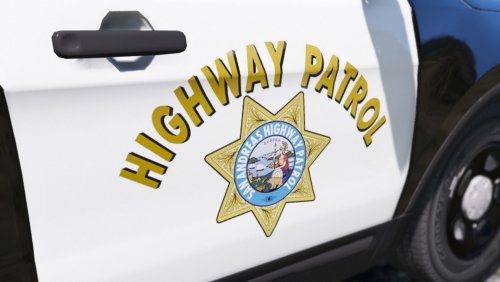
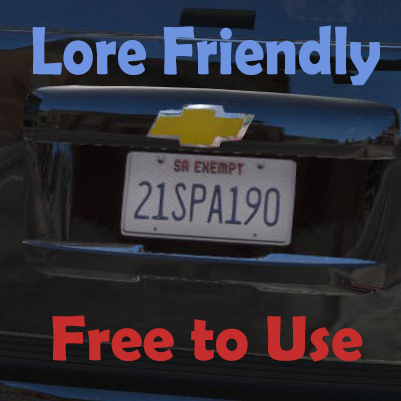
Completely and realistically based off of the California Highway Patrol (CHP) with a lore friendly twist.
These are NOT full models. Just textures for @Thehurk's ELS 2017 CHP Megapack
You can find the models here:
Recommended Files: [WIP]
Important Information:
All vehicles in this pack have been completely retextured from scratch by myself except the following vehicles:
Ford Expedition (original texture by @Officer27)
Ford F350 (original texture by @Officer27)
BMW Motorcycle (original texture by @Windows446)
For those three vehicles listed above, I have only made minor edits to stay consistent with the rest of the pack
I'm unable to add a license plate to the F-350 as the model does not support it (as far as I know)
If you know how to add a license plate to the F-350, please feel free to pm me or post a comment down below
I decided not to include the Harley texture as the texture it comes with works with this pack perfectly
Please, if you have any suggestions in regards to how I can make the mod better then please put them in the comments rather than write a review. Thank you.
- 6,375 Downloads
- 26 Comments
Updated -
Some basic vehicle textures I created for @Thehurk's 2013 Ford Expedition and 2013 Ford F-350.
Included are two new VCF files for alternate flash patterns (video below)
These are NOT full models. Just textures for models by @Thehurk
You can find the models here:
Videos:
Important Information:
Please rate the mod for what it is, and not what it should be. Thank you. I'm unable to add a license plate to the F-350 as the model does not support it (as far as I know) If you know how to add a license plate to the F-350, please feel free to pm me or post a comment down below
Big thanks to @JBrawn for the first two screenshots!
- 852 Downloads
- 5 Comments
Updated -
Hi all. These are the plate templates I use for all of my textures. Thought I'd share them with y'all. Just credit me where credit is due. Enjoy!
~For all the dorks who use retarded textured plates~
- @Lundy
- 776 Downloads
- 11 Comments
Submitted -
It's a simple pack, but I hope you'll enjoy it! I wanted to have more variety with my fire units so I decided to make textures for various fire departments.
These fire departments include:
Los Santos Fire Department (LSFD) Blaine County Fire Department (BCFD) North Yankton Fire Department (NYFD) Ludendorff County Fire Department (LCFD)
Within this pack you will find vehicle textures for the following models:
Goes great with:
Important Information:
This mod was made to fit my game. The graphics aren't perfect. Please take this into consideration before rating. Please rate the mod for what it is, and not what it should be. Thank you. Yes this is a reupload. I wanted to combine the three original posts into one megapack Sorry if you thought that NYFD meant New York Fire Department or if you thought LCFD meant Liberty City Fire Department. Neither of those are here I understand that the ladder truck model used is in an alpha stage and still "in development" but it has been that way since November of 2015. If the model is ever updated (or at least the .ytd) I will update this pack- 262 Downloads
- 5 Comments
Updated -
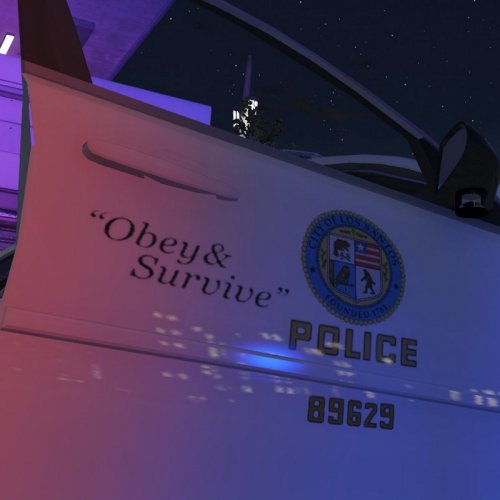
After days of work and hours of checking every detail, I can finally present to the LSPDFR community my LSPD Lore Textures!
I really hope y'all enjoy! I put a LOT of effort into each vehicle! If you catch something I missed, let me know in the comments! :D
Instructions in README
These are NOT full models. This pack works with most vehicles but were specifically created & taylored for models by @Captain14
You can find the models here:
Important Information:
Please rate the mod for what it is, and not what it should be. Thank you.
I understand that the back of the Charger may not look complete. This is due to model limitations; I have no control over this
I understand that there are some vehicles that the LAPD does not use. Such vehicles include the 2013 K9 Tahoe and the 2015 Charger
This pack is compatible and was built for Captain14's LSPD Pack, however, the textures will work with any other vehicle that uses the same template
Leave feedback in the comments section below!
- 2,002 Downloads
- 11 Comments
Updated -
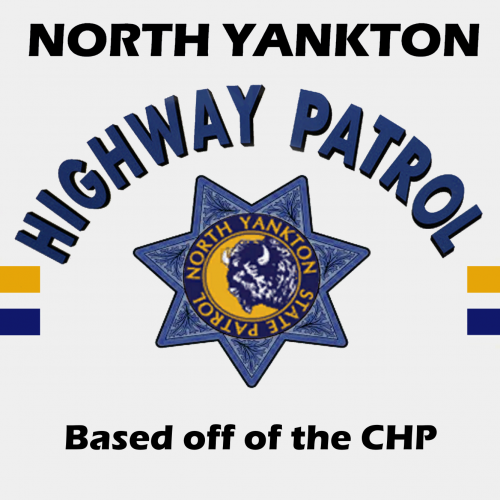
This texture is HEAVILY based off of the California Highway Patrol (CHP)
Instructions in README
This is NOT a model. Just a texture for a model by @Thehurk
You can find the model here:
Important Information:
This mod was made to fit my game. Please take this into consideration before rating. Please rate the mod for what it is, and not what it should be. Thank you. Input is greatly appreciated in the comments section. Thank you!- 104 Downloads
- 7 Comments
Submitted -
I loved the design and layout that the model comes default with but I wanted the bison to match the original Sheriff2 (Granger) design
Instructions in README
This is NOT a full model. Just a texture for a model by @Yard1
You can find the model here:
Important Information:
This mod was made to fit my game. The graphics aren't perfect and definitely not high definition. Please take this into consideration before rating. Please rate the mod for what it is, and not what it should be. Thank you.- 212 Downloads
Updated -
The EMS backup request needed a little bit more diversity
Instructions in README
This is NOT a model. Just a texture for the already in-game ambulance
If you want to have the best experience, then I suggest using @PNWParksFan's Better EMS. Just go through the provided .xml file and change the livery number for the desired medical center
Livery Numbers Mission Row San Andreas Livery: 1 Los Santos Fire Department Livery: 2 Los Santos Medical Center Livery: 3 Sandy Shores Medical Center Livery: 4 North Yankton Medical Center Livery: 5 Paleto Bay Medical Center Livery: 6 Ludendorff Medical Center Livery: 7 Park Ranger Paramedic Livery: 8
Goes great with:
Important Information:
This mod was made to fit my game. The graphics aren't perfect. Please take this into consideration before rating. Please rate the mod for what it is, and not what it should be. Thank you.- 255 Downloads
- 2 Comments
Updated -
Vehicle designs based off of vanilla vehicles.
Instructions in README
This is NOT a full model. Just a texture for a model by @GlitchGamer
You can find the model here:
Important Information:
Please rate the mod for what it is, and not what it should be. Thank you. They are technically 4k, but some of the logos and such may be a lower quality- 460 Downloads
- 1 Comments
Updated -
Completely and realistically based off of the California Highway Patrol (CHP)
These are NOT full models. Just textures for models by @Thehurk
You can find the models here:
Important Information:
Some may consider the motto on the cars to be "not realistic" because it does not match the real life CHP motto of "Safety, Service and Security". However, "Authority, Obedience and Force" follows the GTA tradition of parodying real life police mottos Some things that don't quite match up to the CHP: The "HIGHWAY PATROL" on the back of the 2015 Charger is moved up to adjust for the model The "HIGHWAY PATROL" on the back of the CVPI is not quite like its irl counterpart as the texture doesn't allow me to make it exact (Unless you want it to curve at the top) Please, if you have any suggestions in regards to how I can make the mod better then please put them in the comments rather than write a review. Thank you.- 3,533 Downloads
- 17 Comments
Updated -
Instructions on how to use are in the README
This file was made to work with the American Sirens Pack by @GravelRoadCop
Video Demonstration:
I deeply apologize for the video quality
- 7,216 Downloads
- 16 Comments
Submitted