


Oratic
Members
-
Joined
-
Last visited
Everything posted by Oratic
-
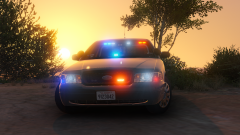 He can learn how to model new cars with spotlights since that's a huge deal to him too!
 -
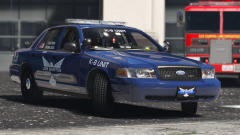 Looks really good man. You and Bugs keep up the good work :)
 -
.jpg.b0267535e266a9c2be00bc30759fee08.jpg) Awesome job Prophet don't listen to the little trolls ;)
Awesome job Prophet don't listen to the little trolls ;) -
.png.b37934de22265617eb2dc1429d565c76.png) @thegreathah Thanks for the support man :)
@thegreathah Thanks for the support man :) -
@HankVoight Yes of course it will be set up for police3 or else it wouldn't really make sense. As for the steelies I might include an option for them on the cars but I don't know yet.
-
This gallery will showcase all of my projects for Grand Theft Auto V.
-
From the album: Oratic's V Projects
Los Santos just got the next vehicle in-line to shit the streets; The 2010 Dodge Charger. The Charger isn't new per-say but it is a reliable vehicle that an officer can count on while patrolling. Matched with the same equipment and lighting setup and the 2011 Ford Crown Victoria Los Santos also recently got it is sure to make people think twice about breaking the law. Los Santos is awaiting it's third and final vehicle which is expected to be a 2013 Chevrolet Tahoe. Stay tuned for more information coming soon! If you have any questions, comments, concerns, or would like to leave constructive criticism in the comments below feel free! Blue Line Designs is a community dedicated to providing unique quality vehicle modifications for the community to use.© Blue Line Designs Team
-
Light Conversions.txt
-
.png.f196704e88fb4011dcde88836163b7f2.png) Thanks @FRGamer!
Thanks @FRGamer! -
@HankVoight Maybe. It has a 6 module Whelen Dominator in the back and so it is pretty lit up and I don't want it to be a Christmas tree.
-
From the album: Oratic's V Projects
Los Santos decided it was time that they put money down for a new fleet of vehicles to look much more sharp and improve safety. After around two years of meticulous voting and research the city has decided that this will be the first vehicle in the fleet of five to come. The 2011 Ford Crown Victoria will be patrolling the streets of Los Santos in two variants. The city decided it would be a good idea for a variant with steel wheels and a variant with hubcaps. The next vehicle up to be sent out will be the 2010 Dodge Charger. The 2010 Dodge Charger will feature the same new look and lighting setup to provide a uniform look. There will be one more vehicle on top of these two already that will be soon out on the roads as well. Keep an eye out in the gallery for updates! If you have any questions, comments, concerns, or would like to leave constructive criticism in the comments below feel free! Blue Line Designs is a community dedicated to providing unique quality vehicle modifications for the community to use.© Blue Line Designs Team
-
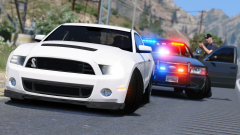 Dude, your shots are absolutely amazing! Keep up the good work!
 -
@Prophet Thank you for the update sir. The progress looks amazing! Thanks for contributing to the development of this amazing modification.
-
I just want to give all the developers and testers for ELS V a simple thank you. I honestly can not wait to see what this will bring to the table for V modeling. It is going to revolutionize the game so thank you everybody that has contributed to get ELS V to it's current state and improving it beyond that.
-
This gallery will showcase all of my shots for Grand Theft Auto V.

.jpg.b0267535e266a9c2be00bc30759fee08.jpg)
.png.b37934de22265617eb2dc1429d565c76.png)
.png.f196704e88fb4011dcde88836163b7f2.png)

