Officer21Century
-
Joined
-
Last visited
Everything posted by Officer21Century
-
From the album: Sexy LSPD Patrol
-
From the album: Sexy LSPD Patrol
-
From the album: Sexy LSPD Patrol
-
From the album: Sexy LSPD Patrol
-
From the album: Sexy LSPD Patrol
-
From the album: Sexy LSPD Patrol
-
From the album: Sexy LSPD Patrol
-
From the album: Sexy LSPD Patrol
-
From the album: Sexy LSPD Patrol
-
From the album: Sexy LSPD Patrol
-
From the album: Sexy LSPD Patrol
-
From the album: Sexy LSPD Patrol
-
From the album: Sexy LSPD Patrol
-
From the album: Sexy LSPD Patrol
-
From the album: Sexy LSPD Patrol
-
From the album: Sexy LSPD Patrol
-
From the album: Sexy LSPD Patrol
-
From the album: Sexy LSPD Patrol
-
I think it would be nice if all the police cars of the original mod get a police computer with animations. Animations like you can use it with a key on your keyboard and than you can surf in the internet or you can see the last numberplate checks for example. It would be more realistic and pretty cool. What do you think about it?
-
The helicopters are one of the best backups I've ever seen in the mod. In my game they are only shooting if the Suspect is running away. I think that don't need a rework.
-
Hello community , I hope I can help some guys with this Video. Maybe it would be deleted but maybe it is right in this section. :)
-
LSPDFR is the best mod on the market in the 21 century. It is said to see you guys go your own way.
-
-
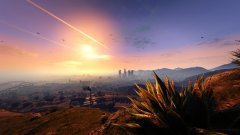
From the album: GTA5-History
Did you know where I take this picture?