


jplloyddd
Members
-
Joined
-
Last visited
Everything posted by jplloyddd
-
Thank you brother! I just decided to wait for YetAnotherPartner to be updated.
-
I'm also having the same issue. Anyone have something that works?
-
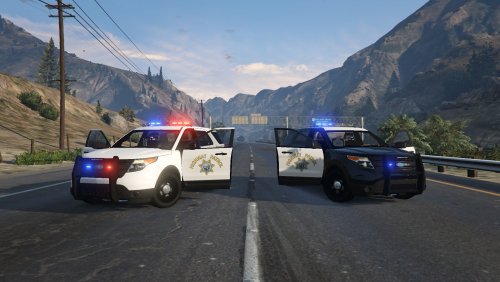 First we get these wonderful new vehicles, and now I have a BEAUTIFUL CHP skin for my explorer! You are amazing! I use this explorer for my CHP in game response, and personally. This wont be leaving that slot anytime soon! Thank you!
- 10 comments
- 3 reviews
-
 You have made my game so much more enjoyable! The quality of your work is on a level of its own! Installing this mod was better then opening gifts on X-mess morning! Thank you for all your hard work. Dreams: In the future will be making a Sheriff equivalent, or at least a taser vest (no hydration) / regular vest as with the police uniforms?
- 273 comments
- 61 reviews
-
-

- 1
-
-
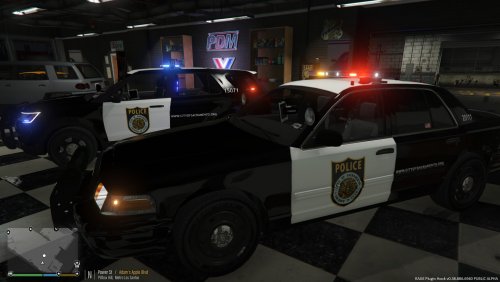 Beautiful work!! Have you thought about to Sacramento County Sheriff?
 -
 I just mean that my mouse will not move to the far left of my screen when the configuration window opens, i can't save the settings (or access the vehicle settings), and the configuration window won't close when clicking on the "X" at the upper right of the window. It's not a big deal, but I just go into full screen to configure it.
- 476 comments
- 73 reviews
-
Thank you so much! This is why I love this community (people always willing to help!) Sir, you made my day! Note; I noticed that if you are not in full screen mode (I typically use windowed) that the spotlight menu is not functioning fully. No big deal
- 476 comments
- 73 reviews
-
-
- 1
-
-
I'm on Rage 37 and unfortunately the newest GTA-V update (if this helps) I have the 2014 Dodge Charger (police2 replacement) Pursuit 1.2L by Bxbugs123. My question is that your awesome mod works fantastic on the stock models (before my upgraded vehicle mod install), but unfortunately not with this model. Example: if I'm moving your spotlight with my mouse it can easily move to the left or above, but towards the center and right areas (of space) it just blacks out. It seems as if something in the Dodge model is blocking your light. Is there anything I can do? The other mod vehicle that I use is the Ford Explorer by PimDSLR, his Federal Signal Valar Lightbar (also amazing) and your mod has full functionality there. Is there something I can do so I can continue to use my lovely Dodge (because using it without your spotlight is not the same now :( ) Thank you and the rest of this mod community for doing all that you do. (Just stared using LSPDFR 2 weeks ago, and I'll never leave now)
- 476 comments
- 73 reviews
