Chewtoy
Members
-
Joined
-
Last visited
Files posted by Chewtoy
-
The author just updated this to include another sedan, will be working on that this week!
This is still considered largely a work in progress
Updates will follow
- police impala
- 3 ribbons
- 2 plain whites
- 2 black and whites
- 1 ghost
- police2 charger WIP
- 2 ribbons
- 2 plain whites
- police3 interceptor
- 4 ribbons
- 4 black and whites
- police4 crown victoria
- 3 plain whites
- 3 ribbons
- 2 ghosts
- police5 interceptor
- 2 black and whites
- police6 tahoe
- 3 plain whites
- 1 black and white
- 1 ghost
- 3 unmarked
-
-
The pack may be acquired here:
- 115 Downloads
- 4 Comments
Updated -
Locate the file's .ytd Open the .ytd texture dictionary file Import all the files from the rar PM me for one on one help if troubles persist
Model may be acquired here:
- 75 Downloads
- 1 Comments
Updated -
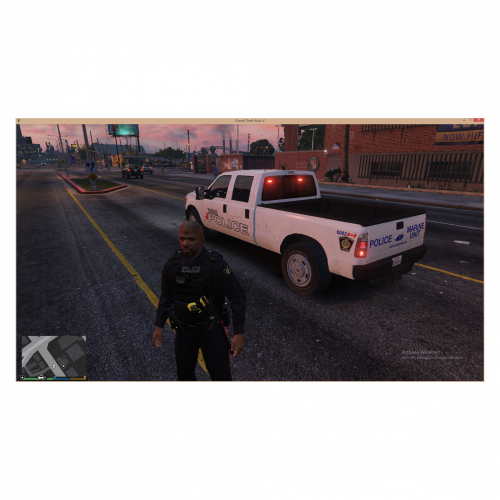
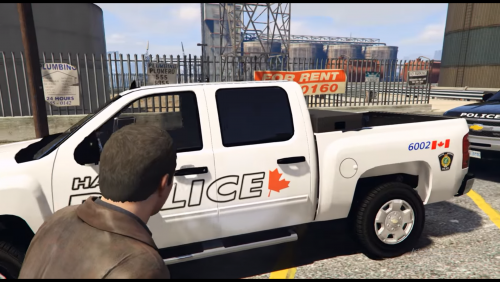
Two marine units
Six common unmarked colours
Locate the file's .ytd Open the .ytd texture dictionary file Replace the textures with anyone from the rar PM me for one on one help if troubles persist
Model may be acquired here:
- 21 Downloads
- 1 Comments
Updated -
2 black and whites
2 plain whites
1 marine unit
1 ghost
2 unmarked
Model used in the video may be acquired here:
Install your desired model Locate the file's .ytd Open the .ytd texture dictionary file Import all the files included in the rar If you wish to incorporate the no smoking window, you'll need to add win_glsssz.dds to the +hi.yft as well IF any problems continue, PM for one on one help- 22 Downloads
- 1 Comments
Submitted -
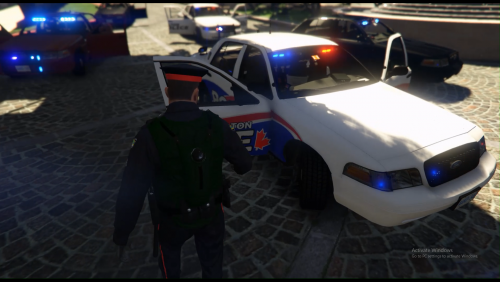
Two black and whites
Two plain whites
Each unit has a personal number.
If you have any suggestions please let me know, these were created just for amusement to satisfy the lack of a state police presence.
If you'd like to send me some superb screenshots, I'd love that and add them to the file. (Just include which model you used)
Locate the file's .ytd Open the .ytd texture dictionary file Import all the files included in the rar If you wish to incorporate the no smoking window, you'll need to add win_glsssz.dds to the +hi.yft as well IF any problems continue, PM for one on one help Let BxBug know how you feel about their model which may be acquired here: The model comes with 8 skins, and these textures only include 4 I don't plan on making any further advancements with this particular project, that being said do anything you'd like with them.
- 61 Downloads
- 1 Comments
Updated -
Seven skins, five of which are black and white while the remaining two are a fictional all white just for fun, one being a supervisor.
Each unit has a unique assigned number.
License plates do not appear*
Feel free to edit and upload at your own discretion.
If you have any suggestions please let me know, these were created just for amusement to satisfy the lack of a state police presence.
If you'd like to send me some superb screenshots, I'd love that and add them to the file. (Just include which model you used)
Install your desired model Locate the file's .ytd Open the .ytd texture dictionary file Import all the files included in the rar (Not the readme) IF any problems continue, PM for one on one help Let the authour know how you feel about their model which may be acquired here:- 38 Downloads
- 2 Comments
Submitted -
Seven skins, five of which are black and white while the remaining two are a fictional all white just for fun.
Each unit has a unique assigned number.
Ontario plates are xerox.
No smoking window included.
Feel free to edit and upload at your own discretion.
If you have any suggestions please let me know, these were created just for amusement to satisfy the lack of a state police presence.
If you'd like to send me some superb screenshots, I'd love that and add them to the file.
Install your desired model (I would avoid using the package installer, you can open them up with winrar and extract the individual files) Locate the file's .ytd Open the .ytd texture dictionary file Import all the files included in the rar If you wish to incorporate the no smoking window, you'll need to add win_glsssz.dds to the +hi.yft as well IF any problems continue, PM for one on one help Let BxBug know how you feel about their model which may be acquired here:
- 32 Downloads
Submitted -
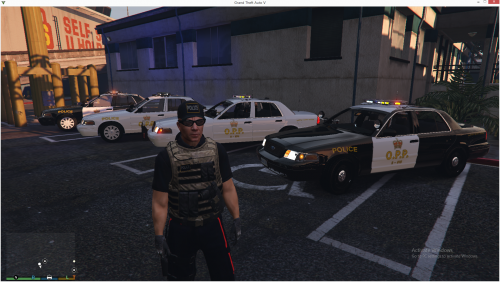
Going for 100% Authenticity.
4 black and whites 1 supervisor 4 ribbons 1 supervisor Model used may be acquired here:
Locate the file's .ytd Open the .ytd texture dictionary file Replace 5 of the textures with anyone from the rar (Installing all eight wont work on this model for some reason) PM me for one on one help if troubles persist
Importing the skins won't load in game oddly
I recommend using the flag FLAG_EXTRAS_REQUIRE paired with <requiredExtras>EXTRA_3</requiredExtras> to force the lightbar to always spawn, opposed to using FLAGS_EXTRAS_ALL which force the push bars and bumpers to always spawn. These settings can be configured in your vehicles.meta default: update/update/common/data/levels/gta5
I'm not going to tell you to make backups because the only way to ever learn is to completely fuck yourself once without making backups.
- 153 Downloads
- 4 Comments
Updated -
Alternative Lighting colours for BxBugs cvpi1.5u
To install:
Locate the file's .ytd Open the .ytd texture dictionary file Import the emerglights_emis_arjent file To install the visualsettings(Optional)
Navigate to update-update-common-data Import or replace the visual settings
Without installing the visual settings:
With Installing the visual settings:
- 138 Downloads
- 1 Comments
Submitted -
3 plain whites
2 ribbons
3 unmarked
1 ghost
Locate the file's .ytd Open the .ytd texture dictionary file Import all the files included in the rar
Model may be acquired here, though I'd recommend waiting until it's completed as advertised.
- 21 Downloads
- 4 Comments
Submitted -
3 plain whites 2 ghosts 4 ribbons (k9 & supervisor)
Locate the file's .ytd Open the .ytd texture dictionary file Import all the files included in the rar If you followed the authors' installation instructions, before mine you should be golden IF any problems continue, PM for one on one help Let authors know how you feel about their models
Both models may be acquired here:
- 35 Downloads
- 2 Comments
Updated -
Four black & whites
Four ribbons
Each with a supervisor
Locate the file's .ytd Open the .ytd texture dictionary file Import all the files included in the rar If you followed the authors' installation instructions, before mine you should be golden IF any problems continue, PM for one on one help Let Black Jesus know how you feel about their model
For reference:
- 98 Downloads
- 3 Comments
Submitted