Skip to content
View in the app

A better way to browse. Learn more.

LCPDFR.com

A full-screen app on your home screen with push notifications, badges and more.

To install this app on iOS and iPadOS
  1. Tap the Share icon in Safari
  2. Scroll the menu and tap Add to Home Screen.
  3. Tap Add in the top-right corner.
To install this app on Android
  1. Tap the 3-dot menu (⋮) in the top-right corner of the browser.
  2. Tap Add to Home screen or Install app.
  3. Confirm by tapping Install.

c0ff33man

Members
  • Joined

  • Last visited

Files posted by c0ff33man

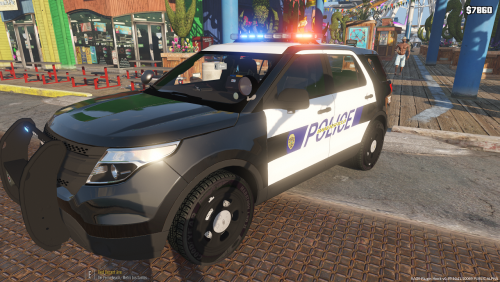
  1. This CVPI skin is an edit from PantherP71's skin. RE-TEXTURED SKINS!!!  Added skin for 2015 Chevy Caprice. Hope you guys enjoy them! 


    • 277 Downloads
    • 13 Comments
    Updated
  2. Made this Park Ranger Skin for you guys. Hope you enjoy it! 


    • 126 Downloads
    Updated
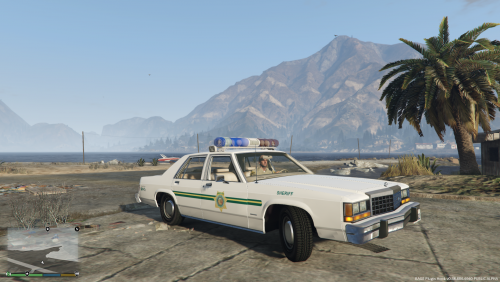
  3. This skin is near and dear to my heart because my father is retired from the Kern County Sheriffs Department. The picture below is him actually on patrol. FYI the skin is not exact but it's the best I can do. Hopefully you guys will enjoy it as much as me! Added the second skin trying to making it look more like the real car. Take your pick whatever skin works for you! 
     

    • 78 Downloads
    • 2 Comments
    Updated
  4. Made this skin for you guys! Hope you enjoy it as much as I do! FYI It is not perfect but it's the best I can do. 


    • 84 Downloads
    • 2 Comments
    Updated

Account

Navigation

Search

Search

Configure browser push notifications

Chrome (Android)
  1. Tap the lock icon next to the address bar.
  2. Tap Permissions → Notifications.
  3. Adjust your preference.
Chrome (Desktop)
  1. Click the padlock icon in the address bar.
  2. Select Site settings.
  3. Find Notifications and adjust your preference.