


lynyrdskynyrd
Members
-
Joined
-
Last visited
Everything posted by lynyrdskynyrd
-
I have seen many videos about LCPD: Fr and I noticed that even when using non-els enabled cars, their emergency lights were flashing as if they were .. is a mod? a script that is part of the LCPD: fr or another? where can I download it? thanks anyway!
-
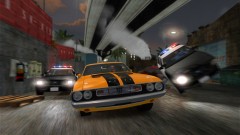 is niko or tunner??...mh..
 -
a special cooperation!
-
a caprice?!...it 'll be really a wonderful car model...i cannot wait!
-
Hello, I would like to know if a file exists in the game that allows me to determine how many of the 9 add-ons can add in a car via the option in the snt 6.4. because in this version of the snt in option "add component" it says to me how many add on I can install as many as 9 available. and perhaps in some of the cars that would add on tells me that there aren't add-on. in previous versions but I could try all 9 slots and see if there were or not the add on. maybe exist a file of the game where i can set how many component i can add...please help me! thanks
-
-
-
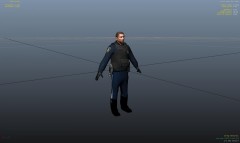 woow wowowoowowwowo!!!!
 -
thanks custo!. in fact whether to activate/deactivate the "follow as driver" option, even if i have my car full of people, the others bg take a car but don't follow me!! they drive for another way!! there is no other way for the bg? another script i can use?? another mod? thanks anyway for the support!!
-
hi. i have a question. is it possible to spawn bodyguards that follow me driving another car? i mean if i spawn 3 bodyguard they sit in MY car. but if i spawn another 2 bg they take a car but drive in another direction!! they don't follow me!! i use snt but i don't know how "say" follow me to my bodyguard.. i've seen many videos that shows that bodyguard can follow you but... if someone could help me i would be really gratefull
-
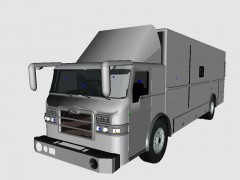 it's a big beauty!!
 -
-
-
yeah..it's easier than the method i explain before..
-
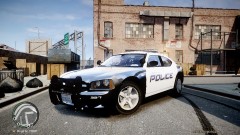 yes..where please!?!
 -
you can add 20 more cars in gta iv1 you have to create another img (name: newveh.img) file with openIV put inside your cars rebuild and save. then copy this archive .img in your pc/cdmodel- folder. then you have to create another handling and vehicles.ide files for your new archive. (name it newhandling.dat and newvehicles.ide) and put these files in your common/data folder. now open your gta.dat and and the end of the file paste this line : IDE common:/data/newveh.ide. (remember name the file like i'm saying you).open now the file images.txt and at the end paste this : platformimg:/models/cdimages/newveh 1. i think i say all.
-
yes you can
-
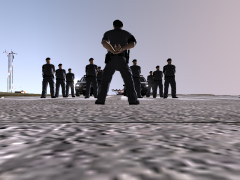 really awesome!! great uniform and hat!!
 -
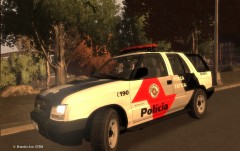 nice!!!you have got a complete modified police cars force! are these for download? or there are only for your personal use?
 -
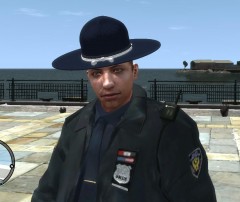 great!!!
 -
wow man....but... it doesn't matter what i might say...these images speaks themselves
-
ah and also check your snt version..
-
...mh...check that you've placed all file in the exact place (like write in readme) also che scripthook ecc.. in main folder..
-
have you got installed some mod about the trees?? more detailed trees??? because i have the same problem just because my video card isn't so new..try to remove some powerful video texture mod...
-
i hope my post can help you. ah..just another question..when exactly your game crashes??? before load your savegame?..have you got a specific kind of error???...or just crashes and turn to desktop??
