thewizz100
Members
-
Joined
-
Last visited
Files posted by thewizz100
-
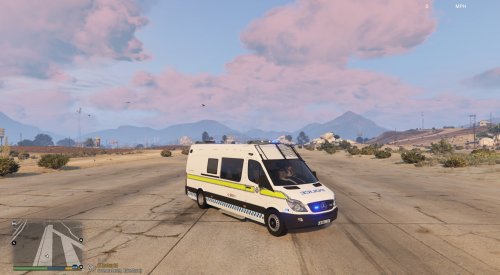
This is as close as i can get to the Nottinghamshire Police Riot Van.
You will need to download the original model from here:
https://www.gta5-mods.com/paintjobs/norwegian-riot-control-mercedes-sprinter-els
Then overwrite the .ytd file with mine.
Installation instructions are in the original file.
Enjoy.
#CREDITS#
GTASA Model - Himmel
Prisoner Cage - DoubleDoppler
Lightbar's - BritishGamer88
GTAIV Auhor - BritishGamer88
GTAV Author - BritishGamer88
Material'sTexture's - BritishGamer88
Template's - TheSecretPower
Riot Shield - Matthew Cammack(ObsidianGames)
Wheel's - BritishGamer88
Grill Lights/Side Lights - BritishGamer88
Foot Step's - Kieran Chandler/Matthew Cammack(ObsidianGames)(TheSecretPower)
Plates: TheSecretPower
- 79 Downloads
Submitted -
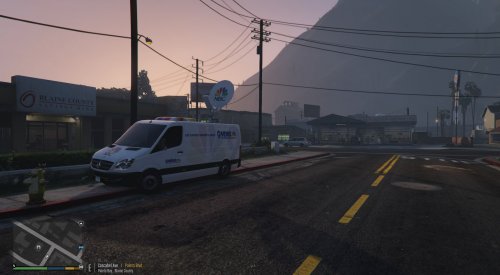
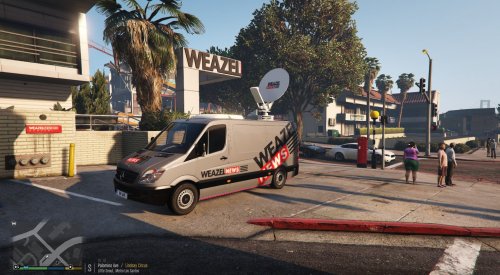
Huge thanks to pcGAMEsmods & workgrafix & carloxfranco for allowing me to re-skin this model.
You need to download the original model from here: https://www.gta5-mods.com/vehicles/portuguese-social-communications-service-mercedes-benz-sprinter-low-roof-replace-livery-v1-0
Using OPEN IV ( http://openiv.com/ ) drop my files into C:\Program Files (x86)\Steam\SteamApps\common\Grand Theft Auto V\mods\update\x64\dlcpacks\patchday5ng\dlc.rpf\x64\levels\gta5\vehicles.rpf\
Credits:
• Reconverted to GTAV: workgrafix
• Template Bodyshell: workgrafix
• Portuguese Skin Design: workgrafix
• Wheels: TubeItGaming
• Wheels adaptation and Reconverted: workgrafix
• All Open Doors: workgrafix
• Open Bonnet with engine: workgrafix
• Materials/Textures: workgrafix
o Antenna: workgrafix
o Air conditioning on Top the roof: workgrafix
o Rear interior and all adaptation : workgrafix
o Tv’s: rockstars
o Keyboard: rockstars
o Mouse: rockstars
o Mic: rockstars
o Desktop: rockstars
o Chair: rockstars
o Control: rockstars
o Server: workgrafix
o Server Datacentar Rack: workgrafix
o Road cone: rockstars
o Power: rockstars
o Desk: workgrafix
• License Plate: workgrafix
///////
• GTA SA Mod: Himmel
• GTA IV conversion: BritishGamer88
• GTA V conversion: Ryuk
• Old materials/Textures: Himmel, BritishGamer88, Ryuk
- 74 Downloads
Submitted -
Huge thanks to pcGAMEsmods & workgrafix & carloxfranco for allowing me to re-skin this model.
You need to download the original model from here: https://www.gta5-mods.com/vehicles/portuguese-social-communications-service-mercedes-benz-sprinter-low-roof-replace-livery-v1-0
Using OPEN IV ( http://openiv.com/ ) drop my files into C:\Program Files (x86)\Steam\SteamApps\common\Grand Theft Auto V\mods\update\x64\dlcpacks\patchday5ng\dlc.rpf\x64\levels\gta5\vehicles.rpf\
Credits:
• Reconverted to GTAV: workgrafix
• Template Bodyshell: workgrafix
• Portuguese Skin Design: workgrafix
• Wheels: TubeItGaming
• Wheels adaptation and Reconverted: workgrafix
• All Open Doors: workgrafix
• Open Bonnet with engine: workgrafix
• Materials/Textures: workgrafix
o Antenna: workgrafix
o Air conditioning on Top the roof: workgrafix
o Rear interior and all adaptation : workgrafix
o Tv’s: rockstars
o Keyboard: rockstars
o Mouse: rockstars
o Mic: rockstars
o Desktop: rockstars
o Chair: rockstars
o Control: rockstars
o Server: workgrafix
o Server Datacentar Rack: workgrafix
o Road cone: rockstars
o Power: rockstars
o Desk: workgrafix
• License Plate: workgrafix
///////
• GTA SA Mod: Himmel
• GTA IV conversion: BritishGamer88
• GTA V conversion: Ryuk
• Old materials/Textures: Himmel, BritishGamer88, Ryuk
- 468 Downloads
- 2 Comments
Updated -
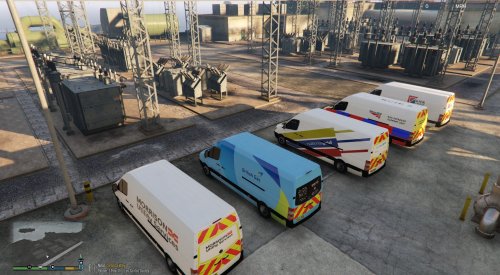
2013 Cargo Delivery Mercedes Sprinter
-------------------------------------
Credit's.
GTASA Model - Himmel
GTAIV Auhor - BritishGamer88
GTAV Author - BritishGamer88
Material'sTexture's - BritishGamer88
Template's - BritishGamer88
Wheel's - Kieran Chandler
Plates - BritishGamer88
Cargo Boxes/Shelves - Rockstar Games
Stock Livery Skin's - Mitchell Hovingh
Revised Liveries - thewizz100
You WILL need to download BritishGamer88's Original model from :
https://www.gta5-mods.com/vehicles/2013-cargo-delivery-mercedes-sprinter#description_tab
Using OPEN IV Copy/Drag all files into :
C:\Program Files (x86)\Steam\SteamApps\common\Grand Theft Auto V\mods\x64e.rpf\levels\gta5\vehicles.rpf\
or wherever you have GTA V installed, then copy/drag my files into the same location, start GTA V and enjoy :)
I know it's a delivery van, but there are no vans available with cages that have not got lights, if one becomes available i will re skin then.
- 18 Downloads
Submitted -
2013 Cargo Delivery Mercedes Sprinter
-------------------------------------
Credit's.
GTASA Model - Himmel
GTAIV Auhor - BritishGamer88
GTAV Author - BritishGamer88
Material'sTexture's - BritishGamer88
Template's - BritishGamer88
Wheel's - Kieran Chandler
Plates - BritishGamer88
Cargo Boxes/Shelves - Rockstar Games
Stock Livery Skin's - Mitchell Hovingh
Revised Liveries - thewizz100
You WILL need to download BritishGamer88's Original model from :
https://www.gta5-mods.com/vehicles/2013-cargo-delivery-mercedes-sprinter#description_tab
Using OPEN IV Copy/Drag all files into :
C:\Program Files (x86)\Steam\SteamApps\common\Grand Theft Auto V\mods\x64e.rpf\levels\gta5\vehicles.rpf\
or wherever you have GTA V installed, then copy/drag my files into the same location, start GTA V and enjoy :)
I know most utility vans use orange beacons, but as i'm aware there are none available that are not police van converts, if one becomes available i will re skin then.
- 176 Downloads
Submitted -
I do not have ELS installed, so the screens are a bit blah
I will be updating this, as i feel it need more work.
First you'll need this http://www.lcpdfr.com/files/file/17357-mobile-command-centermobile-command-bus/
When you have that install pbus using OpenIV into : Grand Theft Auto V\mods\update\x64\dlcpacks\patchday3ng\dlc.rpf\x64\levels\gta5\vehicles.rpf\
Then drag/copy my .ytd file into the same location.
Also from the downloaded file you'll need the ELS VCF for ALL BLUE LIGHTS, Install instructions are in that download
I DO NOT TAKE CREDIT FOR THE MODEL, I HAVE ONLY MADE THE SKIN AND ADAPTED THE LIGHTING FOR UK VARIANTS
- 14 Downloads
- 2 Comments
Updated -
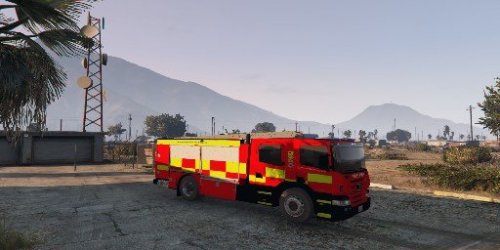
I present to you all, a Nottinghamshire Fire Brigade Scania.
I DO NOT take credit for the model, I have edited the textures (with permission from Bulldog Mod's) to create a UK version of the Scania.
You will need to download the original model from here
-
Apoligies for the first 2 screenshots, i think my pc hates taking them so had to use clip shots. Many thanks scorponok for the new screens
Use Open IV to open the .ytd files and replace the files in the original with mine.
Credits
Cab: 3D Cadnav
Lighting: Bulldog Designs
Equipment: Bulldog Designs
Textures: Bulldog Designs
Handling Line: Rockstar games, Edited by Bulldog Designs
ELS File: Luxart, Edited by Bulldog Designs
- 278 Downloads
- 6 Comments
Updated