



SixtyM8
Members
-
Joined
-
Last visited
Files posted by SixtyM8
-
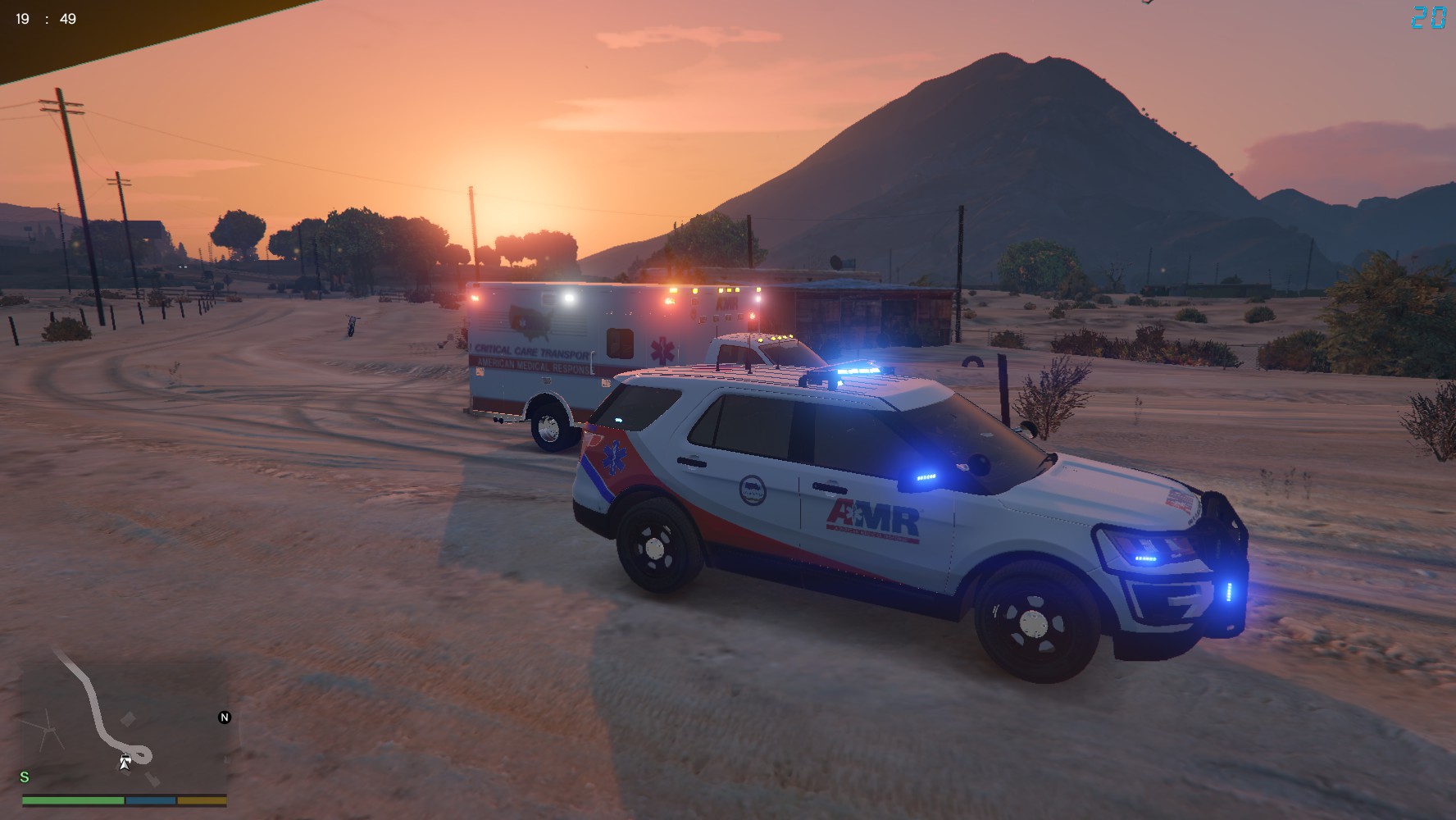
Hello Everybody and welcome to my first LCPDFR Skin!
Please do not re-upload and claim it as your own! This file should only be available on LCPDFR.com
The vehicle this skin is for can be found at:
I hope you all enjoy. This skin is based off of some AMR Supervisor vehicles. Most have the Star of Life, half on the body, half on the rear side windows.. I am not that talented.
If you have any suggestions on other skins for either this vehicle or others (they must have a template included and allow editing) Feel free to send me your suggestion via a Message!
Always make a backup of your files before editing them! I am not responsible for damaged files!
Note: If you don't want to have an AMR Supervisor in your LSPDFR chases, I recommend changing the vehicle files' names from [Police3] to [FBI2]
I have never seen an AMR unit in my chases since! The install method would still be the same, just with editing [FBI2.ytd]
- 449 Downloads
Submitted

