l3ubba
Members
-
Joined
-
Last visited
Files posted by l3ubba
-
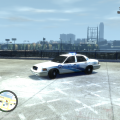
All of these skins are based off of their real life counter parts. I have made the older NOPD paint scheme and the new NOPD design. Both new and old CVPI textures have skins for all eight NOPD districts (Districts 1-8). The older CVPI paint schemes also have a "Gaming Division" and "Tactical" skin. I have also included a "float" car for both the old and new paint schemes that does not have a district written on it.
The NOPD stopped writing the district number on the side of their newer vehicles. Instead the NOPD made the first number in the car number the district indicator, so for example, car 827 is an 8th District car, car 406 is a 4th District car, and so on.
See README for additional information and installation instructions.
DO NOT EDIT/ALTER OR POST THESE FILES ANYWHERE ELSE WITHOUT PERMISSION FROM THE AUTHOR!
4.28.2012
- 114 Downloads
- 5 Comments
Submitted