Creators: Due to background reprocessing of files, approvals and file security checks may be delayed. Thanks for your patience.


gregb150
Members
-
Joined
-
Last visited
Everything posted by gregb150
-
 @AussieChaos Looks awesome well nice skin thanks
 -
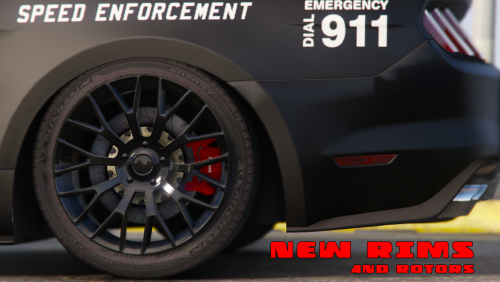 @Masterschwag does this link help https://www.gta5-mods.com/tools/gta-v-default-lightbars seen this ages ago not sure how zmodeler works though
- 106 comments
- 9 reviews
-
@Kyben like it thanks for sharing cheers
-
@Kyben the RDE you refer to is that the 5mods one here? I like the sound of extra police vehicles for each police service https://www.gta5-mods.com/misc/realism-dispatch-enhanced
-
@Masterschwag @neo @JZersche Checked it out, the previous comment by jZersche is correct the audiohash line in the vehicles.meta is the problem, it needs to be set to police or police 3 etc, not dominator, I changed mine works fine, I installed jZersche's light mod and that looks sweet also, nice one @JZersche <lightSettings value="1" /> <sirenSettings value="13" /> is your carvariations like this
- 106 comments
- 9 reviews
-
@JZersche It needs everything, the flags in the vehicle.meta are a necessary, so is the information in the carcols or carvariations to operate the lights etc
- 106 comments
- 9 reviews
-
Hey @Darkmyre, You probably know this but for those that don't, I find this spot perfect and easy to manage add on's Grand Theft Auto V\mods\update\x64\dlcpacks\mpchristmas2\dlc.rpf\x64\levels\gta5\vehicles\xmas2vehicles.rpf\ some editing of vehicles.meta Etc,
-
@neo the siren may not be working because in the vehicles.meta file located here, Grand Theft Auto V\mods\update\update.rpf\common\data\levels\gta5 Export it somewhere, use control F to find the line's that rule the Mustang, in the vehicles.meta, it must have a flag line something like this, <flags>FLAG_HAS_LIVERY FLAG_EXTRAS_ALL FLAG_LAW_ENFORCEMENT FLAG_EMERGENCY_SERVICE FLAG_NO_RESPRAY FLAG_DONT_SPAWN_IN_CARGEN FLAG_HAS_INTERIOR_EXTRAS FLAG_REPORT_CRIME_IF_STANDING_ON</flags> it must say it's an Emergency vehicle or Law Enforcement for the game recognize it Cheers hope that helps Hey @Masterschwag Wow nice job mate, the car looks perfect, love it awesome stuff my friend 10/10 Cheers
- 106 comments
- 9 reviews
-
-

- 1
-
-
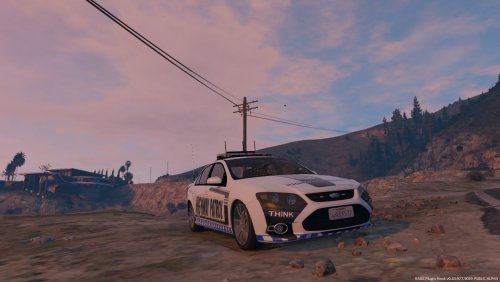 Hey @ModHD, @MooseYTY Glad you like the skin, the entire model was made by MooseYTY, it is a quality model, and yes the lights are sweet thanks man,I'll let MooseYTY know you like it Cheers mate :)
- 4 comments
- 1 review
-
-
- 1
-
-
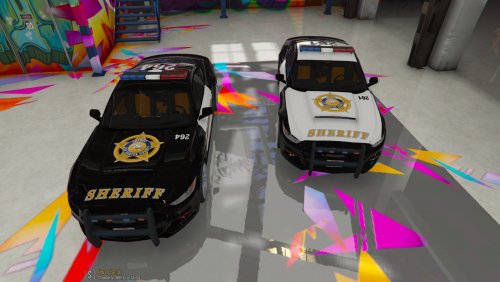 Hey @Masterschwag thanks for the kind feedback, Download a free cam mod like the one in the link below, spawn near Benny's, the free cam mod lets you go through walls, once inside turn free cam off, spawn vehicles, done, you may need to get in and put them exactly where you want them, the free cam helps you get good pics from odd angles, the default activation key is F1, I changed mine to F3 in the ini :) https://www.gta5-mods.com/scripts/aikido-free-cam
- 7 comments
- 1 review
-
-
- 1
-
-
-
Grand Theft Auto V\mods\update\x64\dlcpacks\mpchristmas2\dlc.rpf\common\data carvariations add police 3, I think it needs light settings to be on 1 <Item> <modelName>police3</modelName> <colors> <Item> <indices content="char_array"> 134 134 0 156 </indices> <liveries> <Item value="true" /> <Item value="false" /> <Item value="false" /> <Item value="false" /> <Item value="false" /> <Item value="false" /> <Item value="false" /> <Item value="false" /> </liveries> </Item> <Item> <indices content="char_array"> 134 134 0 156 </indices> <liveries> <Item value="false" /> <Item value="true" /> <Item value="false" /> <Item value="false" /> <Item value="false" /> <Item value="false" /> <Item value="false" /> <Item value="false" /> </liveries> </Item> <Item> <indices content="char_array"> 134 134 0 156 </indices> <liveries> <Item value="false" /> <Item value="false" /> <Item value="true" /> <Item value="false" /> <Item value="false" /> <Item value="false" /> <Item value="false" /> <Item value="false" /> </liveries> </Item> <Item> <indices content="char_array"> 134 134 0 156 </indices> <liveries> <Item value="false" /> <Item value="false" /> <Item value="false" /> <Item value="true" /> <Item value="false" /> <Item value="false" /> <Item value="false" /> <Item value="false" /> </liveries> </Item> </colors> <kits> <Item>0_default_modkit</Item> </kits> <windowsWithExposedEdges /> <plateProbabilities> <Probabilities> <Item> <Name>Standard White</Name> <Value value="100" /> </Item> </Probabilities> </plateProbabilities> <lightSettings value="1" /> <sirenSettings value="69" /> </Item> <Item> <modelName>vev2</modelName> <colors> <Item> <indices content="char_array"> 134 134 0 156 </indices> <liveries> <Item value="true" /> <Item value="false" /> <Item value="false" /> <Item value="false" /> <Item value="false" /> <Item value="false" /> <Item value="false" /> <Item value="false" /> </liveries> </Item> <Item> <indices content="char_array"> 134 134 0 156 </indices> <liveries> <Item value="false" /> <Item value="true" /> <Item value="false" /> <Item value="false" /> <Item value="false" /> <Item value="false" /> <Item value="false" /> <Item value="false" /> </liveries> </Item> <Item> <indices content="char_array"> 134 134 0 156 </indices> <liveries> <Item value="false" /> <Item value="false" /> <Item value="true" /> <Item value="false" /> <Item value="false" /> <Item value="false" /> <Item value="false" /> <Item value="false" /> </liveries> </Item> <Item> <indices content="char_array"> 134 134 0 156 </indices> <liveries> <Item value="false" /> <Item value="false" /> <Item value="false" /> <Item value="true" /> <Item value="false" /> <Item value="false" /> <Item value="false" /> <Item value="false" /> </liveries> </Item> </colors> <kits> <Item>0_default_modkit</Item> </kits> <windowsWithExposedEdges /> <plateProbabilities> <Probabilities> <Item> <Name>Standard White</Name> <Value value="100" /> </Item> </Probabilities> </plateProbabilities> <lightSettings value="1" /> <sirenSettings value="69" /> </Item> If You do not have this in your carvariations add it, should work okay after that
-
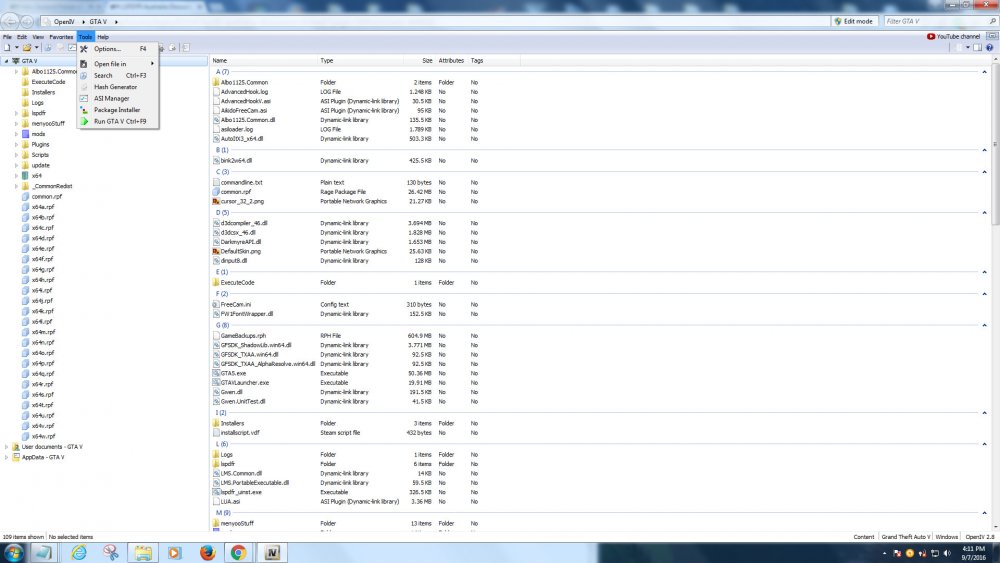
This model was edited and New Templates created by Thero from the following model, LSPD Mustang: https://gta5-mods.com/vehicles/lspd-mustang Credits: Rockstar for lights & Ram Bar ------------------------------------------------------------------------ 2015 Mustang Gt Undercover Edition Conversion for LSPDFR use By Ryan Stough (HorsePlay) ------------------------------------------------------------------------ Original vehicle/Model: TheCrew, WhiteAngel GTA5 Conversion: zQrba Model edited: Jonas Holland Police lights and lightbar: nicks0112 Skin: Jonas Holland Vehicle.meta: Jonas Holland In OpenIV, locate your Grand Theft Auto V location, and turn on edit mode on in the top right tab. see 1. Navigate to > Grand Theft Auto V\mods\update\x64\dlcpacks\patchday3ng\dlc.rpf\x64\levels\gta5\vehicles.rpf\ 2. Right-click anywhere in there white area and select the add option Thanks Thero his Templates can be found here, https://www.gta5-mods.com/vehicles/air-port-service-and-service-vehicles-template-pack 1.02 Has Thero's awesome template, left it off previous upload sorry
- 7 comments
- 1 review
-
@Kyben could you try searching for the files or model with the search option on open IV
-
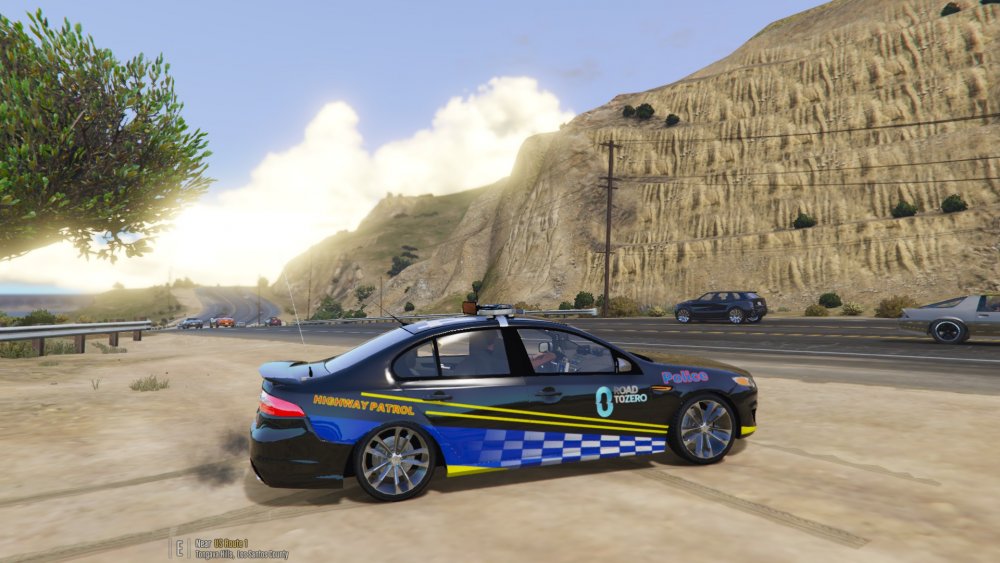
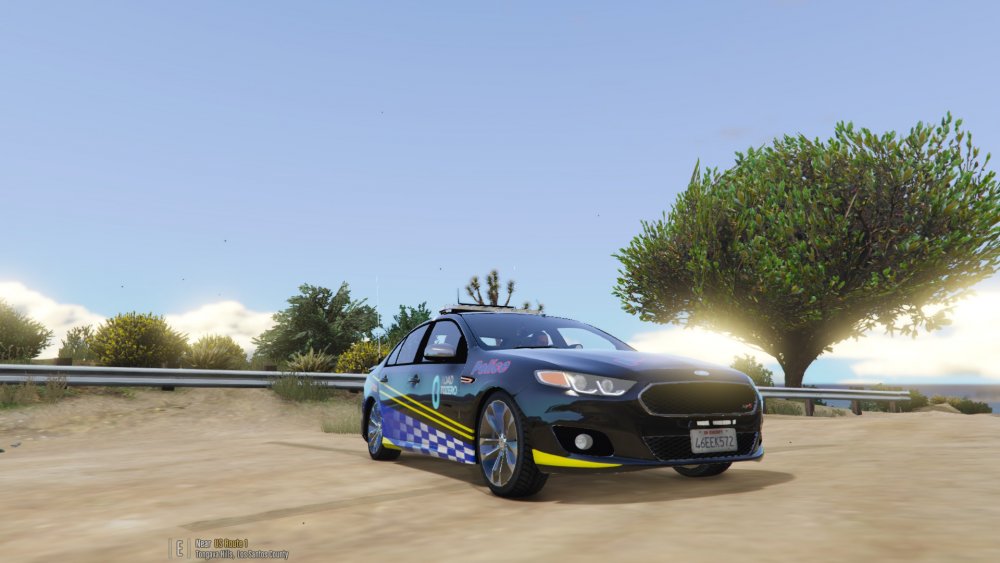
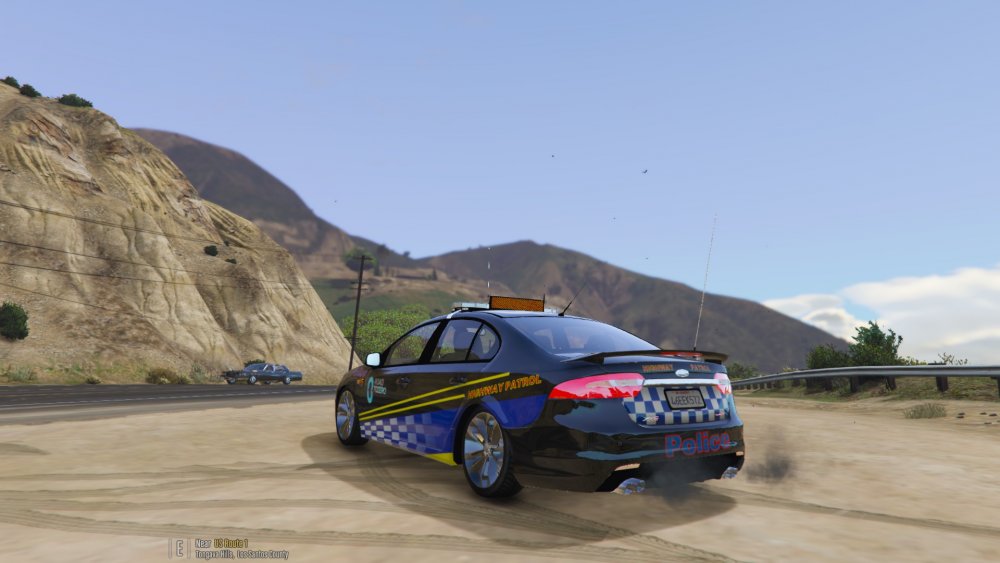
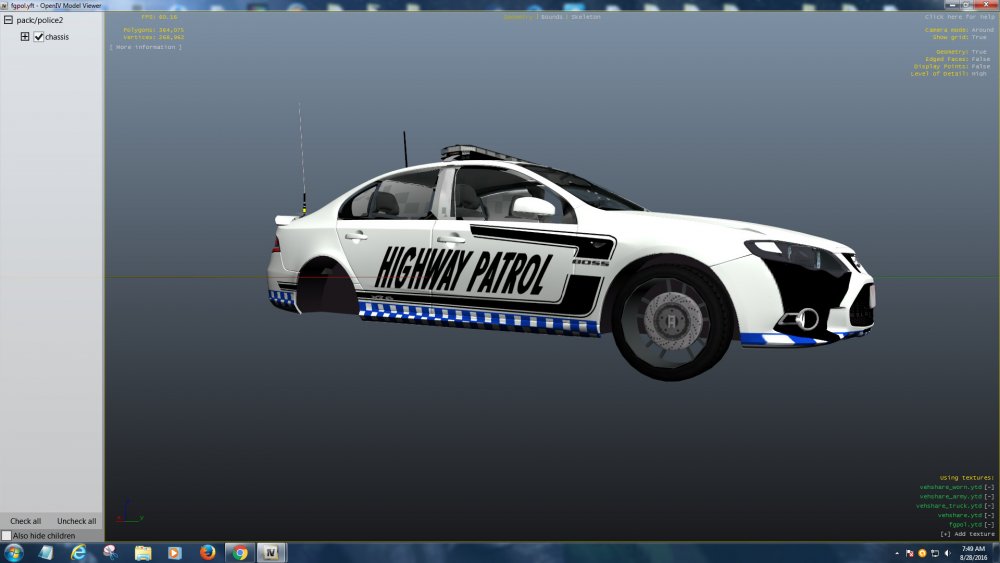
This skin is based on the New South Wales Police Ford GT "R-Spec" patrol car of the NSW Police Highway Patrol, this is not a realistic copy of the actual vehicle used by the agency. It is however in my opinion a close and decent representation https://en.wikipedia.org/wiki/FPV_GT_R-spec Thanks for looking, I'm am pretty new to this and learning as I go, I made this for myself, some details are hand painted as I was not able to obtain certain fonts, however if others like it and would like to use it i'm happy to share it, Note the GT livery does not fit exact on this model, the model is an Xr6 not a GT, however in my opinion it looks pretty good, I'm happy to receive constructive criticism and I understand some may not like it as they prefer realistic models, I make no false representations and only take credit for the altered PNG files inside the .YTD https://www.gta5-mods.com/vehicles/stanced-car-handling-no-bouncing I recommend this Mod, the car sits nice and low, Link to Model
- 4 comments
- 1 review
-
-
- 1
-
-
@kyben is this the file you are referring to s_m_y_cop_01.ytd Grand Theft Auto V\mods\update\x64\dlcpacks\patchday9ng\dlc.rpf\x64\models\cdimages\patchday9ng.rpf\s_m_y_cop_01.ytd lowr_diff_000_a_uni file containing pants or maybe here Grand Theft Auto V\mods\update\x64\dlcpacks\eup\dlc.rpf\x64\models\cdimages\eup_componentpeds.rpf\mp_m_freemode_01_male_apt01
-
 Hey very nice thanks M8
 -
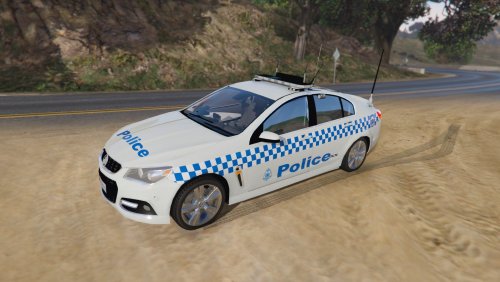 You need either MooseYTY or Macgregors models, to use this file, Firstly I would like to thank both MooseYTY and Macgregor for creating and sharing such beautiful models, normal General Duties Commodore are 6 cyl Omega's in saying that they look almost the same as the SS models available below, Mooseyty model Macgregors model
 -
The skin is awesome, but so much more awesome on a darker car I agree
-
WIP hey there anyone know what font the word Highway Patrol is on FG GT, I hand done it but not 100% happy with the result
-
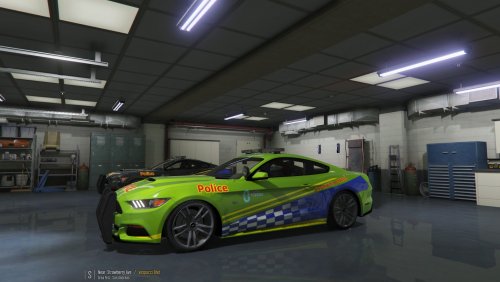 @jg45042 Hey thanks for the feed back, very much appreciated , the car has transparent livery so will spawn white, however using a trainer you can make it any colour you wan't,
 -
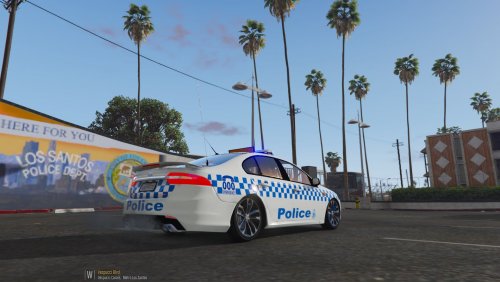 You mean the same as Mac's, no it's general duties, Mac's is Highway Patrol
 -
Victorian Police General Duties RE-Paint Fictitious You NEED Macgregor's files to use this paint http://www.lcpdfr.com/files/file/11287-victoria-police-fg-x-xr6-turbo-10-non-els/ This a General Duties repaint,in saying that it could be installed in any slot, however I picked Police2 as that is a General Duties Police car used in suburban areas,
-
https://www.gta5-mods.com/paintjobs/sheriff-mustang Template by Thero, https://www.gta5-mods.com/vehicles/air-port-service-and-service-vehicles-template-pack Thanks Thero Made in Germany Model is unlocked. So you can edit and share it. But please give credits LSPD Mustang: https://gta5-mods.com/vehicles/lspd-mustang
-
@AussieChaos Your repaint looks nice, this is the one I did for Macs FGX