
DoUgHMaN
Members
-
Joined
-
Last visited
Everything posted by DoUgHMaN
-
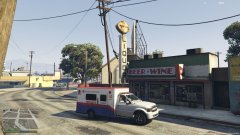
From the album: Heavy Rescue WIP
-
I figured it out, thanks to nicks0112, and thanks for the help, that video is helpful!
-
Hello, I am new in the GTA modeling community and I have just bought ZModeler3. I am working on a project and want to know, is it possible to split or cut an object or car part? Thanks! Sam
-
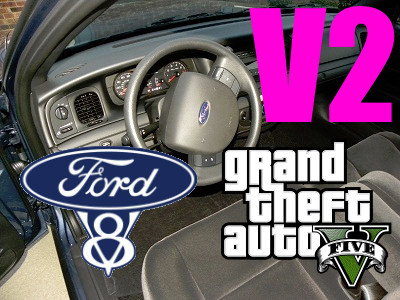 I own a 2007 P71 and use it for EMS first response, and the acceleration sound is a beast in real life. You did a perfect job in GTA V! Thank you!
- 43 comments
- 9 reviews
-
 Thanks, I am working on a hospital map editor, but the damn beds keep despawning. Anyway thank you for the feedback!
 -
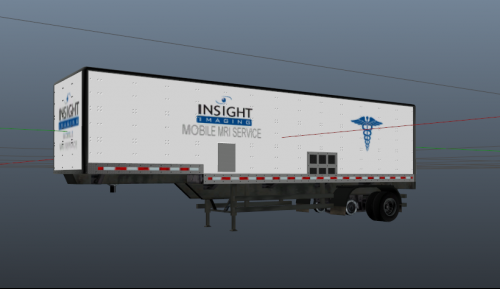
|____________________________________| | DOUGH MODS | |____________________________________| Thank you for using DOUGH MODS! Please leave a rating on this project for more in the future! INFORMATION: Insight Imaging Trailer Replaces TV trailer (Fame or shame trailer) I have replaced the TV trailer because it is not seen much in the single player. This would be used to spawn via Map Editor at a hospital for realism. INSTALL: Open OpenIV Navigate to: /x64e.rpf/levels/gta5/vehicles.rpf Install files using edit mode. DISCLAIMER: DO NOT UPLOAD TO ANY OTHER WEBSITE! I am 100% if you upload it on a Map Editor file, or with a pack just please tell me you are, and that you will credit me. OTHER: I do take requests. This is my first project, and I am currently working on different models in GTA V mostly about EMS and other medical things. CREDITS: Rockstar DoUgH_MaN_99 Insight Imaging I am currently working on a hospital interior. Like this to see more, it will be featured in it!