


.png.03fb8013f70facc92aae29fff0437a2f.png)
w35
Members
-
Joined
-
Last visited
Files posted by w35
-
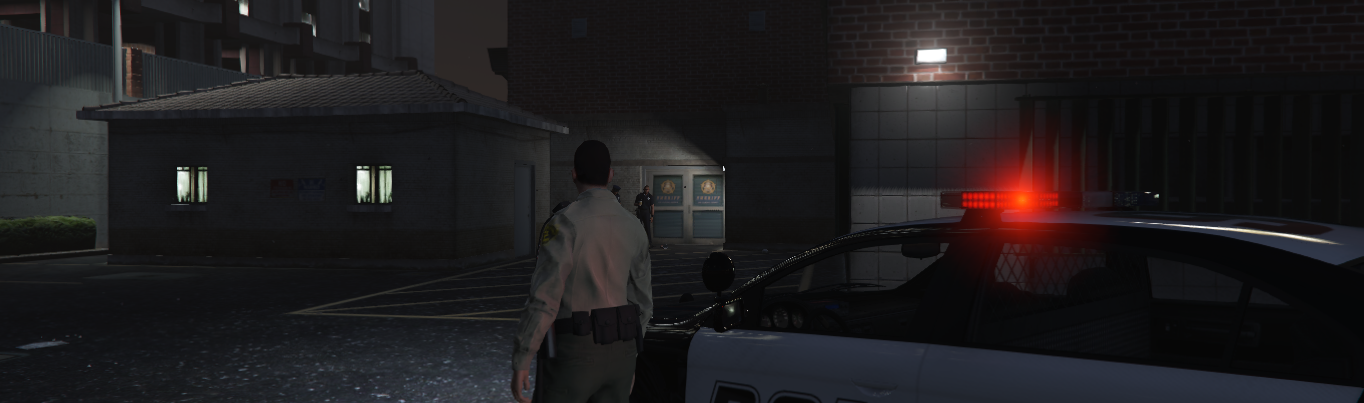
Yet Another Partner Mod for LSPDFR extends Your game experience by :
selectable partner among policemen, partner will attack, when shots are fired, closest attacker - if he was in following mode, You can order partner to attack closest attacking/fleeing/covering Ped, if ped is fleeing he will chase him, and kill him If Ped who attacked is under arrest or is arrested partner will hold aim, but will stop shooting, until suspect arrest is done, then he will go back to car - if previously was in follow mode, You can order partner to follow You (he will get into Your vehicle when You get in, or get out, when You get out), You can order partner to halt, he will stop all actions, and wait for further orders, You can order partner to arrest closest suspect, partner will equip weapon, hold aim, and force suspect to knee, and put hands on neck, When player has been revived in hospital, partner will get last car and drive to hospital (it can take some time) - NEEDS TESTING, When Partner is dead or was accidentally despawned You can get a new one, To select a partner after going on-duty, walk close to any police officer and press select key (default NumPad0 - for rest of configurable keybindings look inside provided *.ini file), partner will follow You, and will be under Your command. Until he dies, he is in the same group as You, under Your command. When he dies go to nearest police station or any policeman on street and select him to repeat process.
Why I have written this plugin if there are others like this ? Because I wanted to do it myself, my way.
There are no plans for including into this mod any callouts, or ambient events, except partner itself. This mod is focused on partner only.
Requires :
- Rage Plugin Hook 0.52 (may work on older versions)
- LSPDFR 0.3.1
Installation :
- unpack archive file with plugin (7-zip),
- copy "YetAnotherPartnerMod.dll" and "YetAnotherPartnerMod.ini" file to Your GTA5/Plugins/LSPDFR directory
- LSPDFR will load plugin
Please do not re-upload this plugin to other sites as You do not have My permission to do so.
This plugin is Work In Progress - see this thread for development details and discussion :
Future development :
add vehicle service stations for lspd and lssd, so player can repair vehicle in more RP-way add ability to heal in clinic, if player is injured (for better RP)- 123,655 Downloads
- 156 Comments
Updated -
This plugin adds in configurable location in game window information about :
current player location (street and city/county), displays interstates in red, routes in yellow, other streets in white color, displays speed limit at current street, it's based on street location and in some cases player coordinates in game world - as of now it has basic functionality, comparing to this what I planned. also displays current time in game (12 or 24 hour clock), current player speed displayed in MPH or KMPH depending on which system player choosen in options, direction / heading. current zone player coordinates (x,y,z) There's ability to configure plugin behaviour via "RageShowMyLocation.ini" file and / or using in-game menu accessible by pressing LShift + F6 (thanks to RageNativeUI - by alexguirre, Stealth22, LtFlash, Guad and others ), which includes :
position of each 6 text elements (heading, street/county/zone, time, speed limit, player speed, coordinates) on screen, font sizeof each 6 text elements (heading, street/county/zone, time, speed limit, player speed, coordinates) on screen, switchable options mentioned below also switches (on/off) in ini file :
metric/imperial units switch, time (in game), heading, player speed, player coordinates (x,y,z), current zone. if display text inside black box (with adjustable opacity) or not, for all those patrols on sunny weather, and ...
font family/name - this can be any system font installed in Windows, in-game menu key binding (for better integration with other tools, trainers etc.) Settings, while using in-game menu, are saved immediatelly to ini file after applying so they are persistent, and are applied instantly.
Default config has set position values for small screen resolution which give basic feel how it works, just to be adjusted by player to his/her needs.
If You have older version of plugin, and plugin's ini file contains customized text positioning (among other options), and want to retain your config, You should backup plugin's ini file, and restore it if desired after plugins update. However from time to time, I'm updating plugin's functionality and new settings become available, so I post in plugin's change log information about these new settings, so plugin users know what to expect.
There's API for plugin makers in test phase as well allowing to obtain speed limit for given street (name, location) - see development forum thread for details - I'll post there some examples.
Issues with text flickering has been resolved, In RPH 0.29 - 0.30 was added method for faster drawing text on game window, so once I figured that solution to this problem is already available, I used it.
Improved zone information displayed to player, thanks to translation table (raw string to more readable form) from AlexGuirre.
Requirements :
- Rage Plugin Hook 0.52 (may work with older versions)
- Rage Native UI 1.6
Installation :
- Unpack archive file (7-zip),
- Copy file named "RageShowMyLocation.dll" and "RageShowMyLocation.ini" to Gta5/Plugins directory,
- Copy file named "RageNativeUI.dll" to main GTA 5 directory
- Enable Plugin in Rage Plugin Hook Settings Window (accesible after holding Shift key when starting RPH 0.52), plugins tab
Please do not re-upload this file to other sites, as You do not have my permission to do so.
This plugin is only available here and at my site (see My profile tab or development forum thread - http://www.lcpdfr.com/forums/topic/54695-wiprel-rageshowmylocation/
- 93,468 Downloads
- 200 Comments
Updated -
Arrest Warrant Callout for LSPDFR extends Your game experience by :
arrest warrant callout for various criminals including various reasons (murder, assault, robbery, rape etc.) prison escape callout (2 various suspects with variable models, usually armed, sometimes heavy armed, using variable car models, escaping to variable location) where player have to locate escaping criminals - there is only some area known where they are, and this area is from time to time updated with notification from control, arrest warrant callout executed at suspect's workplace (mostly based on talking, and checking suspects ID in LSPD computer, but chances are also that suspect will panic and try to escape or fight) adding new spawn locations for suspect and more calm callout with roleplay features show player area to serch for wanted criminal near felon’s home, or en-route, or supposed hideout, criminal sometimes waits for Police unaware of arrest warrant, sometimes is fleeing (in such case player will have to locate – car, or person on foot) to seaport, airport, or he/she is hiding in mountains criminal is sometimes armed, sometimes not, sometimes he/she will be heavy armed and considered dangerous – player will be notified about severity of arrest warrant, but there’s some probability of incorrect intel, sometimes criminal will try to fight with player, sometimes he will try to escape, and sometimes if injured he will surrender, depending on current situation – I have put some logic for this inside callout besides this what we have in LSPDFR. dead criminal is best dealt with FinKone’s coroner van, you can also leave scene – at some distance suspect will despawn arrested criminal can be transported with transport van (from Albo’s modification) or by built-in LSPDFR 0.3 prisoner transport This mod has more than 900 possible random variations of how it goes (given above random conditions), which all count as 3 callouts.
Arrest Warant Callout : 5 diffrent cars x 9 diffrent ped models x 4 different variations describing suspects initial agenda (flee, hide in hideout, walk by streets) x 3 different arrest warrant severity (+ some chances for incorrect intel) x 3 different behaviour when player arrives at scene (escape, fight, walk by) and more... PLUS
Prison Escape Callout : 5 different car models x 9 different ped models x 2 destinations x 2 different behavior when player catch up escaping suspects x 3 different arrest warrant severity (+ some chances for incorrect intel) and more ...
Arrest Warrant at Workplace : 9 different ped models x 4 different spawn locations x 3 different actions suspect will perform when player arrives at scene (escape, fight, walk by) + dialogue option and checking ped's ID in police computer and some more ...
This callout has been featured in this Yotube video made by LordMarshal : https://www.youtube.com/watch?v=aNwric58CX4
Thanks for this awesome video and spreading the word about my plugin !
Plugin is still in development - see development thread for details http://www.lcpdfr.com/forums/topic/54758-wiprel-arrest-warrant-callout/
Please do not re-upload this plugin to other sites as You do not have My permission to do so.
Comments section or mod forum thread is right place for discussion about bugs and suggestions, if You think You have spotted a bug try to be specific, and try provide as much information as possible, this will shorten much time needed to narrow down possible bug cause. Thank You.
Requires :
Rage Plugin Hook 0.52 (may work with older versions) LSPDFR 0.3.1 Installation :
- unpack archive file with plugin (7-zip),
- copy "ArrestWarrantCallout.dll" and "ArrestWarrantCallout.ini" file to Your GTA5/Plugins/LSPDFR directory
- LSPDFR will load plugin
Future Development :
add more groups of criminals. additional cars, more types of arrest warrant callout (barricaded suspect - SWAT assault, suspect at home etc.) more variety of target locations to which criminal will flee BUG FIXES add more dialogues to player - suspect interaction add choices for player (RP wise)
- 147,349 Downloads
- 156 Comments
Updated
.thumb.png.da31fac1cdbed476577a0aaf4ab60f16.png)
.png.03fb8013f70facc92aae29fff0437a2f.thumb.png.2bf16b201c2c3f617d938ff092ae00e4.png)

