
ziipzaaapM16A4
Members
-
Joined
-
Last visited
Files posted by ziipzaaapM16A4
-
AmbientAICallouts for LSPDFR
Copyright (C) 2021 ziipzaaapM16A4. All rights reserved.
Any unauthorized modification, reverse engineering, or distribution (including re-uploading of any kind) is strictly prohibited.
PLEASE DO NOT POST A NEGATIVE REVIEW WITHOUT ADDRESSING THE ISSUE AS A COMMENT ON THIS PAGE.
FOR ANY SUPPORT RELATED ISSUES, PLEASE POST A COMMENT ON THIS PAGE.
Join our Discord ---> here
Need Help? Open a support ticket ---> here (discord support channel link)
Want Early Access? Become a Patreon! ---> here
Update V0.9.9.02 Released
Better late than never.
Feature/Function:
AmbientResponse system wich triggers AiCallouts.
- Get police scanner feedback.
--> Units get their own call sign. Less redundancy.
AiCallouts can turn into LSPDFR Callouts.
- 6 AiCallouts included.
- 4 LSPDFR Callouts included. ==> execution only by AiCallout
RageNativeUI Menu
- Watch over the entire Neighborhood and Start Emergency's and other stuff
with the convenience of a easy controllable Menu and a big mini map.
- Partial Settings editor
- Settings Save function
AiCallout API & documentation. Create your own AiCallouts.
--> reload AiCallouts without reloading LSPDFR.
- GrammarPolice Support: no interruption by Dispatch [Outdated API]
- Heli Assistance Support: Helicopter responding to AiCallouts.
Meet other Units while their Breake
- StandingAmbientAI has been developed to make your units more immersive.
Meet your colleagues in the street and idle for emergencies.
RejectedCalloutAI
--> If you don't take the call, AI has to Respond
- The Unit will respond to the location of the call you denied.
Ressource friendly Cop Car Pool
- Units will only be claimed and persistent while emergency's allowing them to be used by other mods.
- Units get their persistent Callsign by writing it on the License Plate.
Custom Voice Line System (API integration later)
- A Custom Voice Line System that allowed us to implement different available voice lines.
- Brian Watts (Homepage Voice Actor) is a Police Officer on Duty with custom voice lines. He drives 1-Lincoln-35.
Here is a List of all development demos & other videos:
How to Use:
- Automatic separate AmbientResponse System which triggers AiCallouts.
- The AI will call for Backup if they need you. It will be shown as a LSPDFR Callout. (you have to be available for calls)
- Attach yourself to an AiCallout
simply use GrammarPolice and tell dispatch "show me responding in addition"
or by pressing CTRL + X (can be changed in .ini)
- Menu for AAIC by pressing LCTRL + F8
- You cannot attach yourself to an Rejected LSPDFR Callout from the RejectectedCalloutAI Feature.
- Console Commands for...
StartRandomAiCallout => Forcing an random AiCallout,
StartAiCallout AiCalloutName => Forcing an specific AiCallout,
AbortAllRunningAiCallouts => Aborting/Cleaning up all AiCallout,
AbortAiCallout FiberNumber => Aborting/Cleanup an specific AiCallout,
ReloadAmbientAICalloutSettings => Reloading AmbientAiCallout Settings,
ReloadAiCalloutPlugins => Reloading the AiCallout dll's from /plugins/LSPDFR/AAIC
Installation:
Paste everything into your main Grand Theft Auto V folder.
Except for the READ_ME.
Requirements:
LSPD First Response.dll
RagePluginHook.dll
Recommended Addon:
Grammar Police V1.4.1.3
Heli Assistance V2.4.2
API and Documentation:
Create your own AiCallout. We provide a textual and visual documentation and template to easily create an AiCallout.
Learn from existing AiCallouts. OpenSource AiCallouts: https://github.com/ziipzaaapM16A4/Default-AiCallouts-Pack
Use the Template to jump right into development. All necessary and recommended are already there and with comments:
https://github.com/ziipzaaapM16A4/AiC_Example
Please don't forget to rate this plugin afterwards.
if you find a bug then give me the chance to take a look at it before posting a negative rating.
Attention: AAIC is penetrating the boundaries of GTA V's ability to manage/tasks objects in the GTA world objects. That doesn't mean that its likely to crash. It just means that if objects are to far from the player, GTA is more likely to prioritize things in the near. It can result in object not tasking things in the distance or GTA cleaning themselves up. This is one of the main reason why AiCallouts aborts themselves. So far this Theory could never be approved by senior developers i want to say i've reviewed the code a dozen times, i cannot find a piece of code causing vehicles to go invalid.
We do prevent crashes but we cannot prevent the abort of an AiCallout.
Important Note: The more mods that are loaded onto the game, the more the instability rises.
Large vehicle packs can greatly reduce an entity's lifetime before it is deleted from the pool by whatever visual or scripted mods.
Known Issue: Please open supportticket on our Discord if you encountered an Error.
- Most of the issues are invalid object errors but they should not lead lspdfr to crash, these errors just give back log.
The Reason might be older versions of ELS which would despawn police vehicles left alone.
Visit Changelog from Released June 28, 2024. Version 1.05
- Sometimes if you are to far from an AiCallout the process will sleep until you're nearby due to rage not executing tasks to reduce resource usage.
- 91,945 Downloads
- 346 Comments
Updated -
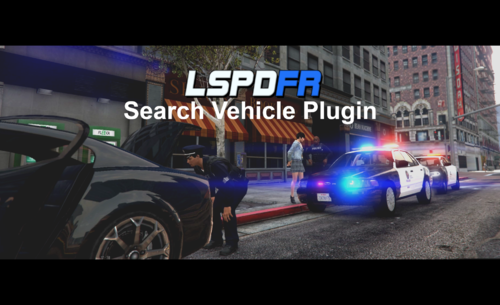
Search Vehicle Plugin for LSPDFR
Copyright (C) 2020 ziipzaaapM16A4. All rights reserved.
Any unauthorized modification, reverse engineering, or distribution (including re-uploading of any kind) is strictly prohibited.
PLEASE DO NOT POST A NEGATIVE REVIEW WITHOUT ADDRESSING THE ISSUE AS A COMMENT ON THIS PAGE.
FOR ANY SUPPORT RELATED ISSUES, PLEASE POST A COMMENT ON THIS PAGE.
Join our Discord ---> here
Need Help? Open a support ticket ---> here (discord support channel link)
Want Early Access? Become a Patreon! ---> here
Feature/Function:
Search a vehicle (if open) to find any contraband.
The contraband you will find are extra similar to the LSPDFR suspect frisk results.
The plugin can search almost every vehicle properly.
In First Person Mode: You are actually able to look into car.
While searching the vehicle, any contraband you have found will be removed.
Searching a police vehicle will give you Armor at Trunk
How to Use:
Don't forget to go On Duty.
Press and Hold "U" on Keyboard.
Installation:
Paste everything in your Grand Theft Auto V folder.
Except the READ_ME.
Requirements:
LSPD First Response.dll
RagePluginHook.dll - Version 1.78.1267.16039 => Fixed CurrentTaskStatus
RAGENativeUI.dll
Known Issue:
- Smaller Trucks can't be searched.
- Due to probably a bug in the RAGEPluginHook i cant properly detect if the doors are locked or not.
For Future:
- a relation in contraband's will be added between the vehicle and the pullover ped.
Credits:
Thanks to @TheUniT who helped me a lot.
- 75,074 Downloads
- 72 Comments
Updated -
UnstuckV for LSPDFR
Copyright (C) 2022 ziipzaaapM16A4. All rights reserved.
Any unauthorized modification, reverse engineering, or distribution (including re-uploading of any kind) is strictly prohibited.
PLEASE DO NOT POST A NEGATIVE REVIEW WITHOUT ADDRESSING THE ISSUE AS A COMMENT ON THIS PAGE.
FOR ANY SUPPORT RELATED ISSUES, PLEASE POST A COMMENT ON THIS PAGE.
Tired from restarting your Game after somewhat gone wrong with it?
Endless black loading screens in hope your game does not need a restart?
Camera, Character or whatever does not work?
We can't fix Plugin issues but when your Game is stuck, try this at least once.
(as long as the RPH console is still accessible)
UnstuckV is great for your last try before you recognize you really should restart.
Type "LoadPlugin UnstuckV.dll" in RPH console WHILE being stuck. (not before having trouble)
What does it:
Removing black loading screens,
resetting your player position to above the ground,
deleting all cinematic cameras besides the original one,
giving controls back to the user,
unfreezing your character,
clearing tasks,
reenabling ragdoll to the players character.
- 7,187 Downloads
- 21 Comments
Updated -
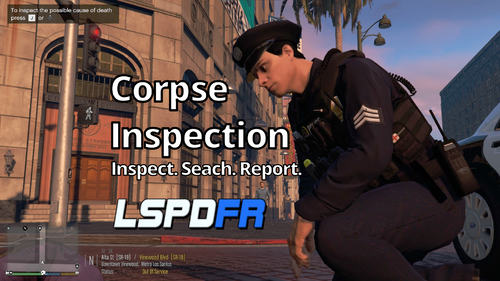
Corpse Inspection for LSPDFR
Copyright (C) 2021 ziipzaaapM16A4. All rights reserved.
Any unauthorized modification, reverse engineering, or distribution (including re-uploading of any kind) is strictly prohibited.
PLEASE DO NOT POST A NEGATIVE REVIEW WITHOUT ADDRESSING THE ISSUE AS A COMMENT ON THIS PAGE.
FOR ANY SUPPORT RELATED ISSUES, PLEASE POST A COMMENT ON THIS PAGE.
Version 1.0.3 has been RELEASED
Join our Discord ---> here
Need Help? Open a support ticket ---> here (discord support channel link)
Want Early Access? Become a Patreon! ---> here
Clip
Feature/Function:
Goal of this is to reach more and better cinematic immersion by using gta v native features
- Inspect the dead ped. Search for their belongings.
- Find what the possible cause of death was. Possible death cause search
- Report the dead person via Radio. GrammarPolice supported.
How to Use: (defaults)
All hotkeys can be changed in the .ini file.
.ini file is NOT nessesary. If no .ini file is provided the plugin will output a warning but continue with default settings.
PC Keys | XBox Controller | Function
-----------------------------------------------------------------------------------
Left Control + O | DPadLeft + X | starts the investigation mode.
J | DPadUp | inspect the head (only in active investigation mode)
K | DPadDown | search for any belongings (only in active investigation mode)
L | DPadRight | report the dead person via radio (only in active investigation mode)
Setting | default value | Function
------------------------------------------------------------------------------------------------------------
displayHelp | true | Shows your current hokey settings while beeing in Investigation mode
Installation:
Paste everything into your main Grand Theft Auto V folder.
Except for the READ_ME.
Requirements:
LSPD First Response.dll
RagePluginHook.dll
Recommended Addon:
Grammar Police V1.4.4.1
- 20,369 Downloads
- 33 Comments
Updated -
What Was Your Name Again? for LSPDFR
Copyright (C) 2020 ziipzaaapM16A4. All rights reserved.
Any unauthorized modification, reverse engineering, or distribution (including re-uploading of any kind) is strictly prohibited.
PLEASE DO NOT POST A NEGATIVE REVIEW WITHOUT ADDRESSING THE ISSUE AS A COMMENT ON THIS PAGE.
FOR ANY SUPPORT RELATED ISSUES, PLEASE POST A COMMENT ON THIS PAGE.
Join our Discord ---> here
Need Help? Open a support ticket ---> here (discord support channel link)
Want Early Access? Become a Patreon! ---> here
You arrested someone without asking for its name but you need to run their name on the computer?
Go to the Backseat and ask them.
Feature/Function:
Get suspects ID when arrested, placed in the backseat of your vehicle with the door open and you standing nearby.
How to Use:
Step 1: Go on Duty.
Step 2: Go to the door where your suspect has been placed and the details will show up like this:
Installation:
Paste the everything in your main Grand Theft Auto V folder.
Except the READ_ME.
Requirements:
LSPD First Response.dll --> V0.4.8 and upwards.
RagePluginHook.dll
Please don't forget to like and rate this plugin afterwards.
if you find a Bug then give me the chance to take a look at it bevor posting a negative rating.
Known Issue:
none known
- 7,412 Downloads
- 29 Comments
Updated