




ScrimpyData
Members
-
Joined
-
Last visited
Everything posted by ScrimpyData
-
© ScrimpyData/The Thin Blue Line Modifications
-
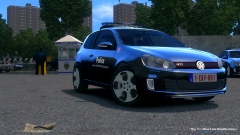
Hey guys, I've been practising converting a model to GTA IV for a while, and I finally came up with a decent working model, which is the 2010 Volkswagen Golf VI GTI. I'm doing a few different police versions of it, and will (hopefully) release them in a pack soon! I currently only have 1 version done completely though: British Police Demo Vehicle: Featuring: - A (quite accurate) Whelen Mini Justice lightbar - Custom dirtmapping - HQ interior - Amazing skin by geko7844/BadCops911 I'm hoping to add in an unmarked version, and a one or two different country's versions as well :) As always, feedback is greatly appreciated, -ScrimpyData
-
From the album: Scrimps Mods
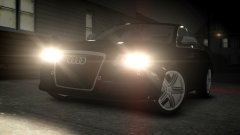
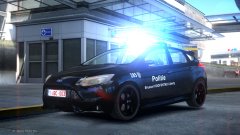
Vehicle converted by me :) Going to be used in a Belgian police mod© ScrimpyData
-
From the album: Scrimps Mods
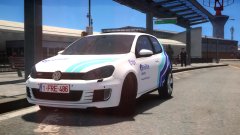
There still are some small things to work on, but it's my second ever conversion :) Hope you guys like it :P© ScrimpyData
-
From the album: Scrimps Mods
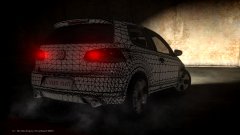
2010 Volkswagen Golf VI GTI from Forza Motorsport 3, converted by me Only 1 issue left... http://i.imgur.com/tYJa0VJ.jpg (the wheel material, I think)© ScrimpyData
-
 They aren't mapped atm
 -
Look at the comment above this one xD forgot to quote
-
Well...
-
Glad you like it! Thanks! It's my first ever conversion of a car, so I'm glad people like it! :D
-
From the album: Scrimps Mods
Redone the template, added the lights again, and it now is a Brussels Police Ford Focus!© ScrimpyData
-
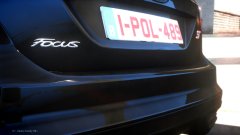 I managed to get it almost completely finished by now (just got done templating the car), but yeah... the template isn't perfect xD
 -
From the album: Scrimps Mods
Model originally from Grid 2, converted to GTA IV by me (There still are some issues, but it has been a little over half a day since the start of the conversion) http://imgur.com/a/NUjCY <-- More pictures© ScrimpyData
-
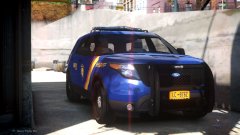 Idk yet, that matters if I have the time to add one or two other cars and textures to it :)
 -
From the album: Scrimps Mods
So I thought I'd make something with a slight variation of the skins/texture used by Code Zero, lemme know what you think! :D© Idk... Me?
-
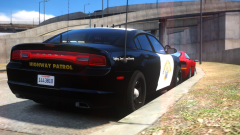 "Again, this vehicle is purely fictional. :)"
 -
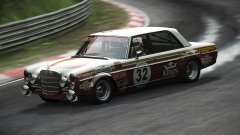
From the album: Random Screenshots
And then I crashed... xD -
-
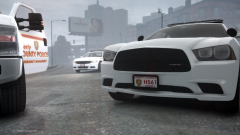 St. Louis/Liberty County Police - 2015 Dodge Charger (Also tried to get "my own" tire texture on it) More pictures: http://imgur.com/a/zh3FR
 -
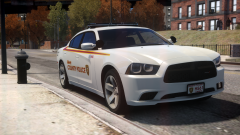 More images: http://imgur.com/a/HI5J3 Feedback is always appreciated
 -
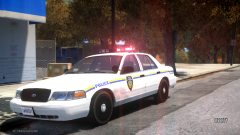 I based it off the North Yankton State Patrol actually :P
 -
Did a quick mod for GTA IV, since I haven't made one in a while https://imgur.com/a/mzsFs More pics (since it doesn't want to add them in the description)
-
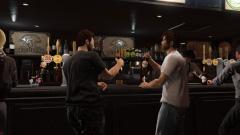
From the album: Just some GTA V shots
-
 Well yeah, the TA is bright as hell, but I'll try to fix that :P
 -
Yeah, those were the best days of their lives...
-
From the album: Scrimps Mods


