Vidak
Members
-
Joined
-
Last visited
Reputation Activity
-
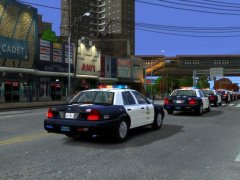
 Vidak reacted to ClassyEra for a file, LAW ENFORCEMENT MEGA PACK #4 (20+ Liveries)Alright guys! Here is a livery pack I made about 2 or so months ago. Now I'm deciding to go ahead and release it seeing that
I haven't used them in a good while! So whats in it?
Well, the screenshots are basically for you to get an idea of whats in it and what to expect. The liveries are for the following vehicles:
Tahoe
Charger
Explorer
Cvpi
Now however, there are 20+ liveries included in this pack. The extras or alternate selections are the same design but
made on a different template for different vehicle models to fit a good number of vehicles instead of just having a (I guess) limited selection
to apply these skins to. (ONLY For select vehicles.)
HOPE YOU ALL ENJOY!
THANKS!
DO NOT REDISTRIBUTE!