
72will
Members
-
Joined
-
Last visited
Everything posted by 72will
-
What is there really to update very few bugs and modders have kinda taken this over by plugins.
-
-
 probably, PM me so we are not filling up the comments and i can help you better
- 20 comments
- 4 reviews
-
That is fine but in the vehicle.meta you have to search for utillitruck3 (or whatever my line says because i can't remember the name) then replace those line you cant add lines because they are already there and that will crash your game.
- 20 comments
- 4 reviews
-
Yea i found help somewhere else
-
-
You have to install the metas then using your trainer untint all the windows so you can see the lights. I could not remove the feet they are on the model when i converted it, I am no sure what bar they are based off of so i had to judge but i think it is good because two of them would make a small lightbar, maybe just a little smaller.
- 20 comments
- 4 reviews
-
-
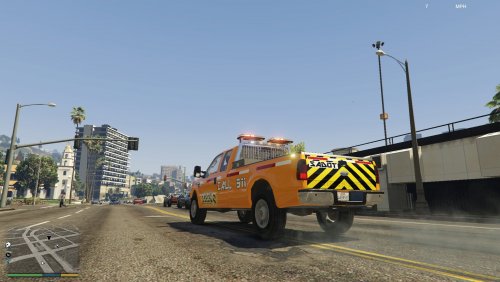
*If You Would Like To Help me Do ELS Style Lighting, or know how to fix any of these bugs, Please PM Me* SADOT Ford F350 V1.1 This is my first model pretty much made entirely by me :) This is a DOT (Department of Transportation) which is commonly found on the side of highways and mowing in the U.S. This model is roughly based off of the INDOT Fords that i pass a maybe once a week at 70MPH. Enjoy! THANK YOU SO MUCH @Salashdot03 For Showing Me The Ropes Known Bugs: - [Maybe Fixed] Top of mini bars is showing a strange texture on the edge (not showing it anywhere but in game, not openiv display, not zmod) -One of the grill lights does not flash (no clue what is going one, i have tried different fixes with no results) -Spawns with blacked out windows (use your trainer to fix) - No LODS for anything but the truck itself - Minibars were not to scale/to big Future Updates: -Fix Bugs IF YOU KNOW HOW TO FIX ANY OF BUGS PLEASE CONTACT ME
- 20 comments
- 4 reviews
-
-

- 2
-
-
 Fine... If it will make you happy,,, LOL
 -
How about "worked on by 72will"
-
Because i really did not edit it either i converted it from in-game to zmod
-
I could not find one when i was building a truck so I thought i would let you guys have it a little easier :) Model is by Rockstar Converted Edited by 72will (i did not really convert this since it was already in GTA but i worked on it in zmodeler and i could not think of a better word)
-
.thumb.png.c6864c71ab9ff88439a0d85006570f9b.png) I think you make a crown Vic and explore one, this is very unique that you have templated it
I think you make a crown Vic and explore one, this is very unique that you have templated it -
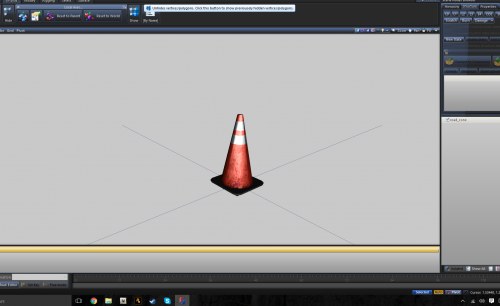
I am looking for the in-game cones to use in my vehicle. Does anyone know the location of where they r. Thanks
-
-
I sent you a PM
-
I got my hands on a dev F350 civilian for gta v and now i want to make it into something (won't tell what) but i would like someone to come on teamviewer or skype and walk me through converting and adding things. thanks
-
 how can i fix that, it is working fine for the crown Vic and charger in hwaycar & hwaycar2
- 501 comments
- 104 reviews
-
I installed the 3 2013 explorer car files included in the download along with the metas
- 501 comments
- 104 reviews
-
-
-
-
-
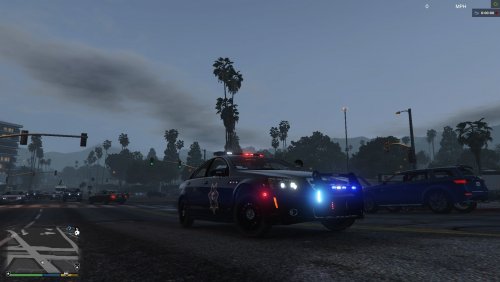 Yes, you will have to put the vehicle files in the RDE dlc I will when i get a chance You need to install a different game config to prevent crashing " If you've updated to the new "Cunning Stunts" DLC please use the gameconfig provide by @zanesix https://www.mediafire.com/?x8zgnjdjxm8y7gk "
- 60 comments
- 5 reviews


.thumb.png.c6864c71ab9ff88439a0d85006570f9b.png)