Sp1cY
Members
-
Joined
-
Last visited
Everything posted by Sp1cY
-
Would you happen to know how to install this? No clue how
-
 Anyone know how to install the mod? I tried placing it in my plugins folder but didn't seem to work. Is there a specific button I'm supposed to press for it to work?
- 16 comments
- 7 reviews
-
Can downloading a lot of car models eventually "break" the game? (Cause complications)
-
-
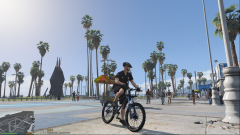
From the album: Beach Patrol
Another day of keeping the pier and beach safe from crime -
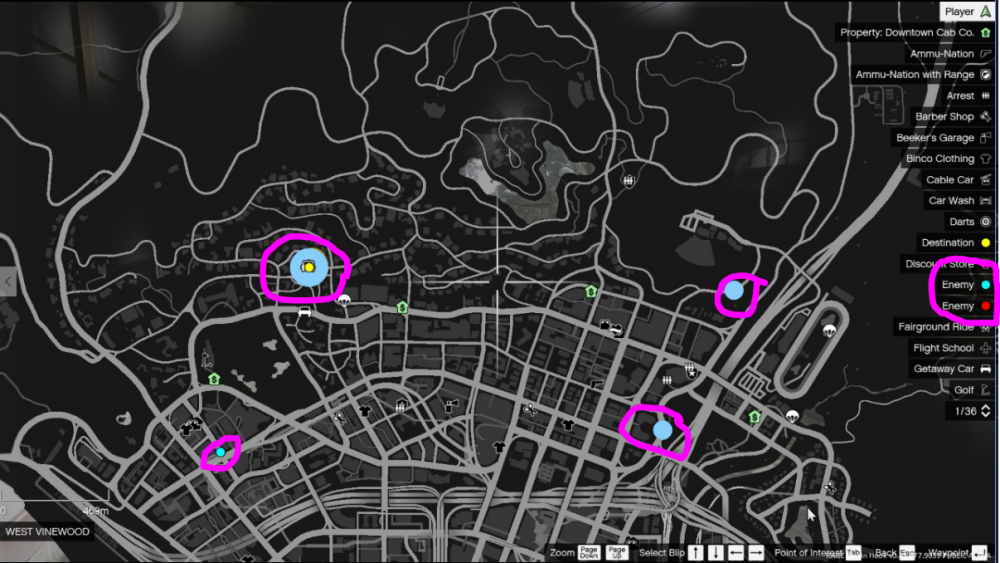
The things that are circled in pink appear and stay there until I log off. Not sure what the issue is or what mod these are a part of. Anyone have a solution?
-
CVPI, Charger and a FPIU. No authors in specific Would you happen to know any realistic models?
-
Can someone make 4K Realistic LAPD textures? I've searched all over and can't find a good realistic pack. I'm sure I'm not the only person who would want this. Thanks in advance!
-
Thank you so much. I literally found the file a second before you replied. Honestly saved me so much more time in the future.
-
Thanks, but is there a way that the lines are organized? I've noticed it's somewhat in alphabetical order. I'm trying to look for the "policeb" line.
-
Anyone know an easy way of looking through the vehicles.meta file? It's way too much work to go one by one and look for the line you're trying to change.
-
-
Whenever AI backup arrives on scene and everything is clear, instead of returning to their cars, the AI disappear and their cars are sitting empty in traffic. This happens with EMS and regular Police Units. Anyone know of a solution to this glitch/bug?
-
-
Would anyone happen to have a download or link to the original police car textures? I've modded the cars and now I want to uninstall by installing the original files.
-
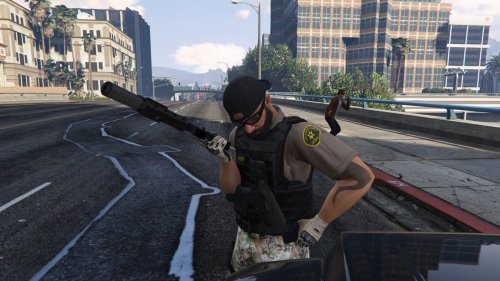 Great skins! I have no clue how to access them though. I tried using my Trainer and I still wasn't able to find anything to load them.
- 22 comments
- 5 reviews
-
Oh my bad, I meant to say load! LoadPlugin “LSPD First Response.dll”
-
Guys, a temporary solution would be the F4 method. I finally realized why it wasn't working for me. Press F4 and type "Launch Plugin 'LSPD First Response.dll'"
-
Hey there I'm hoping someone can help me out. I have followed every possible step in getting this to work, everything from unblocking all .dll files and ragehook, to downloading the newest V version, to the newest Ragehook Alpha, to starting a new game, to restarting my computer, to make sure the GTA V .eve and play and launcher are up to date, to trying to blindly type in loadplugin "First Response.dll", hitting f4 does nothing. My game runs fine put no police symbols show up on map. I've also tried asking several people for help and no one seems to really care to try. I've been waiting just like everyone else for a while fr this to come out. I'm running out of ideas and I really really want to play this mod once more, I played once or twice before and then it fucked up.