tjmuir1125
Members
-
Joined
-
Last visited
Files posted by tjmuir1125
-
Installation: REQUIRES DBOCK1989's CVPI MODEL!
1. After successfully installing dbock1989's Crown Victoria Model and making sure edit mode is enabled, open up the recently installed crown.ytd through OpenIV.
2. Replace the file "CVPI template (1)" with the one provided.
3. Enjoy!
Afterword: I hope you enjoy this texture, as I have worked quite some time to make it as accurate as possible. Enjoy!
Model: http://www.lcpdfr.com/files/file/8287-added-emergency-vehicles-by-dbock-ft-the-cvpi/
- 63 Downloads
Updated -
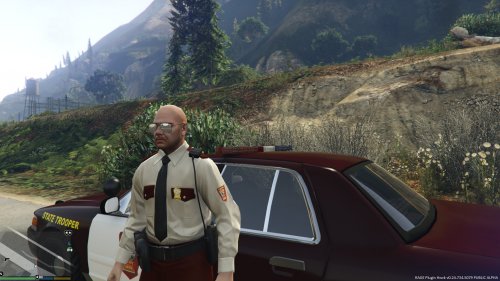
Installation: Go to OpenIV and select "Edit mode". Then follow this path: GTAV/x64e.rpf/models/cdimages/componentpeds_s_m_y. Replace s_m_y_cop_01.ytd with the texture file included.
In Game: Remove default badge by changing options under the accessory tab in Officer Customization, and add patches by changing the option under the insignia tab.
Afterword: Please do not reupload this, as I have worked very hard on it. But, most of all, enjoy!
HAT COMING SOON!!!
- 271 Downloads
- 6 Comments
Updated -
MODEL:
INSTALLATION:
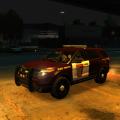
Using OpenIV or SparkIV, copy the model files into "vehicles.img", then open "polpatriot.wtd" and replace "exp_sign_1" with the texture included.
AFTERWORD:
Please do not re-upload the textures and claim them as your own. I worked very hard on them. I hope you enjoy!
- 37 Downloads
Updated -
MINNESOTA STATE PATROL UNIFORM 0.1
INSTALLATION:
Very Simple. Using OpenIV or SparkIV, copy the uniform files into "componentpeds" and the hat files into "pedprops".
AFTERWORD:
Please do not re-upload the textures and claim them as your own, as I have worked quite hard on them. Updates will come soon with the jacket uniform and such. PLEASE LEAVE REVIEWS OR SUGGESTIONS! Enjoy!
- 429 Downloads
- 2 Comments
Updated