.png.116b4f1f2cc1d1795877b37e9a81d569.png)

insus100
Members
-
Joined
-
Last visited
Everything posted by insus100
-
Rename the hat to an extra, and make sure it isn't being used by els on the xml.
-
Ok so I finally got it fixed. I had to calculate the glass' normals. Asked here: https://forum.zmodeler3.com/viewtopic.php?f=31&t=11293&p=56721#p56721
-
-
Don't really know... vehicle_generic_smallspecmap.dds is set over there
-
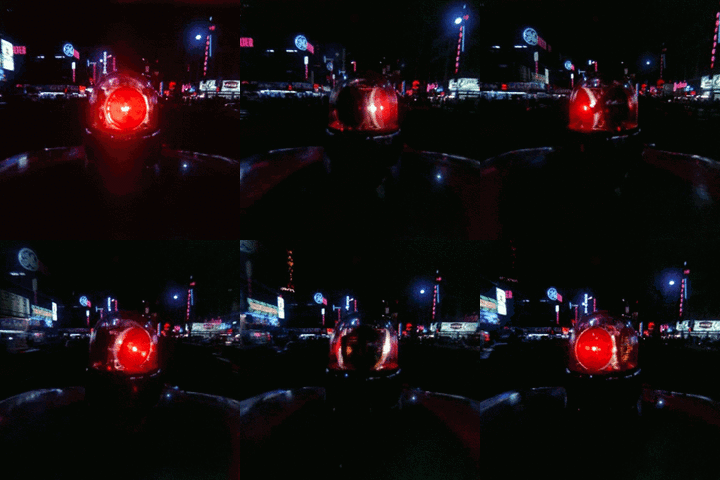
The paint shows right ingame, it's just the beacon, this is how it looks: How it should look: You know, in that image you can see a solid red, while mine has too many reflections and it's too transparent, almost unoticeable it's red. Here's the material setup in zmodeler: I tried increasing the opacity, but same result, and it has too much reflection, even if I remove env.dds.
-
oppps sorry double post
-
@Candice They do show, look:
-
Using VisualV. shall I uninstall it?
-
I used this: https://www.lcpdfr.com/files/file/13538-federal-signal-fireball-fb-11/ I'll check the resolutions but I don't think they are too big.
-
Fixed. But still the beacon is too reflective, like you can't notice its red.
-
Ok so I finally fixed thanks to the guide OfficerFive0 provided me, as it was DRO2, I was missing an invisible glass to hide the emissive while it was not on. Thank you.
-
cool thank you
-
Dro2 DRO2
-
If I hide it, it hides the rotator, with all the textures, leaving only the glass visible, so it's both.
-
Yes please Don't Know if that's what you need, tell me if you need more screenshots please.
-
It is ok already thank you both, but I have another problem, I opened a new thread for it but it's basically that ELS emissive won't turn of until engine is off, so If i turn off ELS, the emissive light will still be there.
-
Hi again, so I have this problem now, ELS works but the Emissive won't turn of unless I turn off the engine. Also coronas won't show unless I'm looking from an exact angle as seen in here: https://youtu.be/rwdBGNM36xU From 1:04 in the video on you can see the corona pop up. Thanks for your help. EDIT: the corona thing was fixed by removing some vertices that where in the middle of it, making it not visible. However I cannot fix the ELS thingy.
-
Nvm the material was transparent, just needed to put it right before the other stuff in the material browser too. Thank you.
-
OK so that is done. If you could help me finding that... I can't 😐 here are some screens: Where should I set it to transparent? Thank you.
-
Ok I will check thanks guys
-
Did you fix this? I have the same problem...
-
Hello, I'm new to this modelling scene, I managed to port a GTA IV vehicle to GTA V and set it ELS DROT (I cant believe i could lmao). There are still things to fix but this one is driving me nuts. Here, this video explains what exactly happens: https://youtu.be/VtdJhIly-HY Any help is appreciated, thank you
-
Hello, so as stated in the title those keys toggle ELS lights and blackout mode. ELS.ini file keys have not been modified, and I can toggle ELS lights J and Q key, so I would like to make it only be J key. I have reinstalled the game plenty of times, it still happens. I attached my RagePluginHook log, thank you. RagePluginHook.log
-
Did you try to disable AI ELS?
-
Have you got any other mods installed other than ELS or LCPDFR? Try to deactivate trainer keys.