SiViX
Members
-
Joined
-
Last visited
Everything posted by SiViX
-
Title says it all. If I go to the thread for LCPDFR: The download is listed as suspicious by your own site. I click to find out more and more than half the files appear to be infected, click to see the results on the virustotal page and it says it is filled with trojans, adware and other malware... Have you guys been hacked...? There's no way it's ALL false positives...
-
 This is awesome, just got it working and it's great, the only thing missing is if it would reflect the correct day of the week in game, other than that it is perfect. If anyone is having trouble with it like mine was crashing on start, make sure you set the correct settings in the INI including your API key and going to openweather, finding your city and copying the location exactly as it is shown on the site, I had been using a "City, State" format when it was looking for a "City, Country" format... Thank you again for sharing this!
- 125 comments
- 11 reviews
-
Hello all! First, I would like to thank the creators of LCPDFR and everyone who contributes all the great mods we use, you are all amazing and have helped to create a revolutionary gaming experience I have been enjoying for a long time now. I am aware the Crime Stats tracking feature is no longer available here on the website but I was hoping that someone familiar with the API might be able to help me with enabling crime stats tracking on a personal or rented server. I am open to using the server to make everyone's crime stats available again but at the very least I would like to track my own. I am fairly competent in html, css , python and C++ but I have pretty much no experience in coding an application to interact with an API. Thank you all for your consideration and any help you may be able to provide.
-
I'm playing single player... I'm guessing that when we try to go on-duty, the LCPD:FR script calls out to the website's API to obtain our user info and since the site is being re-worked the API is not currently active causing a response timeout which leaves our games hanging...
-
I think I'm having the same issue, every time I activate LCPD:FR and go into the police station I get stuck on the loading screen. I have removed everything and I am re-downloading the vanilla version on Steam, then I will re-install LCPD:FR and report back on my results...
-
Pictures of some of the random things I see on duty
-
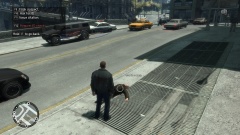
From the album: Life on the Beat
Found this guy stumbling his way down the sidewalk, falling over himself repeatedly... -
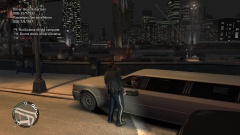 Well, I'm not really sure what else I should be posting pictures of... I figured since the theme is "Evidence", that recording suspects I have interacted with would be a logical and appropriate use of the feature....
 -
Information on known suspects...
-
From the album: Suspects
-
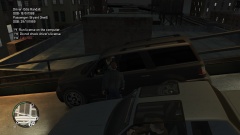
From the album: Suspects
-
-
-
-
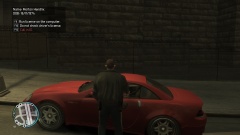 Hahaha! Indeed...
 -
-
-
-
-
From the album: Suspects