SquootDoot
Members
-
Joined
-
Last visited
Everything posted by SquootDoot
-
Thanks a bunch!
-
Whenever I am running ELS V7, everything works fine. However, I installed ELS V8 as well as cars that run ELS V8, and it makes my LCPDFR show an error message when I load a game. Any help is greatly appreciated!
-
-
I used to be an avid Stewart fan, but I haven't really kept up with a full season since 2011 (the year he won his latest championship). I watched a few races last season when Harvick won the championship, but nothing much. I think I'll try to keep in touch with it this coming season.
-
Does anyone know if the South Carolina Highway Patrol uses this one? It sounds identical to their sirens.
- 14 comments
- 15 reviews
-
Just a collection of the textures I've made so far.
-
-
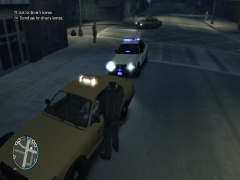
From the album: My Car Textures
-
Not really a fan of Fords, my only exceptions being the new Interceptor and the CVPI, and I don't really like SUVs, my only exception being the Tahoe, but it is worthy I guess. But those front bumper lights are extremely ugly...
-
Do you have the textures for all blue lights? I'm just curious because I'd like to use it with an SC Highway Patrol skin
- 29 comments
- 5 reviews