CHFDCRAB
Members
-
Joined
-
Last visited
Everything posted by CHFDCRAB
-
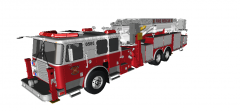 It was a bitch to convert. Good Luck!
 -
-
![[REL/UPDATE] 2010 GMC Sierra 2500HD - FDNY battalion chief](//s3-gallery.int-cdn.lcpdfrusercontent.com/gallery/album_547/sml_gallery_2101_547_463845.png) You need to center the wheels to take the wobble out.
You need to center the wheels to take the wobble out. -
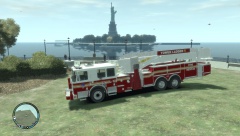
From the album: The FDLC
Truck i converted for another guy. Up to him if itll be released. 95 foot Seagrave Marauder II -
Thanks guys
-
What happened to the pinned dev parts section in the forum?
-
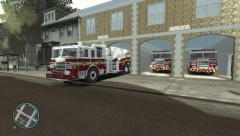 Ill try and figure out how to release the station without it messing up everyones game. I can mod mine and know what to do if it crashes it.
 -
Station was converted from google sketchup. http://sketchup.google.com/3dwarehouse/details?mid=6a5808b9e8c9c347f57e7b757c86ff49&ct=mdsa&prevstart=0
-
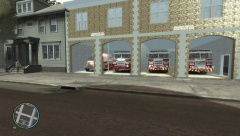
From the album: The FDLC
STATION 1 -
From the album: The FDLC
STATION 1 -
You cant really go by open iv for the wheels. It just shows the wheelmesh position and not where the dummies are. As far as the disappearing stuff im not sure without looking at it myself. Could be it is outside the hierarchy or something.
-
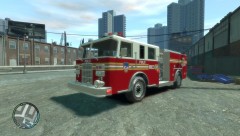
From the album: The FDLC
-
-
Sounds like the collision isnt in the right place.
-
-
what kind of car is it. Pm me
-
very simple to make.
-
-
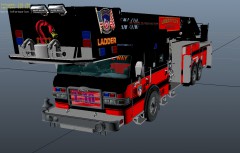 Hey I have some outriggers that are flush mounted if you want them?
 -
Why are the outriggers sticking out. Should be flush with the side of the truck.
-
Did you have all the textures in zmoddler when you exported?
-
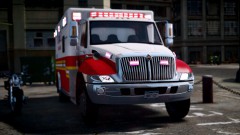 http://www.gta-modding-chest.com/database/233-international-durastar-ambulance-fdlc-v1-0fq-els/index.html
 -
Heres the template for the ladder if anyone wants to make a paint. If you do send it to me and ill release it with the top 3 best ones.
-
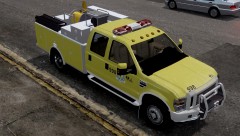 Everything used to make this was unlocked so I didn't see the need to lock it. If you edit it and want to upload your version please give credit to those due. TUNES you can upload you version if you want.
 -
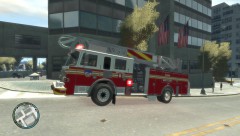
From the album: The FDLC
Release Date Mon or Tues

![[REL/UPDATE] 2010 GMC Sierra 2500HD - FDNY battalion chief](http://s3-gallery.int-cdn.lcpdfrusercontent.com/gallery/album_547/sml_gallery_2101_547_463845.png)