LtChuckSmiley
Members
-
Joined
-
Last visited
Everything posted by LtChuckSmiley
-
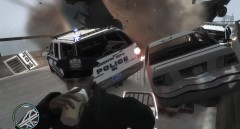 Police vehicle blew up due to extensive damage.
 -
From the album: Lt. Chuck Smiley, LCPD
-
From the album: Lt. Chuck Smiley, LCPD
-
From the album: Lt. Chuck Smiley, LCPD
-
From the album: Lt. Chuck Smiley, LCPD
-
 Epic :whistling:
 -
Restart your computer, thats what worked for me.
-
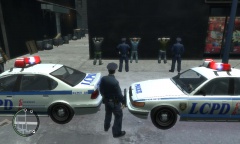 how'd you do that?
 -
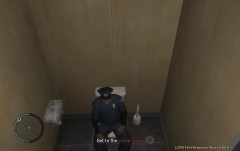 "Get to the Crime Scene" "Not errrk done yet" :biggrin:
 -
I already run the game as admin. EDIT: Thank you very much for your quick response. LCPDFR now works on my computer. I think that it takes at least 24 hours for some reason in order for LCPDFR to work :P Once again, thank you :)
-
Hello All, I have dowloaded LCPDFR 0.90F today. When I press "Alt-P", my screen only blurs. I have done my research on the forums, updated my drive to C++2010, and downloaded the 0.90F patch. The only problem that I can think of is that I did have the Police Pursuit Mod on my computer before, but I uninstalled it. Below is my report from the Diagnostics Tool. BEGIN *SIGNED* LCPD First Response Issue Report Diagnostics Tool Version: 0.4.3 Operating system: Windows7 HomePremium (6.1.0.0 Build: 7600) Service Pack: System RAM (GB): 5.98 CPU cores: 6 NET Framework 4.0 installed: True Visual C++ 2010 Redistributable installed: True GTA IV - Installed: True GTA IV - Install folder: C:\Program Files (x86)\Rockstar Games\Grand Theft Auto IV GTA IV - Version: 1, 0, 7, 0 GTA IV - Asi loader installed: True GTA IV - Asi loader: DSOUND GTA IV - Asi loader valid: True GTA IV - C++ ScriptHook installed: True GTA IV - C++ ScriptHook valid: True GTA IV - C++ ScriptHook version: 0, 5, 1, 0 GTA IV - ScriptHookDotNet installed: True GTA IV - ScriptHookDotNet valid: True End of *SIGNED* LCPD First Response Issue Report Digital signature: Yl65wnHpCTWlvjYaz/RNIw== Please help, I really want to play this mod. Thanks :thumbsup: