



laythrom
Members
-
Joined
-
Last visited
Everything posted by laythrom
-
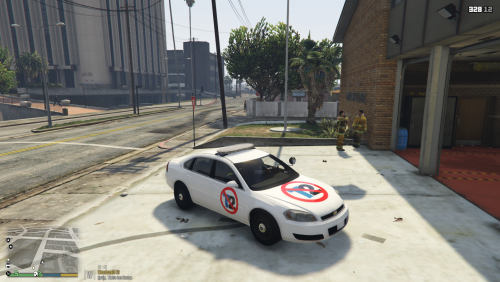 I was going to work on a Pittsburgh Police livery for Officer Goetz's St. Joseph County Indiana Impala [found here] until I saw Take Two Interactive's 'attack' on OpenIV and pretty much the modding community as a whole for the GTA franchise. So, in frustration and angst, I instead created a livery specially for Take Two...it's my middle finger to them. On the other side of the coin, I will be getting to the Pittsburgh Police livery for this Impala in the near future.
- 11 comments
- 11 reviews
-
-

- 12
-
-
 Did you replace the texture in both the normal .ytd and the +hi.ytd? I know that was my issue at first when I created it. I replaced the texture in one, not both and it didn't want to work. Just an idea.
 -
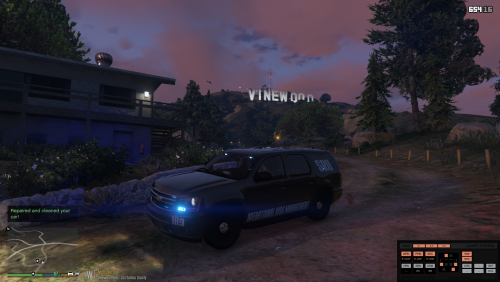 Operational Risk Management SRU livery based on the 2013 Slicktop Chevrolet Tahoe by Gump [Tahoe model here ]. Includes body and window texture files as well as photoshop file.
 -
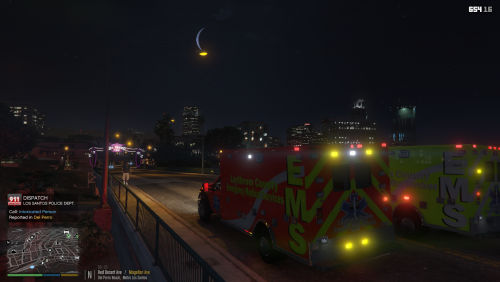
Laythrom County EMS livery based on the 2015 Ford F550 Ambulance by downcoldkiller [Ambulance model here]. Has two liveries in the download, one safety yellow theme and one red theme. Also comes with the photoshop working file. Donations are welcome, just use the donate button on the right-hand side of the page.

