


TechGeeksMaxed
Members
-
Joined
-
Last visited
Everything posted by TechGeeksMaxed
-
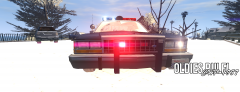
From the album: Classic Cars
-
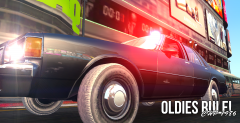
From the album: Classic Cars
This was a car that was used by CHP (California Highway Patrol) Detectives during The 1980's! -
So basically the model i have has no template at all so nothing is assigned so i made a template now how do i fit it to the model?
-
I fixed it i just verified the game cache and 36 files failed weird anyways thanks.
-
Make sure in done in the bottom of Zmodeler there is no Errors, Then make sure that the Model Parent is named "police.wft" if the error still occurs its the model.
-
So i had to delete my save so now i need to redo the mission "Cousin Bellic" but once i get to the intersection by Roman's Garage i crash any fixes? Hardware: cpu: AMD A4 5300 dual core gpu: Radeon R7 240 8GB Ram
-


