Skip to content
View in the app

A better way to browse. Learn more.

LCPDFR.com

A full-screen app on your home screen with push notifications, badges and more.

To install this app on iOS and iPadOS
  1. Tap the Share icon in Safari
  2. Scroll the menu and tap Add to Home Screen.
  3. Tap Add in the top-right corner.
To install this app on Android
  1. Tap the 3-dot menu (⋮) in the top-right corner of the browser.
  2. Tap Add to Home screen or Install app.
  3. Confirm by tapping Install.

Mates9963

Members
  • Joined

  • Last visited

Files posted by Mates9963

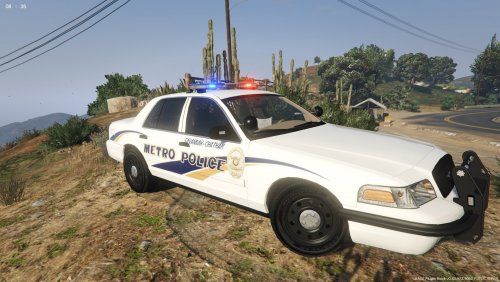
  1. Hello community of LCPDFR.com , I fell in love with Ford Police Interceptor Design .So i decided to made this pack ,
    its not 100%, according to reality i added few details and created brand new " 911 decal ." for this pack.
    Skins will be mainly for ELS Ford models.
     
    MY FUTURE PLANS:
     
    Skins were made at the moment for these vehicles:
    Instructions:
    Use OpenIV to replace the .png texture of the skin in the .ytd file for the vehicle.
    • 218 Downloads
    • 3 Comments
    Updated
  2. For Vehicles 
    All Cars made based on F5544's model 
    Example :
    PS : if you want this livery for other vehicles , let me know down in comments !
    • 92 Downloads
    • 4 Comments
    Submitted
  3. For Vehicles 
    All Cars made based on F5544's model 
    Example :
    PS : if you want this livery for other vehicles , let me know down in comments !
    • 24 Downloads
    • 2 Comments
    Updated

Account

Navigation

Search

Search

Configure browser push notifications

Chrome (Android)
  1. Tap the lock icon next to the address bar.
  2. Tap Permissions → Notifications.
  3. Adjust your preference.
Chrome (Desktop)
  1. Click the padlock icon in the address bar.
  2. Select Site settings.
  3. Find Notifications and adjust your preference.