
AlexVonShep
Members
-
Joined
-
Last visited
Files posted by AlexVonShep
-
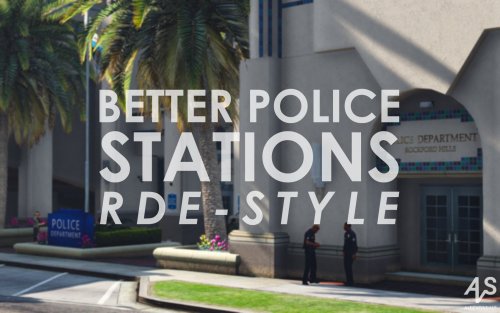
This mod brings you greatly revised but still lore-friendly police/sheriff/ranger stations. Will be featured in RDE 3.0.
Full list of improvements:
Installation
1. Extract the "Better Station Package.zip" from downloaded archive
2. Launch OpenIV
3. Open the "Better Stations Package.zip" via Package Installer Tool (Tools bar)
4. Click "Install"
Take a look on this video tutorial in case you failed:
https://youtu.be/2gzLHzd5eto
Credits
Textures by AlexVonShep
Building models edits by Yard1 and _Vlad_
You aren't allowed to re-upload this mod anywhere. Nevertheless, feel free to edit my textures and release them with proper credits!
BCSO Addition Project Support Version
Includes Paleto Bay Sheriff's Station with BCSO decals. Available here
- 3,145 Downloads
- 15 Comments
Updated -
This small pack features four RDE-styled SWAT textures for _CP_'s Brute Enforcer (a.k.a NOOSE Stockade) from IVPack.
There are both standard (2048x2048) and high (4096x4096) texture definitions.
Firstly I intended to create only a BCSO SWAT livery as it was to be used in RDE 3.0 . Then I accidentally noticed that Enforcer (nstockade) liveries in IVPack were badly made (low quality, odd metal panels, unadjusted decals) which has actually led to this pack creation.
Installation
For IVPack users:
1. Launch OpenIV
2. Navigate to presvehicles.rpf in update/x64/dlcpacks/pres/dlc.rpf/x64/levels/gta5/vehicles
3. Open nstockade.ytd
4. Import preferable skins (livery number changing can be required)
5. Save it
For other people:
1. Open a .ytd (containing textures for Enforcer model)
2. Import preferable skins (livery number changing can be required)
3. Save it
How to change a livery number:
1. Choose a livery (f.g. nstockade_sign_3)
2. Rename it by modifying the last symbol (f.g. nstockade_sign_3 -> nstockade_sign_1)
3. Save it
Credits
Skins by AlexVonShep (using own and Yard1's texture source files)
Model and template by _CP_
You aren't allowed to re-upload this mod anywhere. Nevertheless, feel free to edit my textures and release them with proper credits.
- 244 Downloads
- 2 Comments
Updated -
Description
This mod is made by the request of @DeadFlagBlues and with his help (he gave me wonderful HD SAHP textures).
He wanted me to release this as a standalone "police station mod", but you have to know that it is the part of DeadFlagBlues's SAHP Immersion Pack and you just can't install this mod if you don't have any stuff from there!
Of course, you can. I'm not telling you what to do, I'm recommending an excellent work made by my colleague.
Hundreds of people are aware of the modding theme I've chosen a year ago. Script modding, yes, you're right. Oh, stop! NO, POLICE STATION MODDING!
And I continue making these people happy by presenting the bra
nd...new...SAHP Office in Paleto Bay, Blaine County, SA! *fireworks sound*
Now there is a building that explains us why we may sometimes see that guys on the white motorcycles ordering us to stop our fast-going vehicle.
Features:
CHP Offices-based building with lots of SAHP stuff:
*Weathered SAHP logos on doors and billboard.
*San Andreas Republic flag instead of LSSD one.
*White cleaned lamps (I mean without any signs, not the dust).
*American flag on the wall (yes, I know how it looks like, but R* see it different).
*Nice marble block with metal signs, which have specular and normal mapping.
*Interior signs (one made in style of CHP font; the other shows SAHP motto) that "look legit" (c) DeadFlagBlues
Note that .ymap editing isn't available so I can't prevent LSSD and LSPD cars spawning on the parking.
Installation
Warning: this mod is not made for using it in GTA Online!
Warning: no x64*.rpf archives used! The installation can't be complicated!
Use OpenIV to replace the vanilla files
1. Make sure you have ASI Loader and OpenIV.asi (optional) installed
2. Go to:
YOUR_GTAV_FOLDER\mods (optional - see this: http://openiv.com/?p=1132 )\update\x64\dlcpacks\patchday2ng\dlc.rpf
Paste there the files you found in the corresponding folder (SAHP Paleto Bay 1.0a.rar\GTA V\update\x64\dlcpacks\patchday2ng\dlc.rpf)
3. Rebuild the dlc.rpf archive (Edit Mode - File - Rebuild OR click F6 - Shift+Ctrl+R)
4. ???
5. PROFIT!!!
6. Close everything and start the game to check if my mod works
Known bug(s)
Nothing here :)
If anything goes wrong: use backup to restore the original files | reply to my work at its page on lcpdfr.com or gta5-mods.com | have a cup of tea with biscuits in order to settle down
Thank you for your attention!
My last "police station mod" may be found here:
http://www.lcpdfr.com/files/file/7997-davis-police-station-mod/
- 2,137 Downloads
- 30 Comments
Updated -
UPDATE 1.1 IS HERE! CHECK THE CHANGELOG AND SCREENSHOTS SECTION!
Description
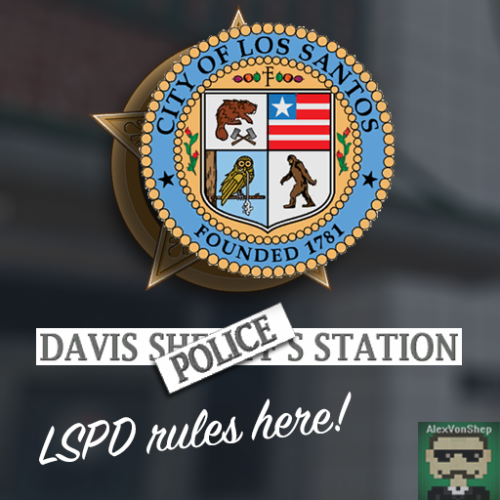
Get annoyed every time you see "sheriff" station in Davis? Want to see LSPD in LS and LSSD in BC? Now with my mod your dreams come true!
Features:
*No LSSD stuff can be found in Davis
*Realistic signs on doors & walls made of an original texture from Rockstar
*HD texture (for LS badge - Los Santos Police Dept. - LS Badge) included
Installation
Warning: this mod is not made for using it in GTA Online!
Use OpenIV to replace the vanilla files
1. Make sure you have ASI Loader and OpenIV.asi (optional) installed
2. Go to:
YOUR_GTAV_FOLDER/mods (optional - see this: http://openiv.com/?p=1132) /x64k.rpf/levels/gta5/_citye/scentral_01/sc1_19.rpf
3. Replace sc1_19_sheriff.ydr and sc1_19_sheriff+hidr.ytd there
4. Close everything and start the game to check if my mod works
Known bug(s)
Nothing here :)
If anything goes wrong: use backup to restore the original files | reply to my work at its page on lcpdfr.com or gta5-mods.com | have a cup of tea with biscuits in order to settle down
Thank you for your attention!
...no other GTA V works were found
...searching for GTA IV works
...(7) matches found
...viewing the last one
- 967 Downloads
- 10 Comments
Updated -
Sorry for my not good English - I'm from Russia
Description
The ordinary citizens and the police of LC became allergic to that clumsy, fat and bad-trained security officers so that they forced the Gruppe6 to carry out some reforms.
Now LC streets, offices, (air)ports and Stockades are protected by fit, smart guys in new uniforms that will help the police if it is necessary.
Features:
*well-made uniforms with hats for regular security guard and armoured Stockade driver
*original GTA V textures were used to make them look just like their LS mates
*fights with the police fix
*text configs are included
Installation
Use OpenIV or SparkIV to replace the vanilla files in game archives
1. Go to:
YOUR_GTAIV_FOLDER/pc/models/cdimages
2. Open componentpeds.img and then import there the files from "componentpeds.img" folder
3. Open pedprops.img and then import there the files from "pedprops.img" folder
4. Go to:
YOUR_GTAIV_FOLDER/common/data
5. Open peds.ide and then replace lines there that are similar to lower ones
6. Open pedVariations.dat and then replace lines there that are similar to lower ones
7. Extract Ambient.dat to YOUR_GTAIV_FOLDER/common/data
8. Close everything and start the game to check if my mod works
If anything goes wrong: use backup to restore the original files // reply to my work at this page on lcpdfr.com // have a cup of tea with biscuits in order to settle down
Thank you for your attention!
You are a NYPD lover? Check this:
- 1,215 Downloads
- 11 Comments
Updated -
THE MOD WHICH WAS EXPECTED TO BE RELEASED FOR 4 MONTHS IS FINALLY HERE
Sorry for my not good English - I'm from Russia
Description
What if Liberty City was a complete mirror reflection to the New York?
Well, one thing is that the Francis International Airport would be a LCPA juresdiction just like the JFK airport and Port Authority PD.
So, this modification brings a piece of realism to your game: now you will have a well-made LCPA police station just near the Francis International Airport!
Features:
*LCPD badges, signs and doors were replaced with LCPA ones
*No FPS loss
*Working LODs
*LCPA booths were added for more realism
*Mod is optimised for "Realism Car Placements - Airport" users
Installation
Use OpenIV or SparkIV to replace the vanilla files
1.Go to:
YOUR_GTAIV_FOLDER/pc/data/maps/east/
2.Open queens_e.img and then import there the files from "queens_e.img" folder
3.Close everything and start the game to check if my mod works
IF YOU ARE A "Realism Car Placements - Airport" USER:
import queens_e_stream0.wpl to queens_e.img
Known bug(s)
Sometimes badges may disapper - just wait for them.
If anything goes wrong: use backup to restore the original files reply to my work at this page OR to this mod have a cup of tea with biscuits in order to settle down.
- 414 Downloads
- 9 Comments
Updated -
Sorry for my not good English - I'm from Russia
Description
Ho-ho-ho, realism lovers! Brace yourself because GREAT NYPD STATIONS PACK is coming!
Now you have an opportunity to enjoy going on duty at LC NYC streets with well-made police stations & booths!
I'm so happy to present it to you that's why I can't stop using exclamation marks!
Features:
*A lot of realistic signs, badges and billboards made in NYPD stations style (just have a look at the screenshots)
*No FPS loss
*Works great with every mod connected with NYPD
Installation
Use OpenIV or SparkIV to replace the vanilla files
1. Go to:
YOUR_GTAIV_FOLDER/pc/data/maps/east/
2. Open [bronx_e2.img ; brook_s.img ; brook_s2.img ; queens_w2.img] and then replace [coop_cop_shops1 ; rt2a_ksun ; tg_sh5_ne ; qw2_cort_emis & qw2_corthouse] thereafter
3. Go to:
YOUR_GTAIV_FOLDER/pc/data/maps/manhat/
4. Open [manhat02.img ; manhat03.img ; manhat04.img ; manhat08.img ; manhat09.img ; manhat10.img ; manhat12.img] and then replace [i'M SO LAZY TO WRITE ALL FILE NAMES] thereafter
5. Close everything and start the game to check if my mod works
Known bug(s)
Not every precinct has lods so that something will stay and something will disappear.
If anything goes wrong: use backup to restore the original files // reply to my work at its page on lcpdfr.com // have a cup of tea with biscuits in order to settle down
Thank you for your attention!
Merry Christmas and Happy New Year!
My other works can be found here:
- 4,733 Downloads
- 14 Comments
Updated -
Sorry for my not good English - I'm from Russia
Description
Just imagine...there is no Alderney State...only Liberty City and Liberty County in GTA IV. With the new Liberty City government decree you have an opportunity to become a Liberty County deputy sheriff!
And my mod will bring more realism to your new job position.
Features:
*A lot of realistic things that may be at LC Sheriff's Office (just have a look at the screenshots)
*No FPS loss
*Works great with DSF CVPI LCSO LIVERIES by Reibu and every mod connected with LCSO, I think...
Installation
Use OpenIV or SparkIV to replace the vanilla files
1. Go to:
YOUR_GTAIV_FOLDER/pc/data/maps/jersey/
2. Open nj_01.img
3. Replace the nj01_policeground.wdr and nj01_policestation.wdr
4. Open nj_05.img
5. Replace the gm-19_09.wdr
6. Close everything and start the game to check if my mod works
If anything goes wrong: start panicing and running with a wild cry around your room/house/flat/etc. // use backup to restore the original files // reply to my work at this page // have a cup of tea with biscuits in order to settle down
Known bug(s)
The LCSO in Leftwood will have LCPD doors at night. This will continue until I find the solution!
Thank you for your attention! Have a good day!
My other works can be found here:
- 254 Downloads
- 3 Comments
Updated -
Sorry for my not good English - I'm from Russia
THE MISSING LOGOS PROBLEM IS FIXED. PLEASE REDOWNLOAD THE FILE!
Hi everyone! Just read the description and realise what is my work about.
Description
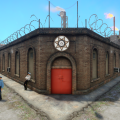
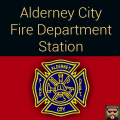
You know that Alderney State has two fire stations: one in Tudor and one in Berchem (if there was no firetruck, you'd not understand that it's a fire station).
I'm a big fan of realism in GTA IV (Yard1 too) so that we present you a ACFD station with its own logo and sign.
Features:
*Realistic sign with an original texture from Rockstar
*Realistic logo represents the original Jersey City FD badge
*No FPS loss
*Works great with Yard1's MTL Firetruck FDLC and Vapid Sadler Ambulance FDLC or Brute Ambulance FDLC Why? Because they have ACFD skins!
Installation
Use OpenIV or SparkIV to replace the vanilla files
1. Go to:
YOUR_GTAIV_FOLDER/pc/data/maps/jersey/
2. Open nj_04w.img
3. Replace the ld10-fs.wdr
4. Close everything and start the game to check if my mod works
If anything goes wrong: start panicing and running with a wild cry around your room/house/flat/etc. // use a backup archive to restore the nj_04w.img file // reply to my work at this page // have a cup of tea with biscuits in order to settle down
Known bug(s)
If you are flying the helicopter approaching to this fire station, you will probably see not replaced objects. But they disappear by the time you reach the shore.
Thank you for your attention! Have a good day!
Check out my other works connected with Alderney State:
- 291 Downloads
- 10 Comments
Updated -
Hi everyone!
Sorry for my bad English, I'm Russian.
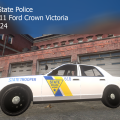
A few days ago I imagined if Alderney State had its own police vehicles, not from the LCPD.
This pack includes liveries for
1. Cj24's LCPD & Impala & FPI (Taurus) & Corvette Pursuit Unit (Alderney State has a long highway best for high-speed pursuits)
2. EVI's Ford F150 "National Park Service"
3. UndercoverChicken/Policefanatic's Ford Explorer MSP-like
I strongly recommend you to use this pack with:
Area Livery Mod 2.0
New Alderney State Trooper - Swift Livery 1.0
New Cops & State Troopers Version 1.2.1
Alderney State Police Stations 1.0
Thank you for your attention! Have a good day in LCPD or ASP!
P.S. Version 1.0 archive is saved if you don't like the new design.
- 328 Downloads
- 4 Comments
Updated -
Hi everyone! Sorry for my bad English, I'm Russian. (No politics! If you hate Russia, it's UNREASONABLE of you to hate me!)
I'm continuing with creating liveries connected with Alderney State.
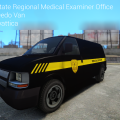
Now I'm going to present you Alderney State Regional Medical Examiner Office van livery based on NJ RMEO (I tried hard to make my livery similar to it).
The archive includes one skin only for:
-Scyattica's Speedo-DEV 1.0
I strongly recommend you to use this skin with:
Area Livery Mod 2.0
vdh METT/Coroner Mod 1.0.0
Thank you for your attention! Have a good day in LCPD or ASP!
Check out my other work: https://www.lcpdfr.com/files/file/6387-alderney-state-police-livery-pack/
- 53 Downloads
- 6 Comments
Updated