KC9UNK
Members
-
Joined
-
Last visited
Files posted by KC9UNK
-
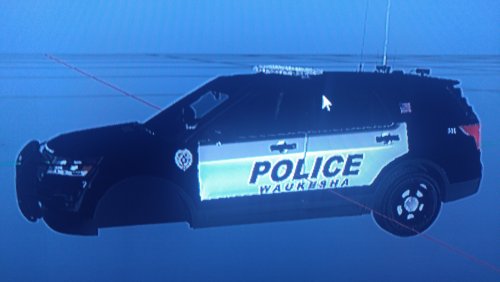
Waukesha Wisconsin Police Explorer,requested by someone for me to make.
- 84 Downloads
- 6 Comments
Submitted -
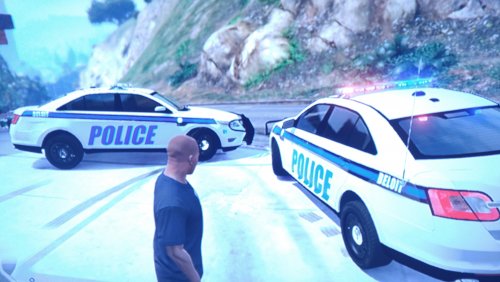
Here is my very first skin i ever made, this is for my local department, Beloit Police,located in south central Wisconsin.
I welcome feedback as i am new to making skins and still have a lot to learn but i figured i would share what i can do so far.
Vehicle model does not belong to me.
- 23 Downloads
- 6 Comments
Updated -
This is my 3rd skin i have made since i have been learning how to do them.This is my best i think so far, although this department doesnt use a marked taurus anymore,just unmarked ones. They mainly use marked chargers and tahoes. But l like the taurus the best.
As i am still learning how to improve my skills,i do welcome feedback.
I own the skins,i do not own this vehicle model.
- 65 Downloads
- 7 Comments
Updated -
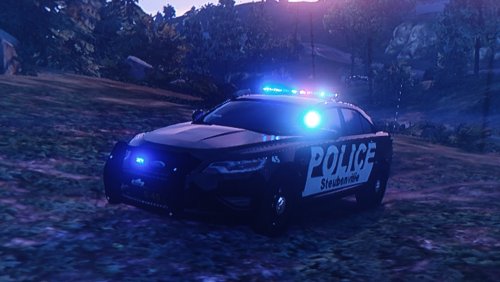
One of my first skins ever made,
Steubenville,Ohio police taurus.
I do not own this car.
- 45 Downloads
- 11 Comments
Updated