
Rez
Members
-
Joined
-
Last visited
Files posted by Rez
-
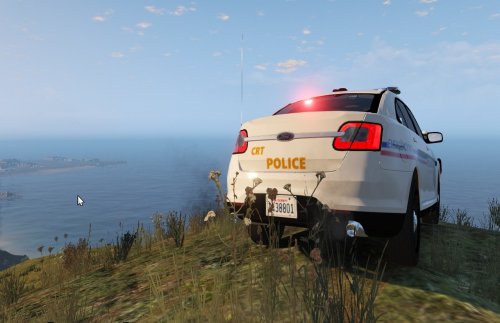
--------------------MIDDLETOWN TEXTURE---------------
Created by: Rez
Requested texture by: JG
Version: 1.0.0
-------------------------------------------------------------------------------
Installation
1) Download and install the interceptor model http://www.lcpdfr.com/files/file/9359-ford-police-interceptor-2012-model/
2) Unpack police_sign_1 in the zip file
3) Launch OpenIV
4) Go to update/x64/dlcpacks/patchday4ng/dlc.rpf/x64/levels/gta5/vehicles.rpf
5) Find police3.ytd
6) Open police3.ytd and look for police_sign_1 and replace it with the middletown texture.
7) Delete the other police signs.
Done!
Do NOT edit the file without my permission or upload it.
Hope you enjoy!
- 16 Downloads
Updated -
Columbus Police Maverick Texture
Hey guys this is the Columbus Police helicopter maverick Texture, requested by Tylerkirk76
Yes I know Columbus police has a different helicopter model but there isn't the same model out
there for GTA V yet. If anyone has created one please let me know.
Installation
1) First download Police Maverick by Yard1
2) Install the maverick
3) Unzip the contents in my folder
4) Launch OpenIV
5) Go to update/x64/dlcpacks/patchday4ng/dlc.rpf/x64/levels/gta5/vehicles.rpf
6) Search for polmav.ytd
7) Open polmav.ytd and replace polmav_sign_1 with my texture.
You're done!
Enjoy the skin and please rate :)
- 53 Downloads
Submitted -
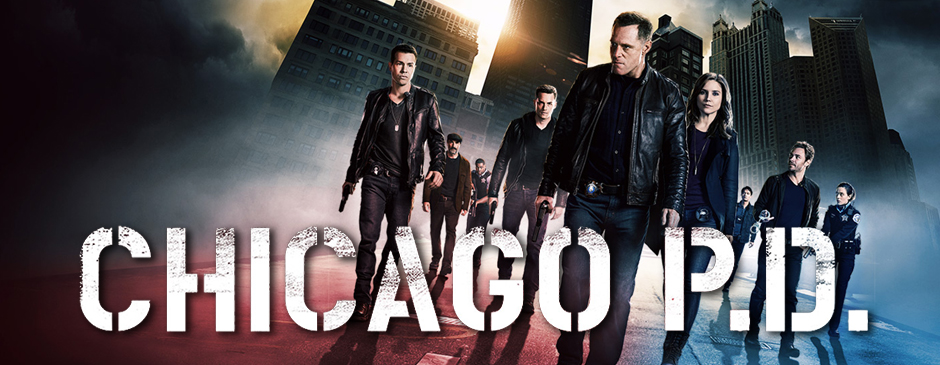
CHICAGO POLICE CHARGER V1.0.0 -Rez
I released a new texture skin based on the chicago police T.V series. I will
be releasing a full Chicago Police texture pack soon so I decided to release a taster
of the Chicago pack. This texture took me awhile to create. NOTE: I am aware that Chicago Police have blue lights. Unfortunately I cannot find a police vehicle model with blue lights. One I create my texture pack I will add blue lights once it's available.
Chicago Police Texture pack coming soon! [WIP]
Installation:
1) Fist download and install Dodge Charger model by F5544 http://www.lcpdfr.com/files/file/9596-dodge-charger-2015-lspd/
2) Extract the contents in my chicago file
3) Launch OpenIV
4) Go to update/x64/dlcpacks/patchday4ng/dlc.rpf/x64/levels/gta5/vehicles.rpf
5) Search for police2 where you installed the charger
6) Open police2.ytd and search for chgr_sign_1. Replace the chicago sign with my chicago texture
7) Delete any other chgr_sign
You're done!
Enjoy the texture, please do not edit or upload the texture in any way.
-Rez
- 123 Downloads
Updated -
Columbus P.D Skin created by Rez.
INFO
My first texture released for the interceptor model.
Installation
Read the readme file carefully. Download F5544 Police Interceptor model first.
Thanks to Tylerkirk76 for requesting the texture. I will be releasing Chicago P.D (WIP) and Columbus P.D Tahoe skin (WIP) soon!
-Rez
- 55 Downloads
Updated