Morgaan
Members
-
Joined
-
Last visited
Files posted by Morgaan
-
Keyboard Police Lights
Currently developing Razer support.
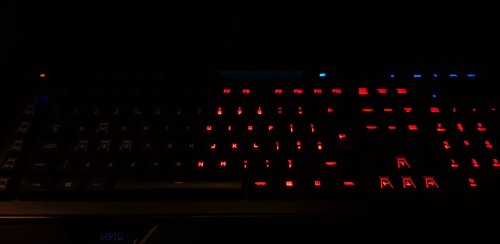
Keyboard Police lights is a plugin to implement police patterns on RGB keyboards. This plugin currently only supports Logitech Per Key RGB devices and Logitech Mono RGB Devices(i.e. those that only allow one colour across whole keyboard)
When you toggle your sirens on the plugin will play a police light effect across your keyboard, when your toggle the sirens off, or leave your vehicle, the effect will stop restoring your previous pattern, e.g Rainbow wave.
Features:
Compatible with ELS 9 Predefined lighting patterns Compatible with all Logitech Per key RGB devices Includes patterns for UK and US keyboard layouts Restores keyboard pattern when you shut sirens off Option to leave keyboard lights running when out of vehicle Option to change speed of light pattern
Prerequisites:
Rage Plugin Hook v0.62 alpha (Older versions may work, however are not tested) Legal copy of GTA V Logitech Gaming Software
Installation:
Copy LogitechLedEnginesWrapper.dll to your main GTA V directory. Copy Plugins/KeyboardLights.dll and Plugins/KeyboardLights.ini to GTA V/Plugins. Change the light pattern in KeyboardLights.ini to one you wish to use.
How to use:
Simply click the setting when Rage Plugin Hook loads and tick KeyboardLights and when ever you're in a police car and toggle your lights on, the effect will play. Alternatively manually load the plugin by opening the console (F4) and type LoadPlugin KeyboardLights, then you will be good to go. Don't Know if you have US or UK Layout? If you have Backslash (\) next to your return key, you have US layout, if backslash is next to left shift, you have UK.
Notes:
This is not compatible with Corsair/Razer/Cooler Master or any other keyboards. Logitech Only. This will not work with Logitech keyboards that do not support Per key RGB. Keyboard Lights is my first plugin for GTA V, if you encounter any issues, I'll be glad to look into them. In future version I will add the option to leave the Keyboard Lights on when you step out of the vehicle.
- 4,749 Downloads
- 60 Comments
Updated