dingo2031
Members
-
Joined
-
Last visited
Everything posted by dingo2031
-
 The new update has issues IE "Mastercom B" being really quite and thats basically it. Other than that this is a amazing siren pack
- 316 comments
- 31 reviews
-
-

- 1
-
-
-
ASP batons "rapidly" tap glass? IKR
-
Awesome work from these officers but my question is what did the one use to break the window?
-
-
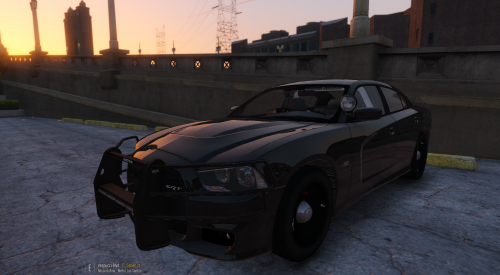 I like the model alot just a few things I would do different but other than that its amazing
- 38 comments
- 23 reviews
-
-
-
-
-
-
-
-
IDK im moving half way across US and now my cat just died... Wow life just keeps getting better and better
-
I currently like: Five Finger Death Punch Of Mice and Men Avenge Sevenfold More
-
the battery cover popped off if I didnt put my hand off the trottle it prob saved my life I was a foot from hitting my head on the fire hydrant
-
Yeah I scraped my foot badly on top and my vape is fine thank god brand new. I scraped my forehead and cheek bone. wasnt wearing helemt
-
hahahah no just distraction even though the tires were flat
-
I was driving and got distacted looked to my right cause of a road didnt go straight as I thought I went right into the curb
-
Can we go back to the old website????
-
One of your parts on your car is corrupted
-
Take all the lights Im guessing you put them in a folder just for ELS, Lightbar models and that basicly the "helper" file take that off the car. Delete the base model and reimport the base model
-
Wow...
-
-
At www. heslieing.duh