Skip to content
View in the app

A better way to browse. Learn more.

LCPDFR.com

A full-screen app on your home screen with push notifications, badges and more.

To install this app on iOS and iPadOS
  1. Tap the Share icon in Safari
  2. Scroll the menu and tap Add to Home Screen.
  3. Tap Add in the top-right corner.
To install this app on Android
  1. Tap the 3-dot menu (⋮) in the top-right corner of the browser.
  2. Tap Add to Home screen or Install app.
  3. Confirm by tapping Install.

Jitnaught

Members
  • Joined

  • Last visited

Files posted by Jitnaught

  1. So I usually don't upload mods here, but RiceBox (the person who requested this mod) suggested it, so I did.

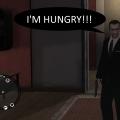
    This is just a simple mod that removes 5 health from you about every minute and 30 seconds, 5 minutes after the last time you've ate.
    The way you replenish your health is by eating like normal.

    How to install:
    First install .NET Scripthook, then copy the Hunger.net.dll and Hunger.ini files to the scripts folder in your GTA IV directory.

    Controls:
    Right-CTRL + H = To toggle hunger (hunger is enabled on startup)
    -Keys are changeable in the ini file

    Do not redistribute without my permission.
    • 607 Downloads
    • 7 Comments
    Updated

Account

Navigation

Search

Search

Configure browser push notifications

Chrome (Android)
  1. Tap the lock icon next to the address bar.
  2. Tap Permissions → Notifications.
  3. Adjust your preference.
Chrome (Desktop)
  1. Click the padlock icon in the address bar.
  2. Select Site settings.
  3. Find Notifications and adjust your preference.