




Qwerasdzxc
Members
-
Joined
-
Last visited
Everything posted by Qwerasdzxc
-
Use these 2 mods, I think that's what you're looking for: 1. Mod 2. Mod
-
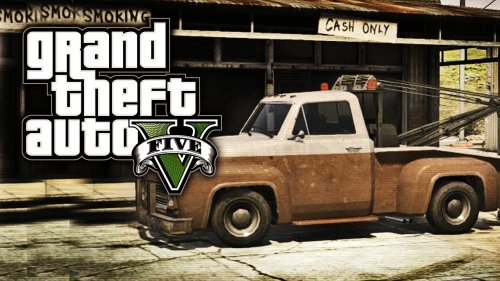 No problem man, thanks for the support! :)
 -
Thanks for the support, I really appreciate it!
-
Need one Beta tester as I have some weird issue in-game and can't test the new version of the mod properly. Let me know if anyone is interested.
-
Try removing ELS mod completly and see if it works then.
-
You have to place the TowTruck.dll into the "scripts" (without quotes) folder located in your game directory, if you don't have one, simply create it. Weird fix but I'm glad it's working.. :) Working fine now, it was probably just a server bug.
-
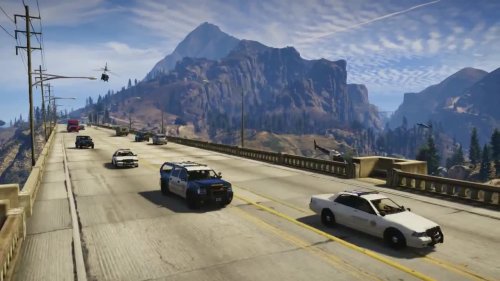 Yes. Thanks man!
 -
Scroll up a bit and you'll find people with similliar problem, try the solutions I suggested them!
-
Thanks for the feedback and I'm glad you like the mod! P.S. Suggestion for the beacon lights is accepted and will be present in the next update
-
Finally!
-
Okay, for all of you that are having problems. Go to this link and follow the instructions to install it. Try re-installing .Net framework, also mentioned in the instructions in the link I gave you.
-
Try doing the same thing I told the 2 guys above your post.
-
To both of you, try any other .Net mod for GTA V and see if it works. If it doesn't then you'd have to contact author of ScriptHook .NET as this issue is not related to my mod.
-
Exactly!
-
Then you've done something wrong. Can you send me a picture of your GTA V install directory?
-
Post the content of ScriptHookDotNet log on pastebin.com and give me a link to it.
-
You can just press Insert to restart the mod, no need to restart the game. I have been testing the option to spawn the driver on the closest road but that was even worse than this
-
I'm glad you like it!
-
Please edit the message and put that log in a spoiler tag. I'll try to find a solution for you soon.
-
Post the content of ScriptHookDotNet log (text file located in your game directory)
-
Not sure if you did this but if you didn't, you have to open the ScriptHook and ScriptHookDotNet folder and copy everything inside of it (not just copy the folder into the game directory).
-
You managed to get it working?
-
What's your GTA V update version?
-
Nope, you should create a scripts folder in your GTA V game directory and put the .dll into it. Be carefull, it has to be named "scripts" without quotes.
-
You have some excellent ideas and I would like to implement all of them if I could I'll do my best and try to make it as realistic as possible!


